Skip to content

Mermaid catalog

konoma parses, lays out and draws every Mermaid diagram itself — no browser, no Node, no external renderer, nothing to install. A ```mermaid fence in a Markdown file becomes a real picture in the terminal, and a standalone .mmd file opens full screen.
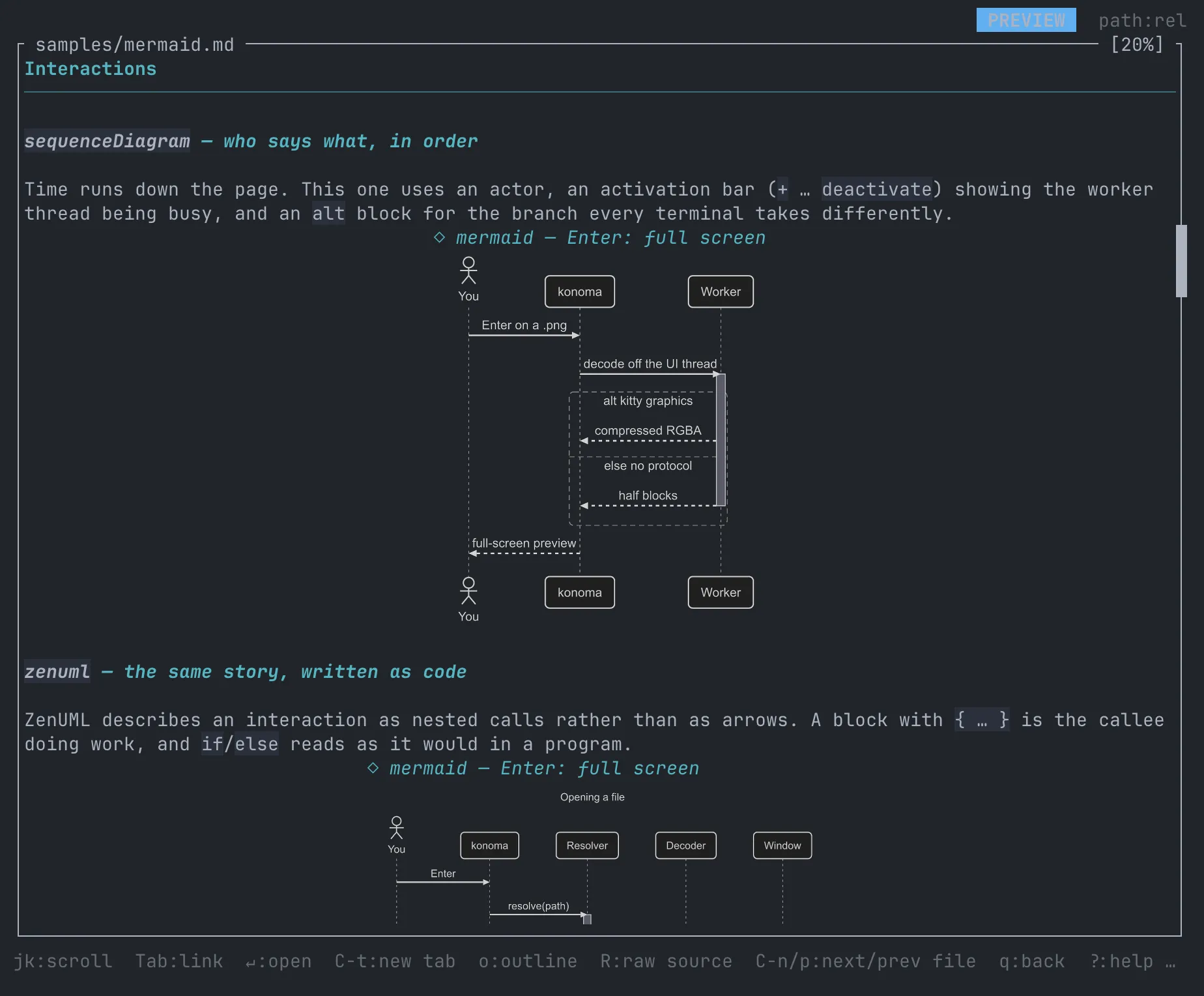
konoma showing samples/mermaid.md, with a sequence diagram and a ZenUML diagram drawn inline as real images

Every picture below was produced by that same renderer, from the fences in samples/mermaid.md, at the shipped defaults (ui.mermaid_theme = "dark", ui.mermaid_curve = "basis"). The backgrounds are transparent — in a terminal the diagram sits on your own background; here it sits on a dark plate.

The default look is mermaid’s own: nothing changes unless you ask for it. One line switches flowcharts and state diagrams to konoma’s own orthogonal router and designed palette:

[ui]
mermaid_routing = "konoma-orthogonal"

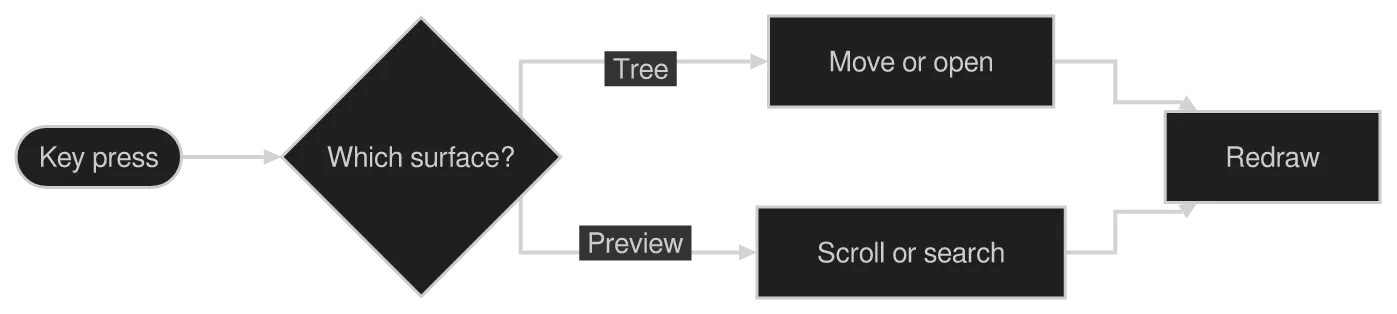
In that mode every edge bends only at right angles with sharp corners, decision diamonds become chamfered rectangles so an edge can land on a flat face, a straight-through edge across ranks aligns into a single unbent lane, and the diagram switches to konoma’s own palette — dark node fills, dashed subgraph frames, and classDef/style colors carried consistently onto a node’s border, its edges and its label (so ui.mermaid_theme has no effect there).

It applies to flowchart and stateDiagram-v2 only. Those two are shown twice below — konoma-orthogonal first, then the default splines — and the other 21 kinds are shown once, because routing never reaches them.

See Configuration for every Mermaid option, and Previews in depth for the keys that zoom, pan and open a diagram full screen.

Three [ui] options change how a diagram is drawn, and a diagram can override one of them from inside its own source. Every picture in this section is one of the samples further down this page, redrawn with a single thing moved — so anything you see differing came from the thing the caption names.

A few rules hold across all of them. mermaid_curve is read by a flowchart’s own edges and by nothing else. Both mermaid_curve and mermaid_theme are ignored under konoma-orthogonal: that mode has no curve, only right-angle segments, and it carries its own designed palette. A theme’s background is always transparent, so a diagram blends with whatever your terminal’s background is.

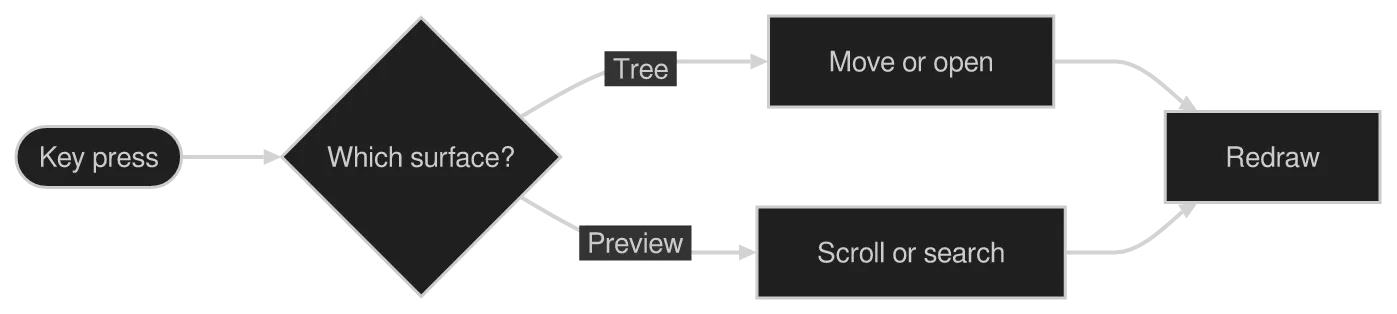
The plainest of the three: a stadium, a decision diamond, two branches and a join. It is where the basic shapes read most clearly.

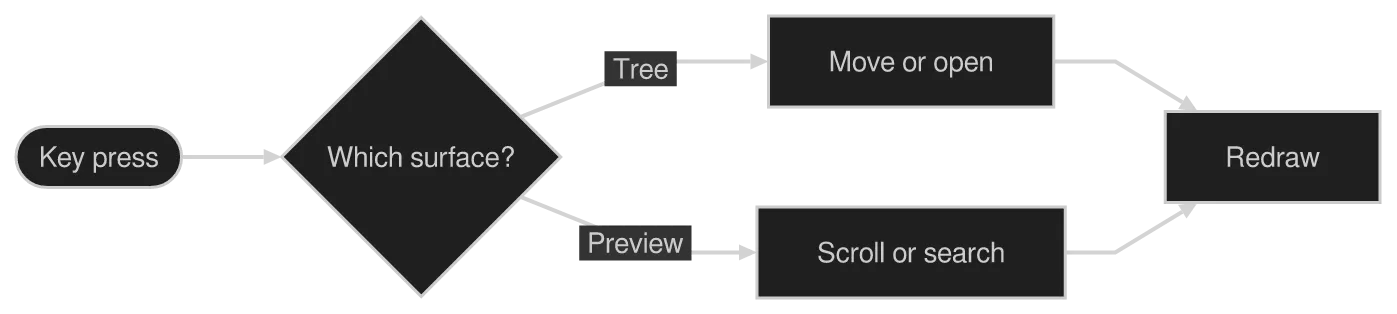
The same diagram drawn by konoma's own Mermaid renderer with mermaid_routing = "konoma-orthogonal"
konoma-orthogonal

konoma's own router: every edge bends only at 90° and meets a border head-on, decision nodes become chamfered rectangles, and the diagram is drawn in konoma's own designed palette.
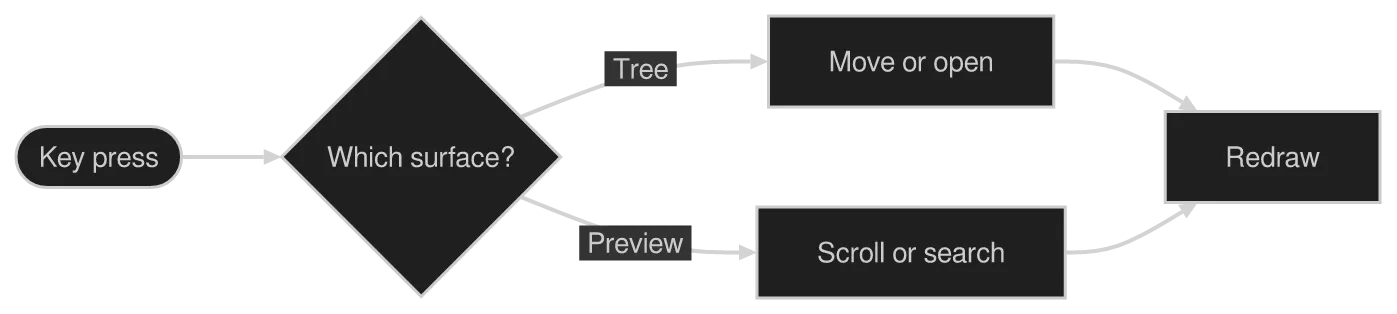
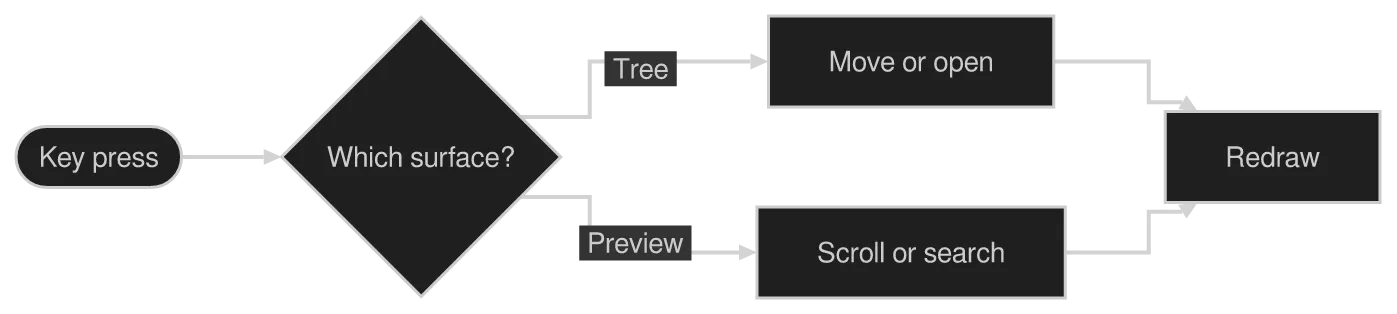
The same diagram drawn by konoma's own Mermaid renderer with mermaid_routing = "splines"
splinesdefault

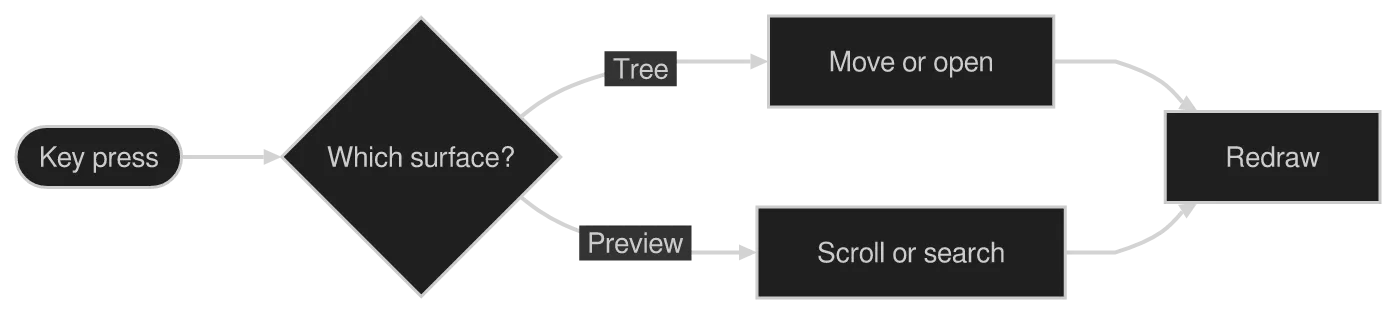
The shipped default — mermaid’s own layout, with every edge following the curve mermaid_curve names.

A flowchart states its direction as the header’s own keyword — flowchart LR, TB, RL or BT. The routing rules are the same in every direction: RL and BT are the exact mirror of LR and TB along the flow axis, while which side a branch takes is unchanged. The konoma-orthogonal design references 2b and 2c are the same graph in LR and TB for exactly that reason.
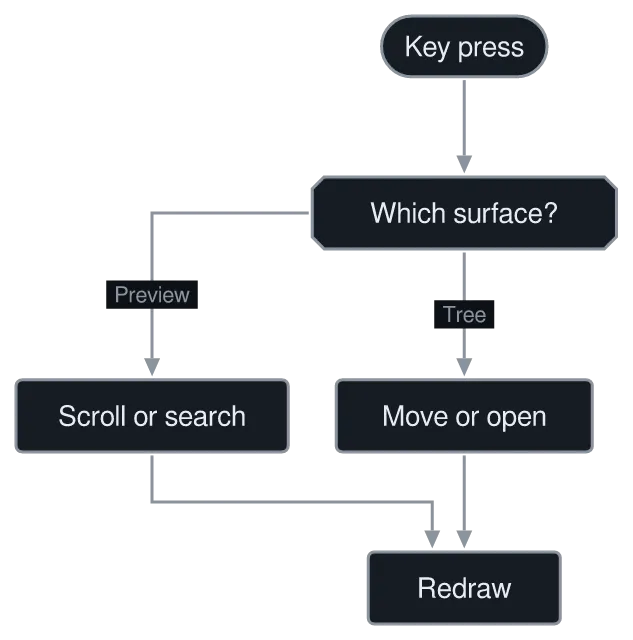
The same diagram drawn by konoma's own Mermaid renderer with direction = "LR"
LRdefault
The same diagram drawn by konoma's own Mermaid renderer with direction = "TB"
TB
The same diagram drawn by konoma's own Mermaid renderer with direction = "RL"
RL
The same diagram drawn by konoma's own Mermaid renderer with direction = "BT"
BT
The same diagram drawn by konoma's own Mermaid renderer with mermaid_curve = "basis"
basisdefault
The same diagram drawn by konoma's own Mermaid renderer with mermaid_curve = "linear"
linear
The same diagram drawn by konoma's own Mermaid renderer with mermaid_curve = "step"
step
The same diagram drawn by konoma's own Mermaid renderer with mermaid_curve = "stepBefore"
stepBefore
The same diagram drawn by konoma's own Mermaid renderer with mermaid_curve = "stepAfter"
stepAfter
The same diagram drawn by konoma's own Mermaid renderer with mermaid_curve = "natural"
natural
The same diagram drawn by konoma's own Mermaid renderer with mermaid_curve = "cardinal"
cardinal
The same diagram drawn by konoma's own Mermaid renderer with mermaid_curve = "catmullRom"
catmullRom
The same diagram drawn by konoma's own Mermaid renderer with mermaid_curve = "monotoneX"
monotoneX
The same diagram drawn by konoma's own Mermaid renderer with mermaid_curve = "monotoneY"
monotoneY
The same diagram drawn by konoma's own Mermaid renderer with mermaid_curve = "bumpX"
bumpX
The same diagram drawn by konoma's own Mermaid renderer with mermaid_curve = "bumpY"
bumpY
The same diagram drawn by konoma's own Mermaid renderer with mermaid_curve = "rounded"
rounded

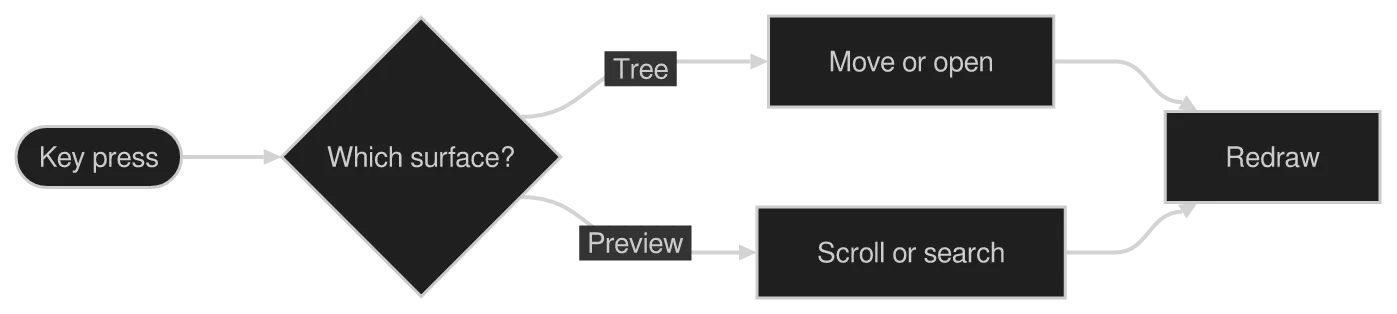
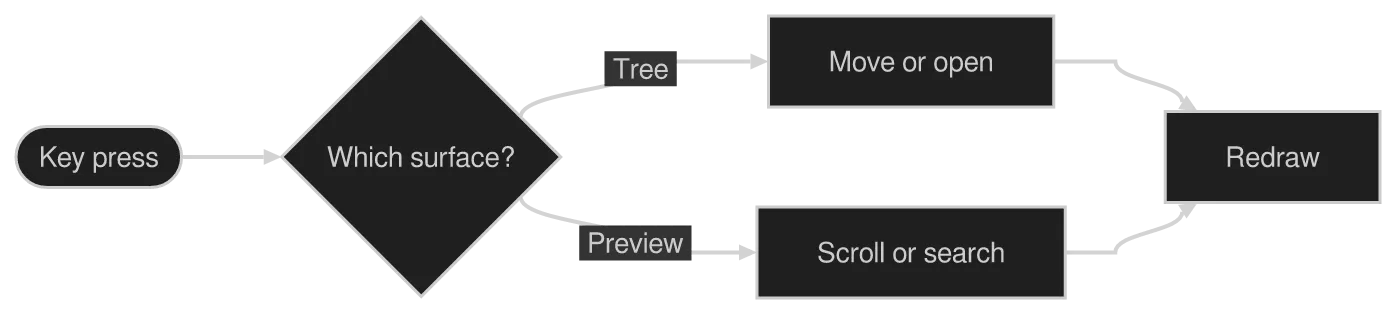
With the setting left at its default basis, a diagram can still ask for a different curve itself. Weakest first: the setting < the diagram’s own %%{init: {"flowchart": {"curve": "..."}}}%% directive < a linkStyle <n> interpolate <curve> naming one edge. Both are ignored under konoma-orthogonal.

The same diagram drawn by konoma's own Mermaid renderer with override = "init-step"
%%{init: {"flowchart": {"curve": "step"}}}%%
The same diagram drawn by konoma's own Mermaid renderer with override = "linkstyle-stepAfter"
linkStyle 1 interpolate stepAfter
The same diagram drawn by konoma's own Mermaid renderer with mermaid_theme = "dark"
dark terminal
The same diagram drawn by konoma's own Mermaid renderer with mermaid_theme = "dark"
light terminal
darkdefault
The same diagram drawn by konoma's own Mermaid renderer with mermaid_theme = "light"
dark terminal
The same diagram drawn by konoma's own Mermaid renderer with mermaid_theme = "light"
light terminal
light
The same diagram drawn by konoma's own Mermaid renderer with mermaid_theme = "classic"
dark terminal
The same diagram drawn by konoma's own Mermaid renderer with mermaid_theme = "classic"
light terminal
classic
The same diagram drawn by konoma's own Mermaid renderer with mermaid_theme = "forest"
dark terminal
The same diagram drawn by konoma's own Mermaid renderer with mermaid_theme = "forest"
light terminal
forest
The same diagram drawn by konoma's own Mermaid renderer with mermaid_theme = "neutral"
dark terminal
The same diagram drawn by konoma's own Mermaid renderer with mermaid_theme = "neutral"
light terminal
neutral

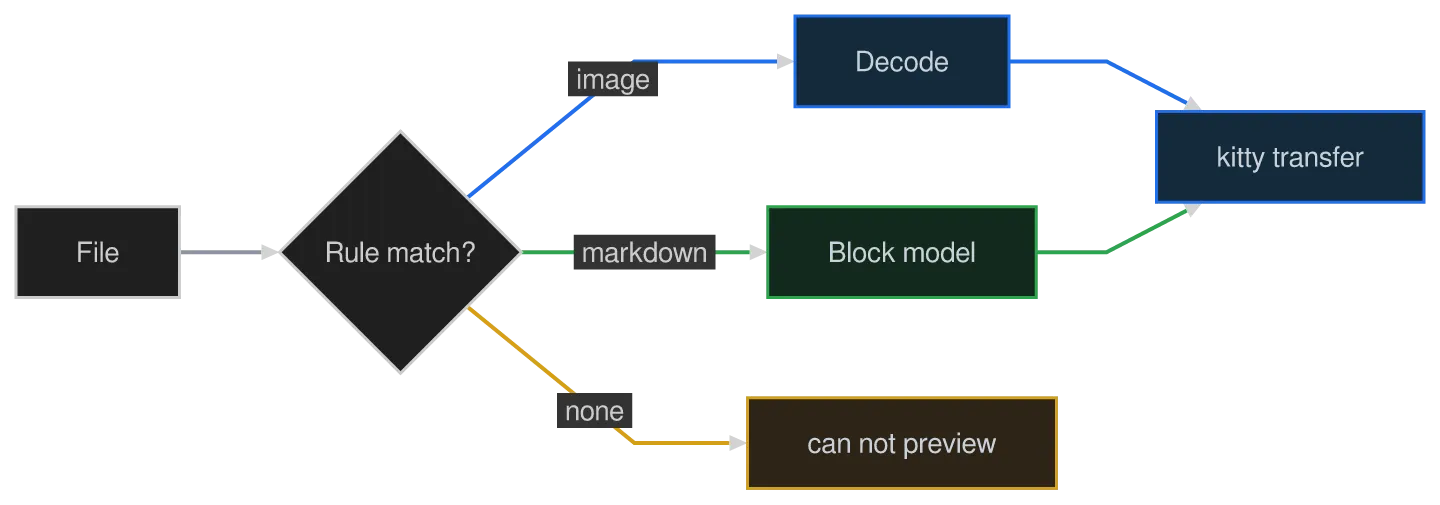
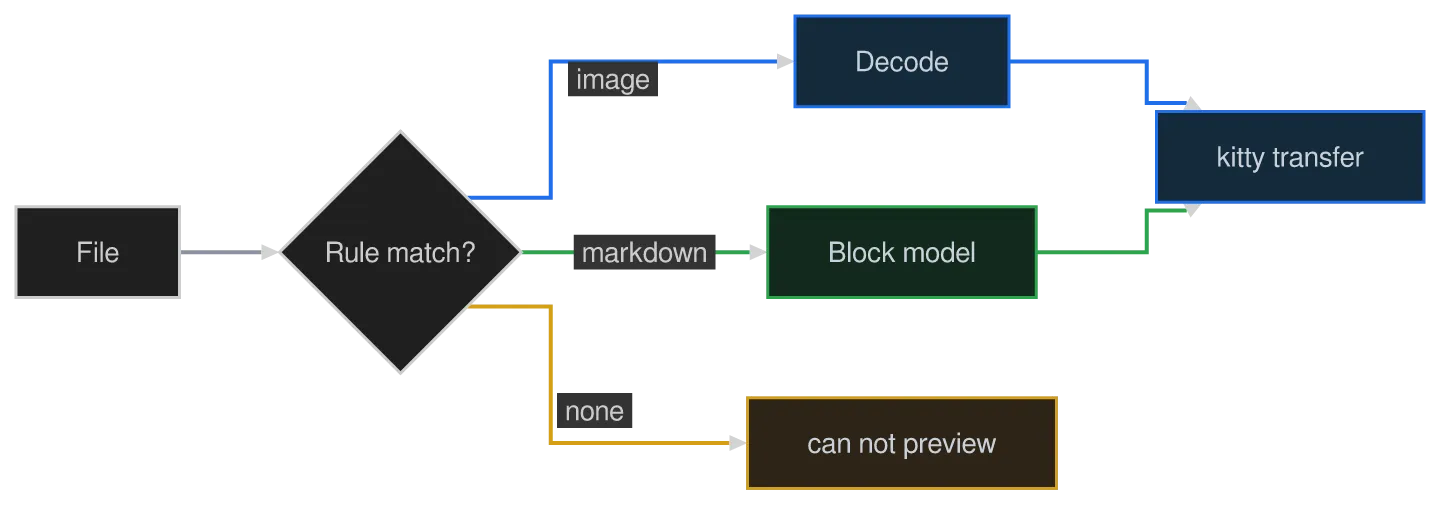
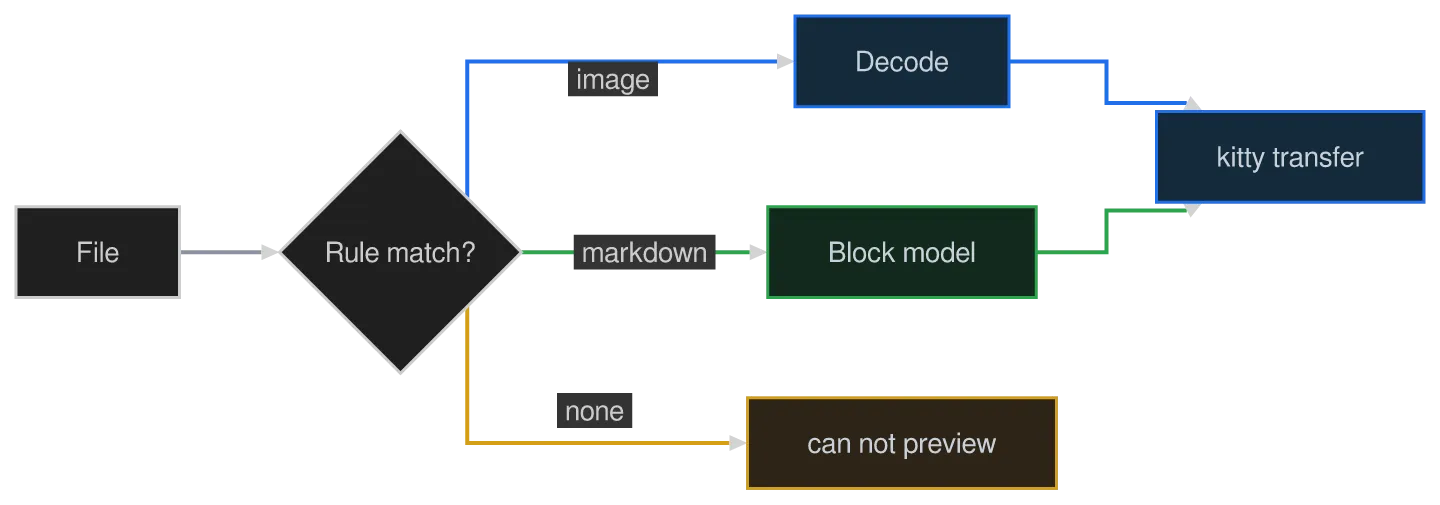
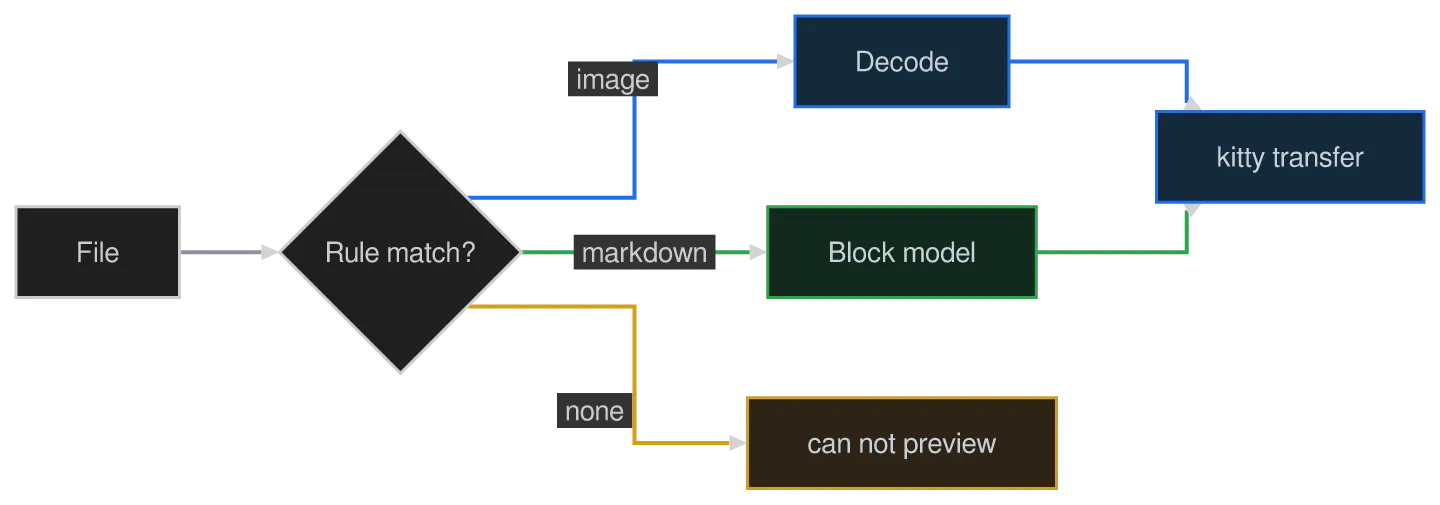
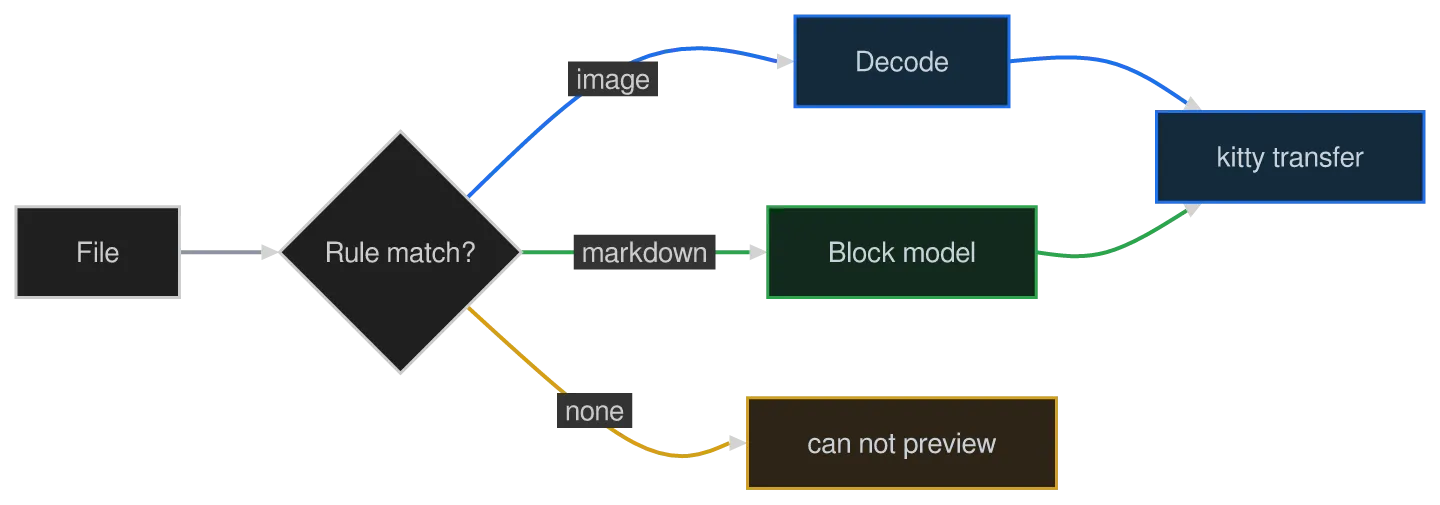
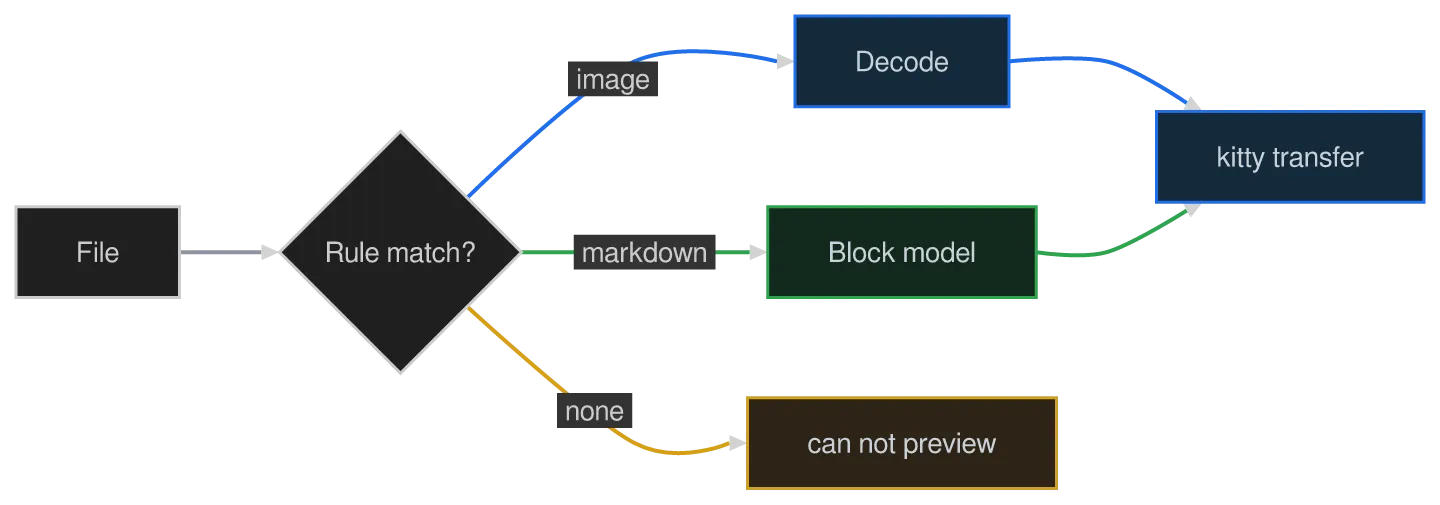
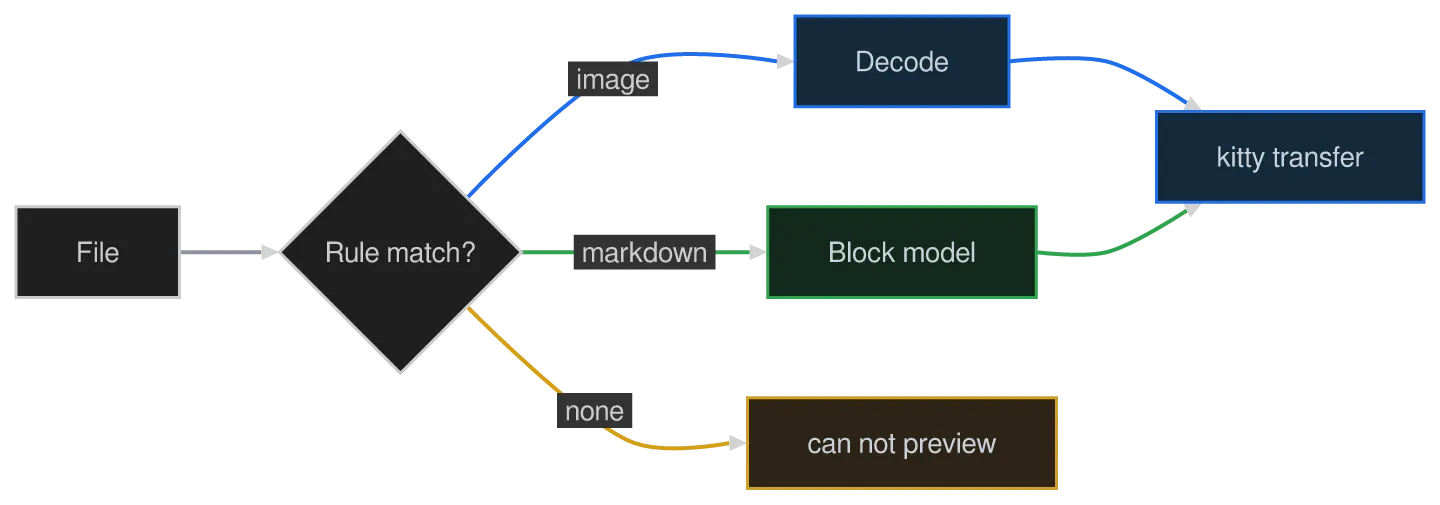
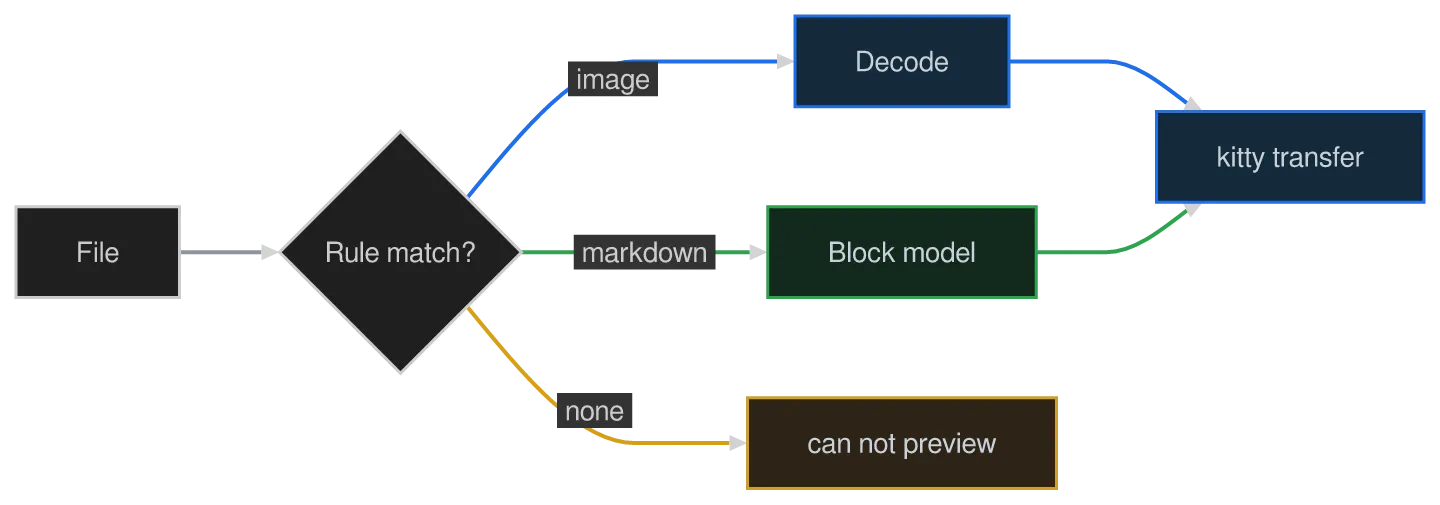
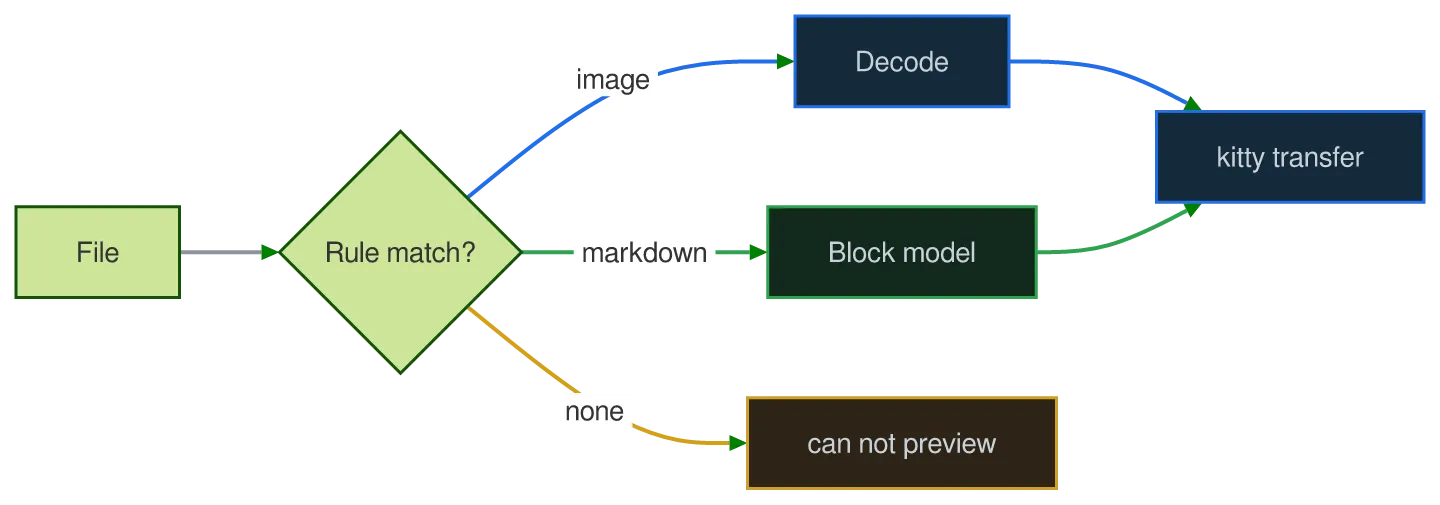
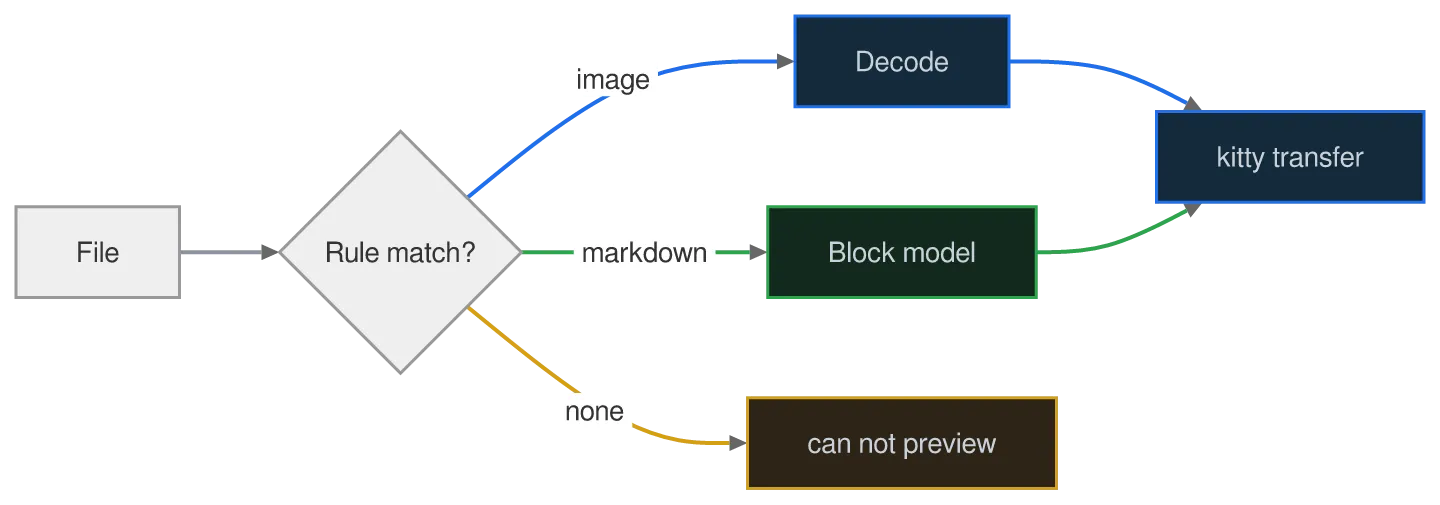
This one sets its own colours with classDef, ::: and style. It shows how a theme relates to colours the author picked: the theme paints everything the diagram did not, and the author’s colours survive on top of it.

The same diagram drawn by konoma's own Mermaid renderer with mermaid_routing = "konoma-orthogonal"
konoma-orthogonal
The same diagram drawn by konoma's own Mermaid renderer with mermaid_routing = "splines"
splinesdefault
The same diagram drawn by konoma's own Mermaid renderer with mermaid_curve = "basis"
basisdefault
The same diagram drawn by konoma's own Mermaid renderer with mermaid_curve = "linear"
linear
The same diagram drawn by konoma's own Mermaid renderer with mermaid_curve = "step"
step
The same diagram drawn by konoma's own Mermaid renderer with mermaid_curve = "stepBefore"
stepBefore
The same diagram drawn by konoma's own Mermaid renderer with mermaid_curve = "stepAfter"
stepAfter
The same diagram drawn by konoma's own Mermaid renderer with mermaid_curve = "natural"
natural
The same diagram drawn by konoma's own Mermaid renderer with mermaid_curve = "cardinal"
cardinal
The same diagram drawn by konoma's own Mermaid renderer with mermaid_curve = "catmullRom"
catmullRom
The same diagram drawn by konoma's own Mermaid renderer with mermaid_curve = "monotoneX"
monotoneX
The same diagram drawn by konoma's own Mermaid renderer with mermaid_curve = "monotoneY"
monotoneY
The same diagram drawn by konoma's own Mermaid renderer with mermaid_curve = "bumpX"
bumpX
The same diagram drawn by konoma's own Mermaid renderer with mermaid_curve = "bumpY"
bumpY
The same diagram drawn by konoma's own Mermaid renderer with mermaid_curve = "rounded"
rounded
The same diagram drawn by konoma's own Mermaid renderer with mermaid_theme = "dark"
dark terminal
The same diagram drawn by konoma's own Mermaid renderer with mermaid_theme = "dark"
light terminal
darkdefault
The same diagram drawn by konoma's own Mermaid renderer with mermaid_theme = "light"
dark terminal
The same diagram drawn by konoma's own Mermaid renderer with mermaid_theme = "light"
light terminal
light
The same diagram drawn by konoma's own Mermaid renderer with mermaid_theme = "classic"
dark terminal
The same diagram drawn by konoma's own Mermaid renderer with mermaid_theme = "classic"
light terminal
classic
The same diagram drawn by konoma's own Mermaid renderer with mermaid_theme = "forest"
dark terminal
The same diagram drawn by konoma's own Mermaid renderer with mermaid_theme = "forest"
light terminal
forest
The same diagram drawn by konoma's own Mermaid renderer with mermaid_theme = "neutral"
dark terminal
The same diagram drawn by konoma's own Mermaid renderer with mermaid_theme = "neutral"
light terminal
neutral

The busy one, and the reason the curve grid below is a single column: its edges span several ranks, and a long rank-spanning edge is where the 13 curves actually separate from each other.

The same diagram drawn by konoma's own Mermaid renderer with mermaid_routing = "konoma-orthogonal"
konoma-orthogonal
The same diagram drawn by konoma's own Mermaid renderer with mermaid_routing = "splines"
splinesdefault
The same diagram drawn by konoma's own Mermaid renderer with mermaid_curve = "basis"
basisdefault
The same diagram drawn by konoma's own Mermaid renderer with mermaid_curve = "linear"
linear
The same diagram drawn by konoma's own Mermaid renderer with mermaid_curve = "step"
step
The same diagram drawn by konoma's own Mermaid renderer with mermaid_curve = "stepBefore"
stepBefore
The same diagram drawn by konoma's own Mermaid renderer with mermaid_curve = "stepAfter"
stepAfter
The same diagram drawn by konoma's own Mermaid renderer with mermaid_curve = "natural"
natural
The same diagram drawn by konoma's own Mermaid renderer with mermaid_curve = "cardinal"
cardinal
The same diagram drawn by konoma's own Mermaid renderer with mermaid_curve = "catmullRom"
catmullRom
The same diagram drawn by konoma's own Mermaid renderer with mermaid_curve = "monotoneX"
monotoneX
The same diagram drawn by konoma's own Mermaid renderer with mermaid_curve = "monotoneY"
monotoneY
The same diagram drawn by konoma's own Mermaid renderer with mermaid_curve = "bumpX"
bumpX
The same diagram drawn by konoma's own Mermaid renderer with mermaid_curve = "bumpY"
bumpY
The same diagram drawn by konoma's own Mermaid renderer with mermaid_curve = "rounded"
rounded
The same diagram drawn by konoma's own Mermaid renderer with mermaid_theme = "dark"
dark terminal
The same diagram drawn by konoma's own Mermaid renderer with mermaid_theme = "dark"
light terminal
darkdefault
The same diagram drawn by konoma's own Mermaid renderer with mermaid_theme = "light"
dark terminal
The same diagram drawn by konoma's own Mermaid renderer with mermaid_theme = "light"
light terminal
light
The same diagram drawn by konoma's own Mermaid renderer with mermaid_theme = "classic"
dark terminal
The same diagram drawn by konoma's own Mermaid renderer with mermaid_theme = "classic"
light terminal
classic
The same diagram drawn by konoma's own Mermaid renderer with mermaid_theme = "forest"
dark terminal
The same diagram drawn by konoma's own Mermaid renderer with mermaid_theme = "forest"
light terminal
forest
The same diagram drawn by konoma's own Mermaid renderer with mermaid_theme = "neutral"
dark terminal
The same diagram drawn by konoma's own Mermaid renderer with mermaid_theme = "neutral"
light terminal
neutral

mermaid_routing reaches state diagrams too — its pair is in stateDiagram-v2 below — but mermaid_curve never does. What is left is the palette each theme gives a state machine, and the direction it is laid out in.

The same diagram drawn by konoma's own Mermaid renderer with mermaid_theme = "dark"
dark terminal
The same diagram drawn by konoma's own Mermaid renderer with mermaid_theme = "dark"
light terminal
darkdefault
The same diagram drawn by konoma's own Mermaid renderer with mermaid_theme = "light"
dark terminal
The same diagram drawn by konoma's own Mermaid renderer with mermaid_theme = "light"
light terminal
light
The same diagram drawn by konoma's own Mermaid renderer with mermaid_theme = "classic"
dark terminal
The same diagram drawn by konoma's own Mermaid renderer with mermaid_theme = "classic"
light terminal
classic
The same diagram drawn by konoma's own Mermaid renderer with mermaid_theme = "forest"
dark terminal
The same diagram drawn by konoma's own Mermaid renderer with mermaid_theme = "forest"
light terminal
forest
The same diagram drawn by konoma's own Mermaid renderer with mermaid_theme = "neutral"
dark terminal
The same diagram drawn by konoma's own Mermaid renderer with mermaid_theme = "neutral"
light terminal
neutral

A state diagram states its direction with a direction line in the body; without one it runs top to bottom. The routing rules are the same either way — the konoma-orthogonal design references 2b and 2c are the same graph in LR and TB for exactly that reason.

The same diagram drawn by konoma's own Mermaid renderer with direction = "TB"
TBdefault
The same diagram drawn by konoma's own Mermaid renderer with direction = "LR"
LR

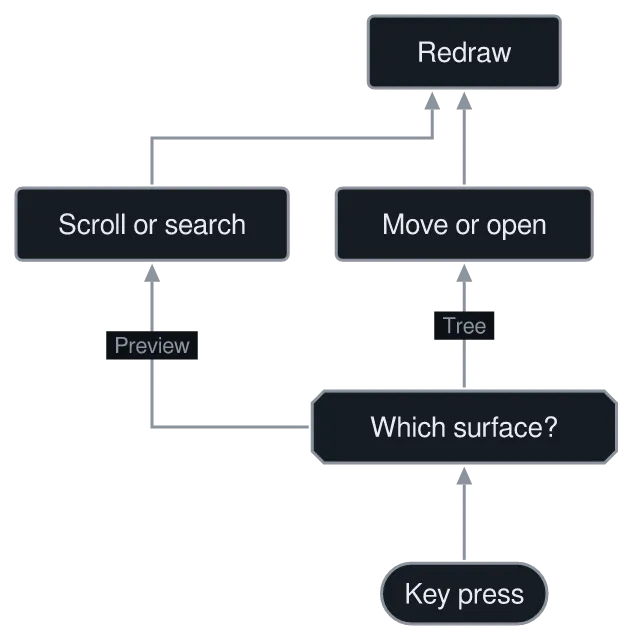
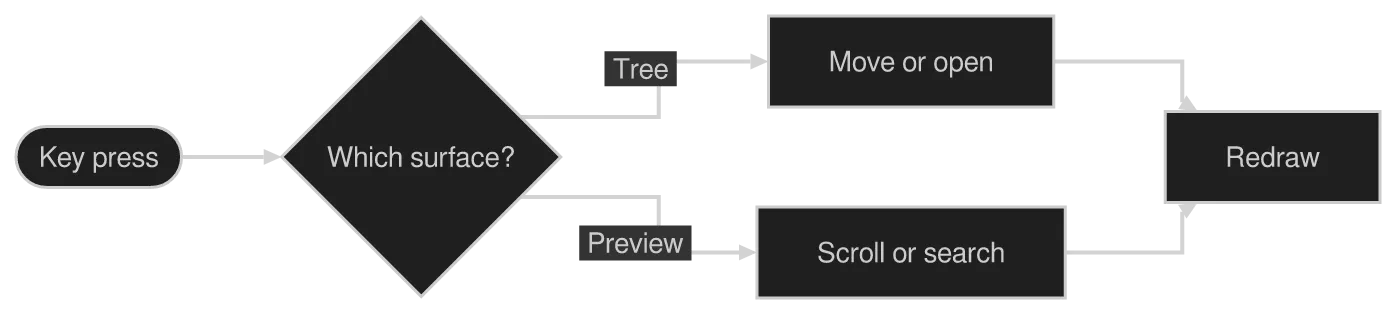
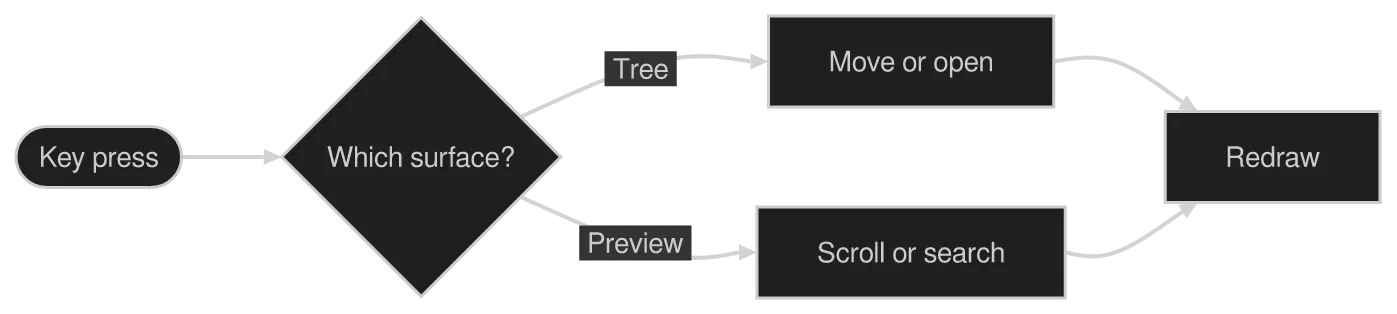
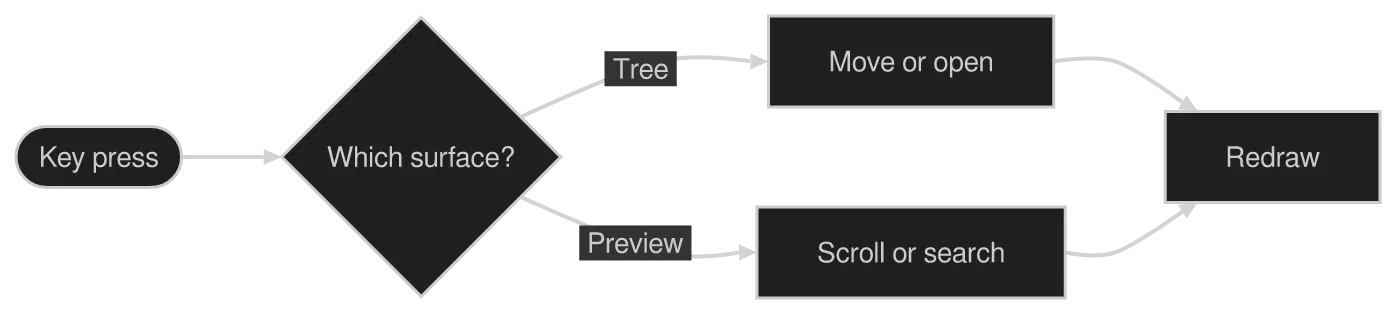
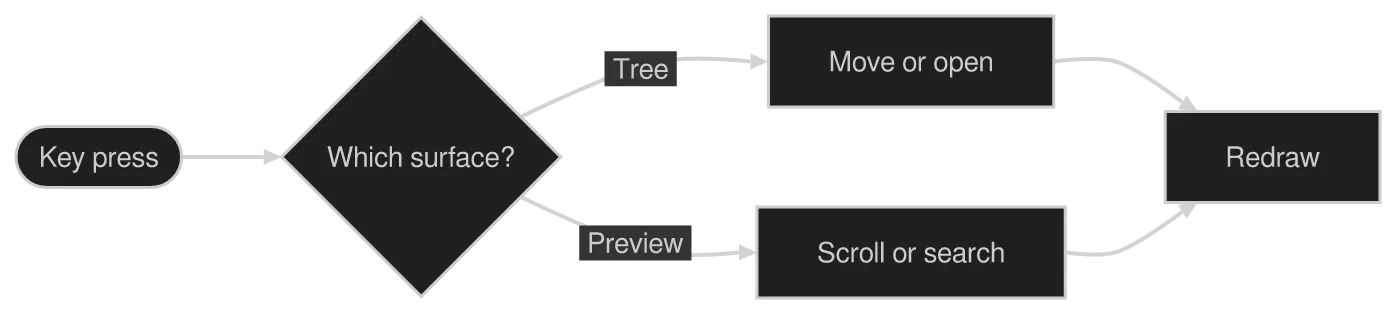
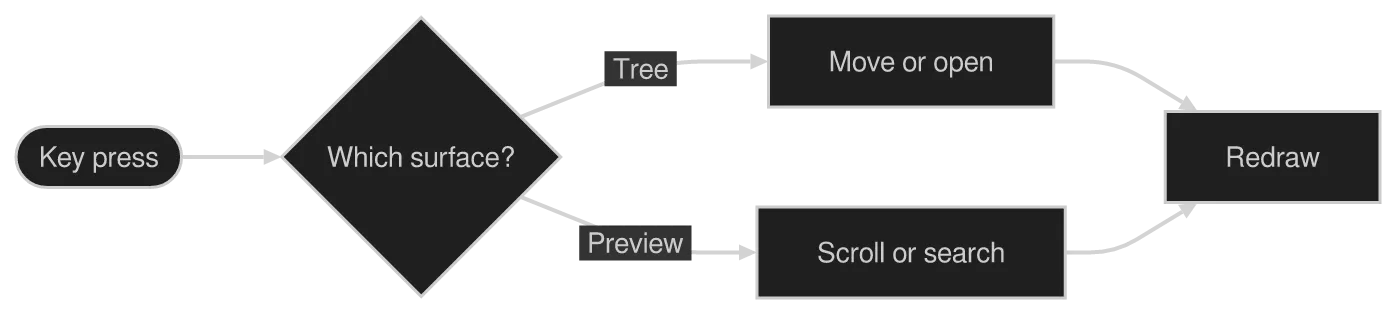
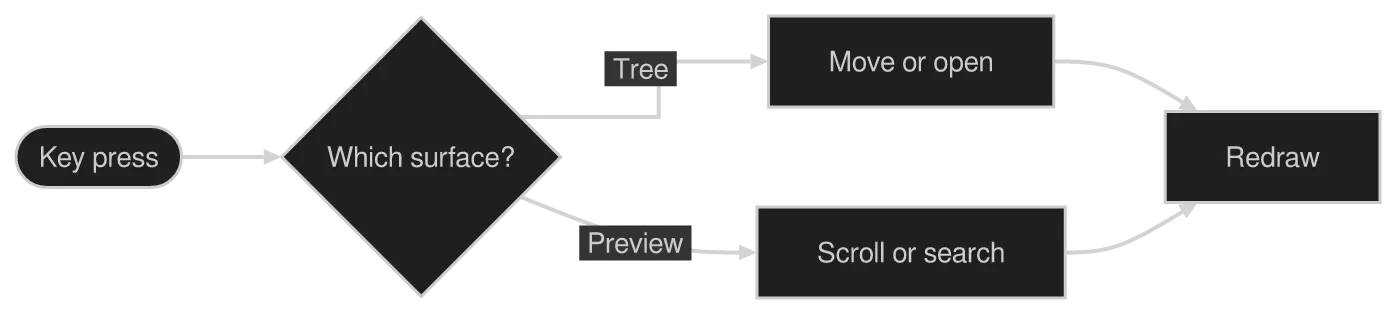
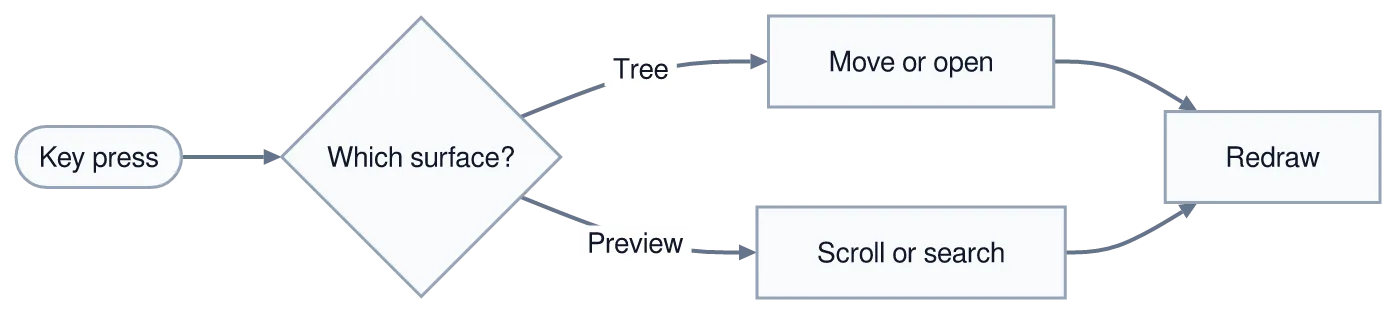
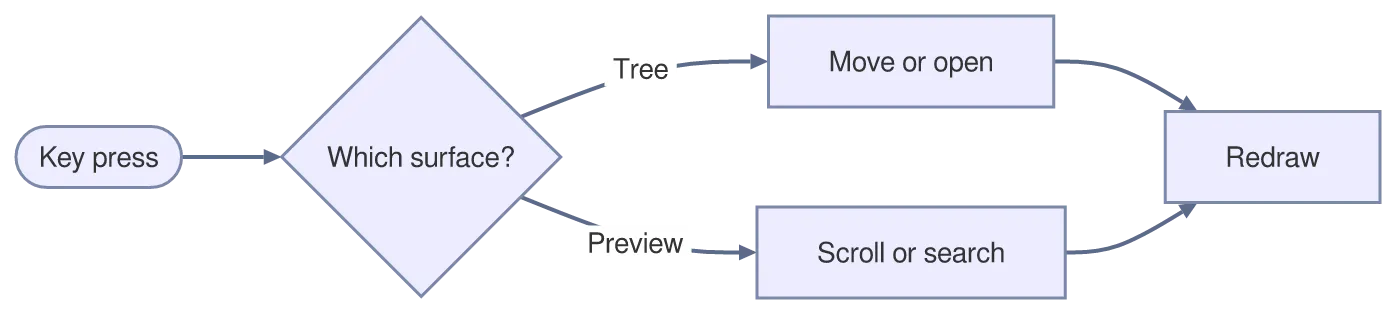
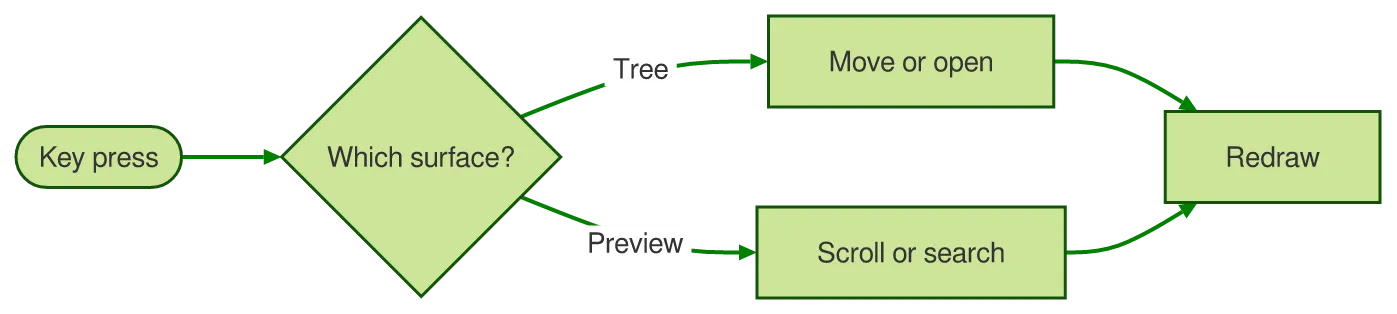
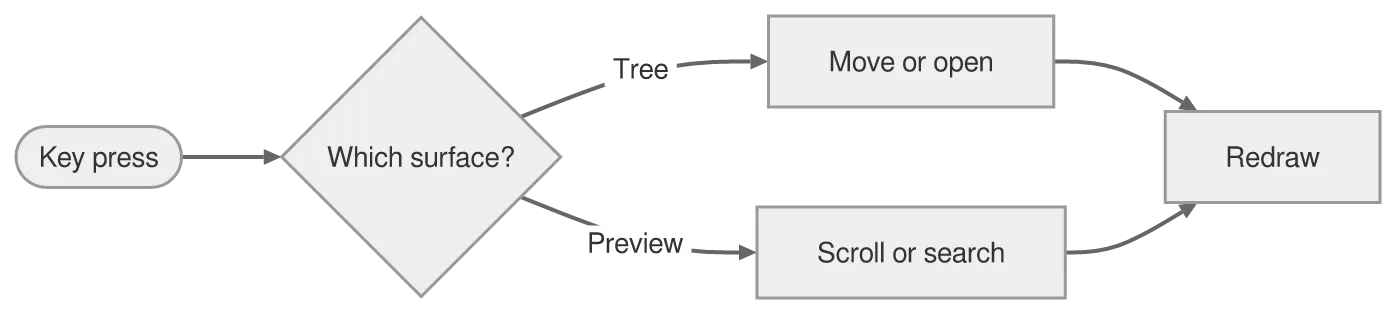
The workhorse: three quarters of the mermaid in the wild is this one kind. Note the direction (LR), the stadium and diamond shapes, and the labels riding on the arrows.

A flowchart diagram drawn by konoma's own Mermaid renderer (routing = konoma-orthogonal)
konoma-orthogonal
A flowchart diagram drawn by konoma's own Mermaid renderer (routing = splines)
default (splines)
Mermaid source
flowchart LR
  K([Key press]) --> S{Which surface?}
  S -->|Tree| M[Move or open]
  S -->|Preview| P[Scroll or search]
  M --> R[Redraw]
  P --> R

Colour — classDef, :::, style, linkStyle

Section titled “Colour — classDef, :::, style, linkStyle”

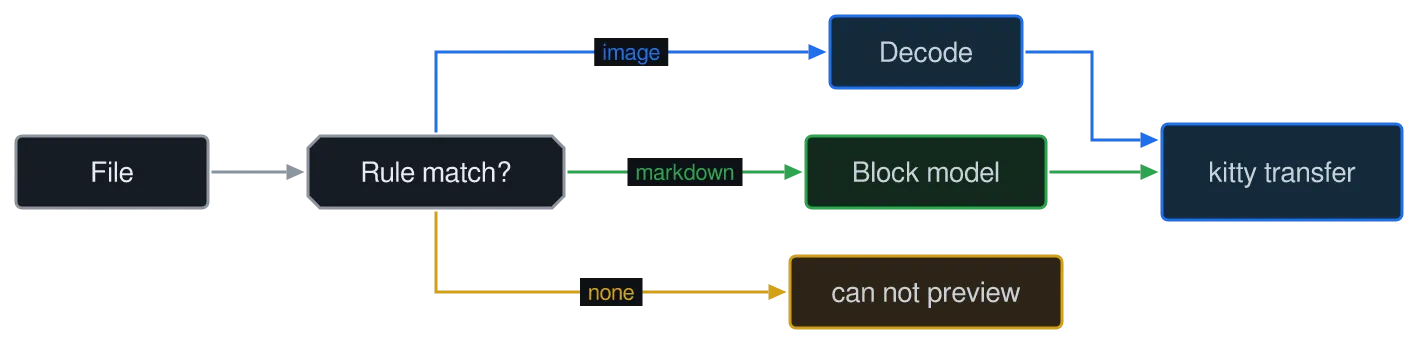
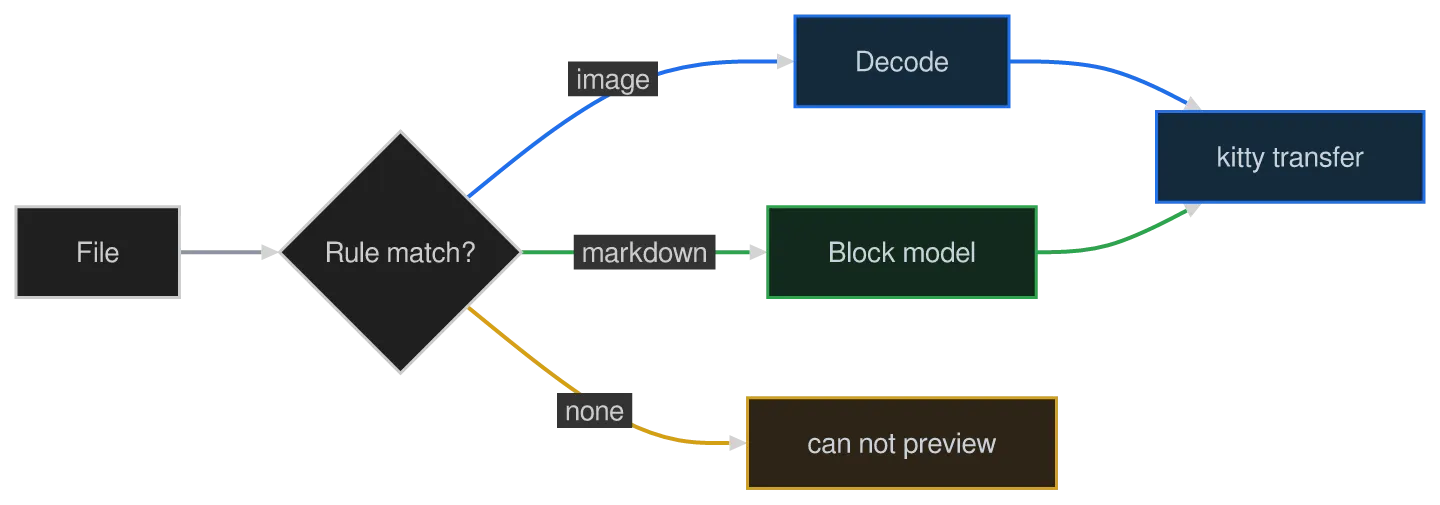
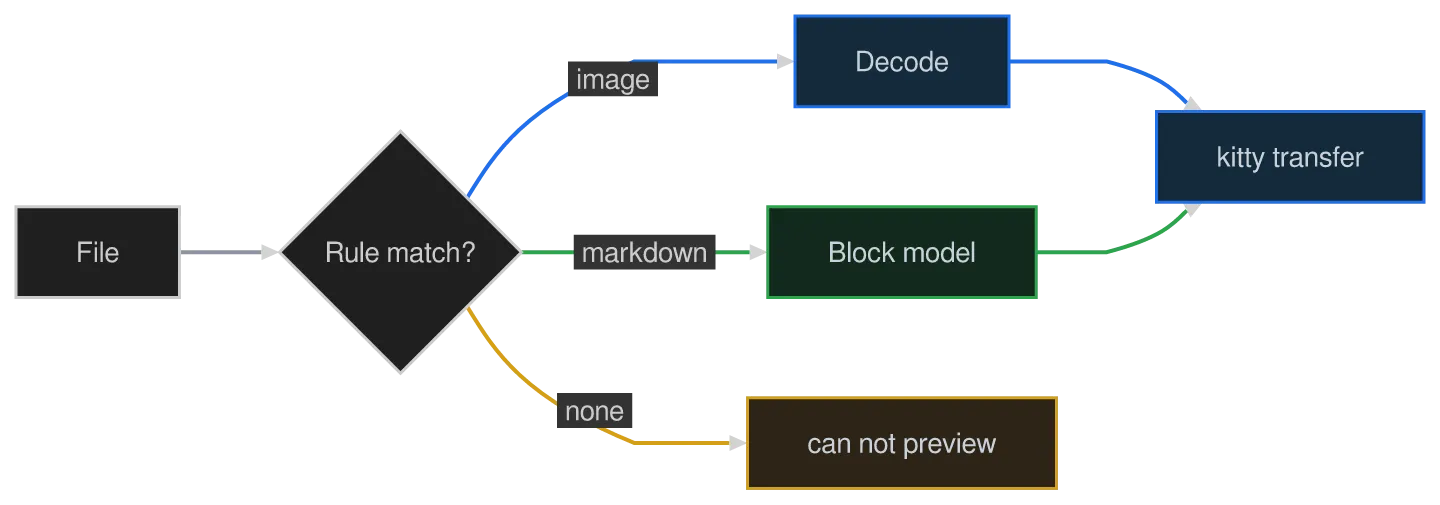
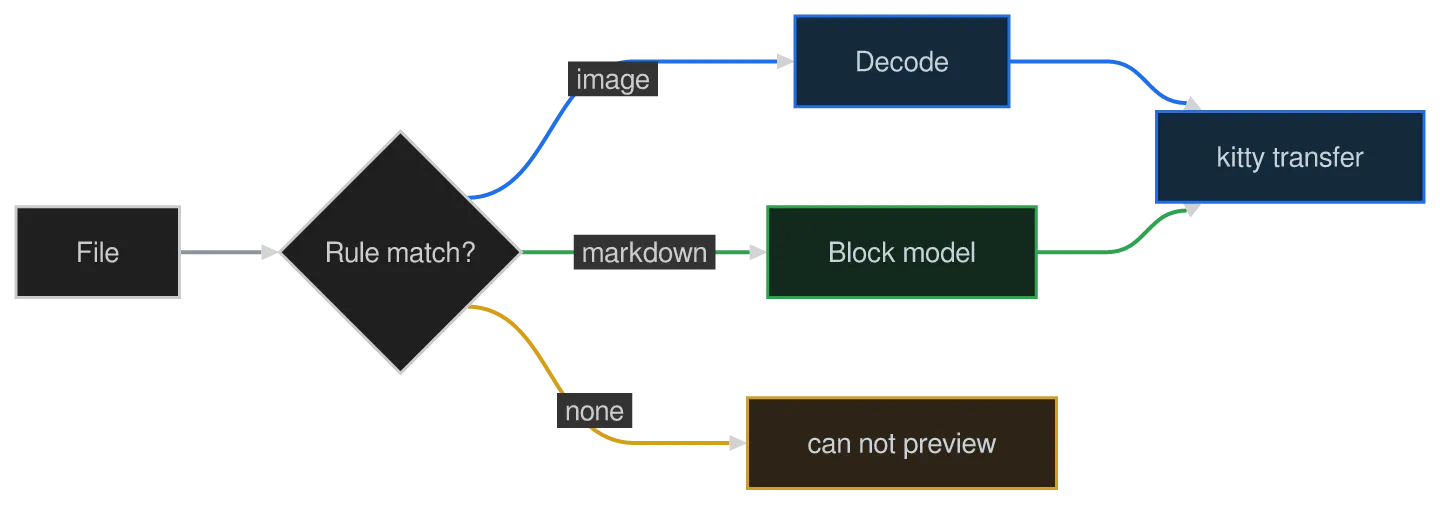
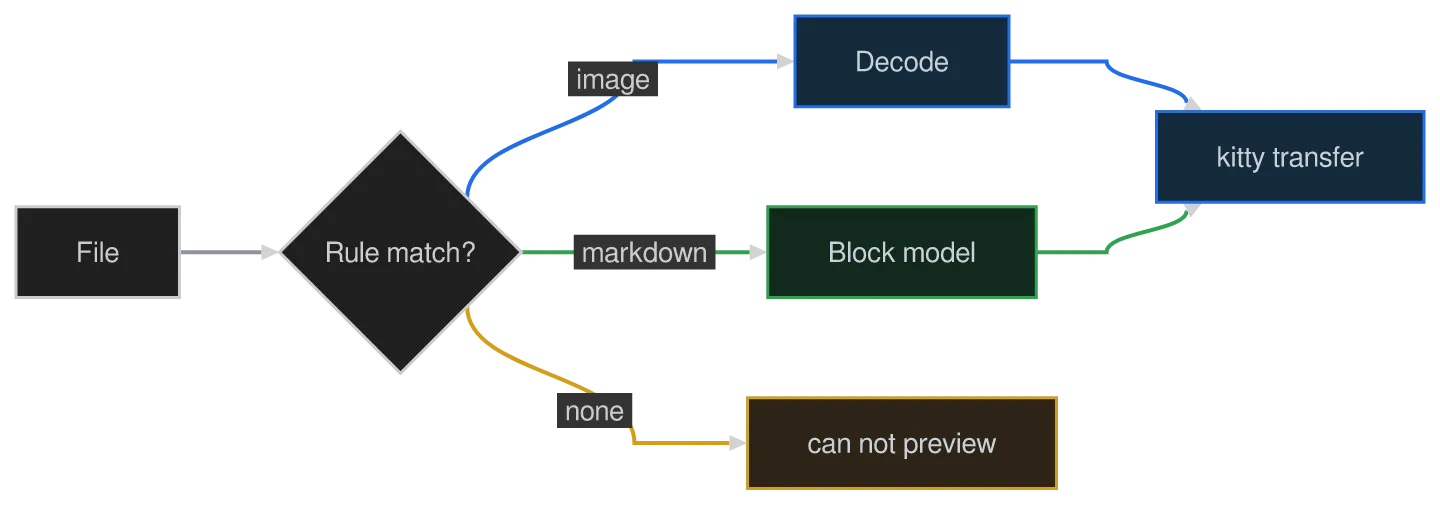
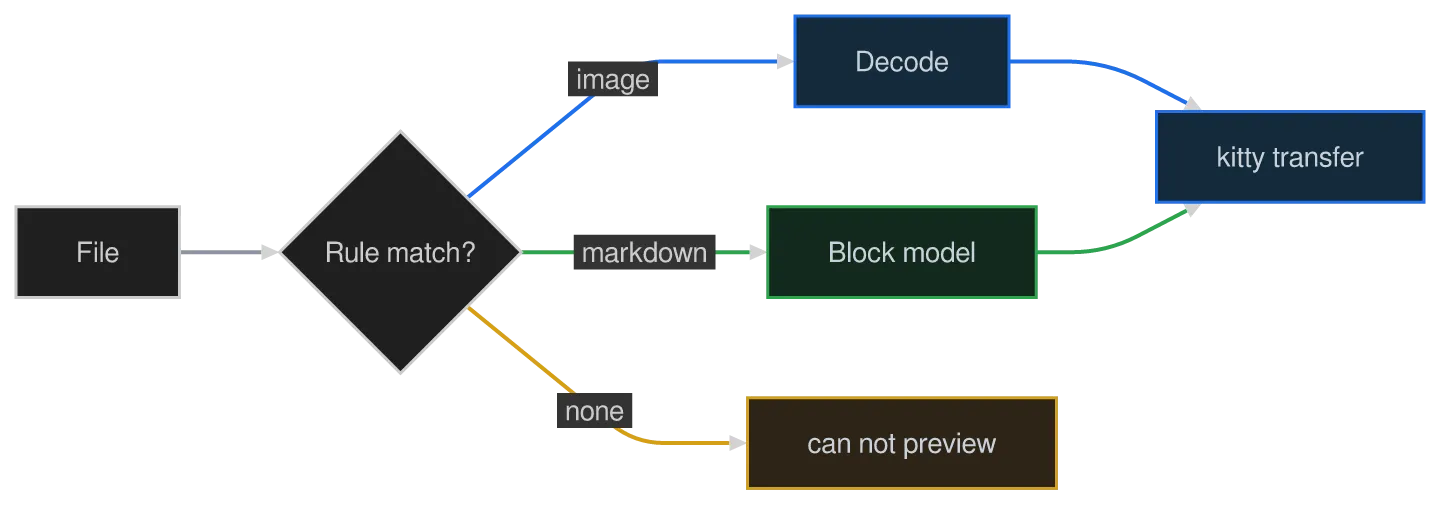
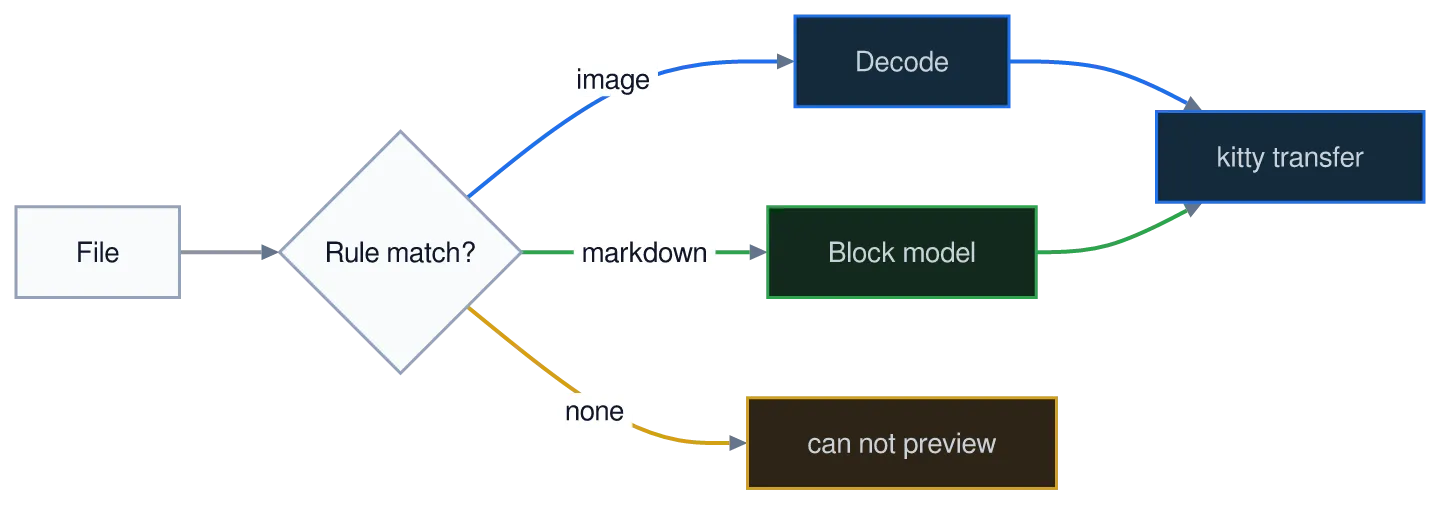
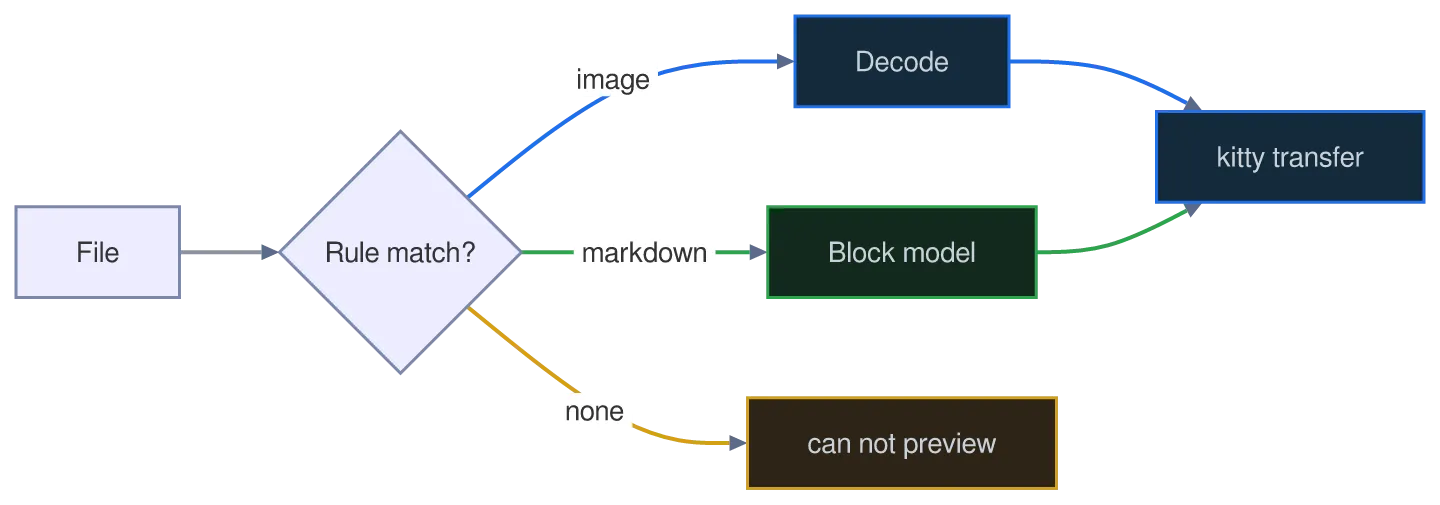
Colour is how a flowchart says what belongs together. classDef names a set of declarations, class (or the ::: shorthand) attaches it to nodes, style paints one node directly, and linkStyle paints edges by declaration index.

A flowchart diagram drawn by konoma's own Mermaid renderer (routing = konoma-orthogonal)
konoma-orthogonal
A flowchart diagram drawn by konoma's own Mermaid renderer (routing = splines)
default (splines)
Mermaid source
flowchart LR
  F[File] --> R{Rule match?}
  R -->|image| I[Decode]:::media
  R -->|markdown| M[Block model]:::text
  R -->|none| X[can not preview]
  I --> K[kitty transfer]:::media
  M --> K
  classDef media fill:#132a3a,stroke:#1f6feb,color:#c9d1d9
  classDef text fill:#12291c,stroke:#2da44e,color:#c9d1d9
  style X fill:#2d2418,stroke:#d4a017,color:#c9d1d9
  linkStyle 0 stroke:#8b949e
  linkStyle 1,4 stroke:#1f6feb
  linkStyle 2,5 stroke:#2da44e
  linkStyle 3 stroke:#d4a017

Size — a diagram is drawn at the size it needs

Section titled “Size — a diagram is drawn at the size it needs”

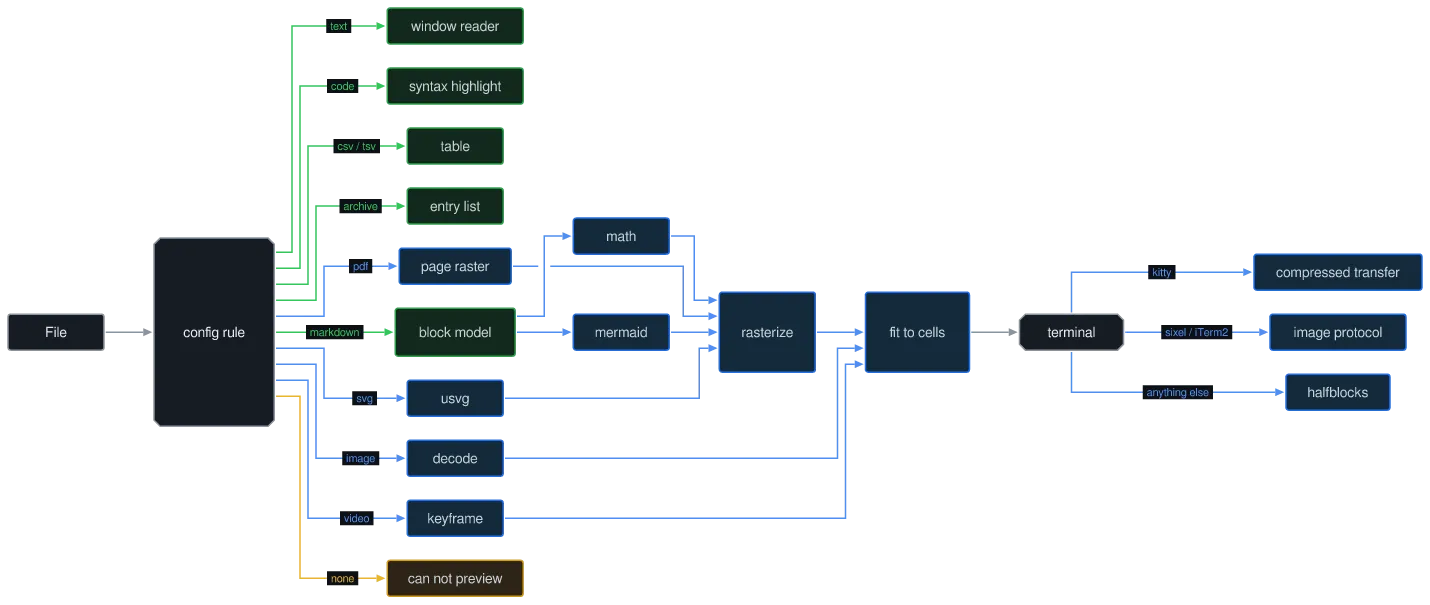
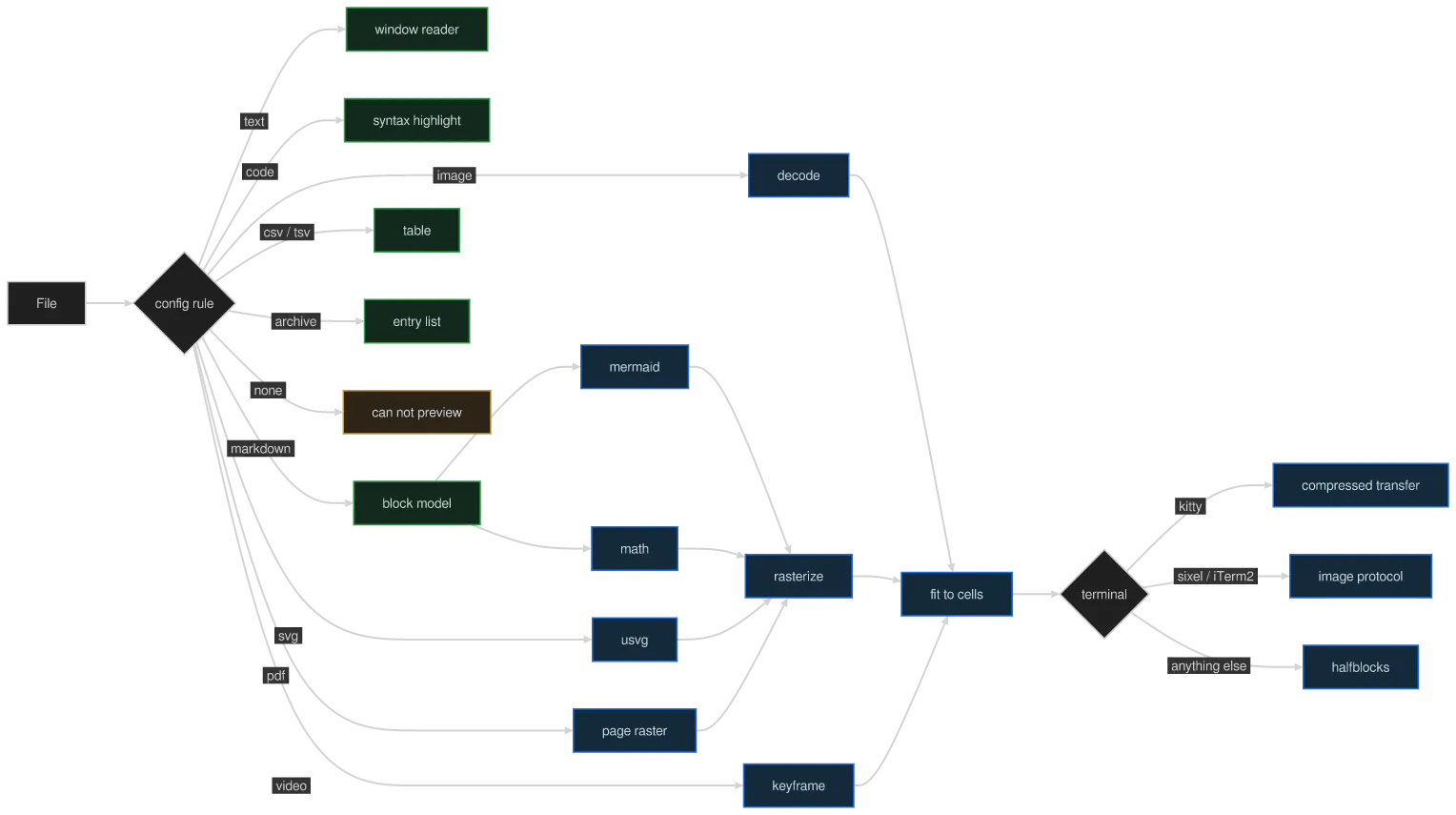
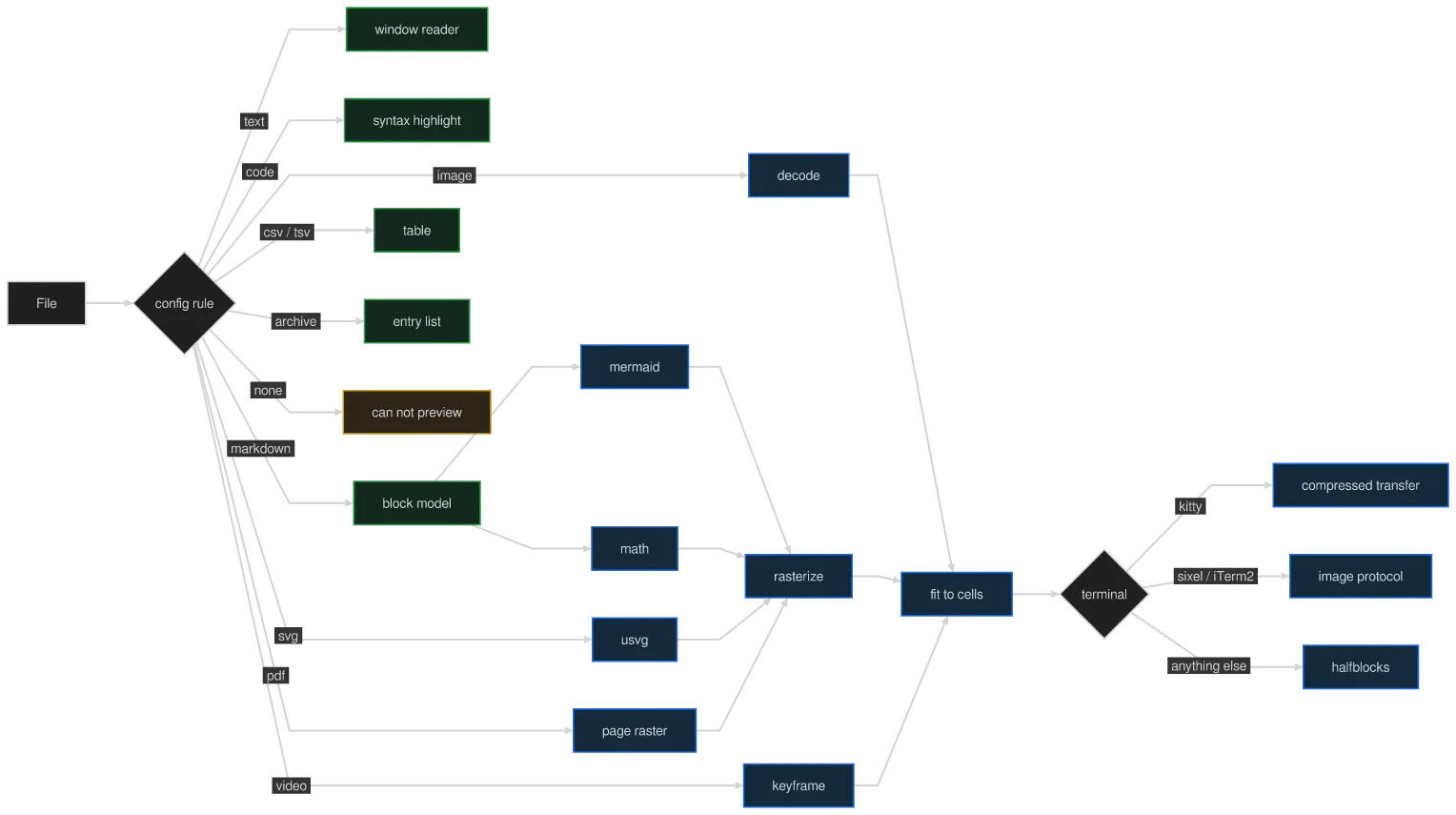
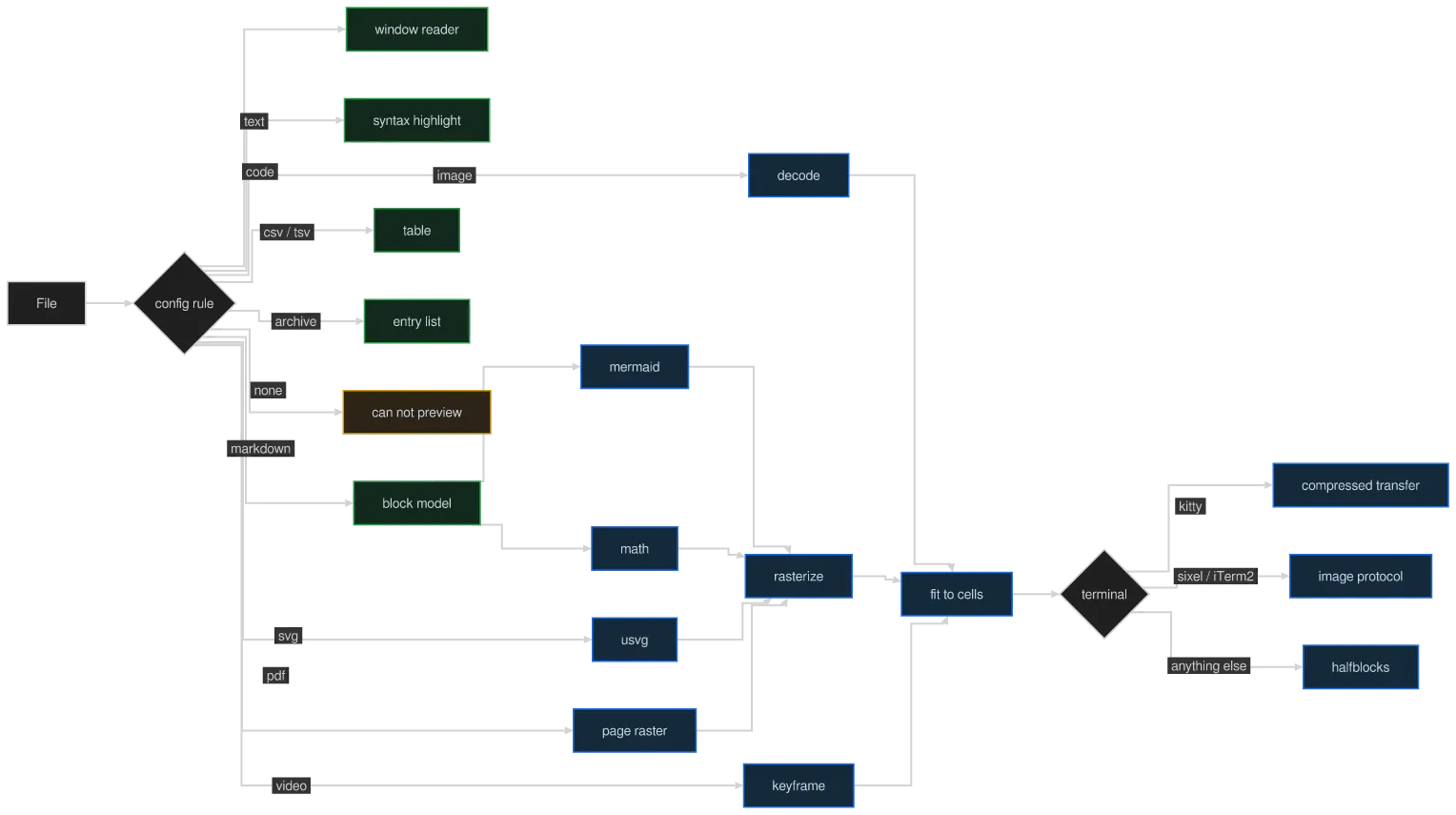
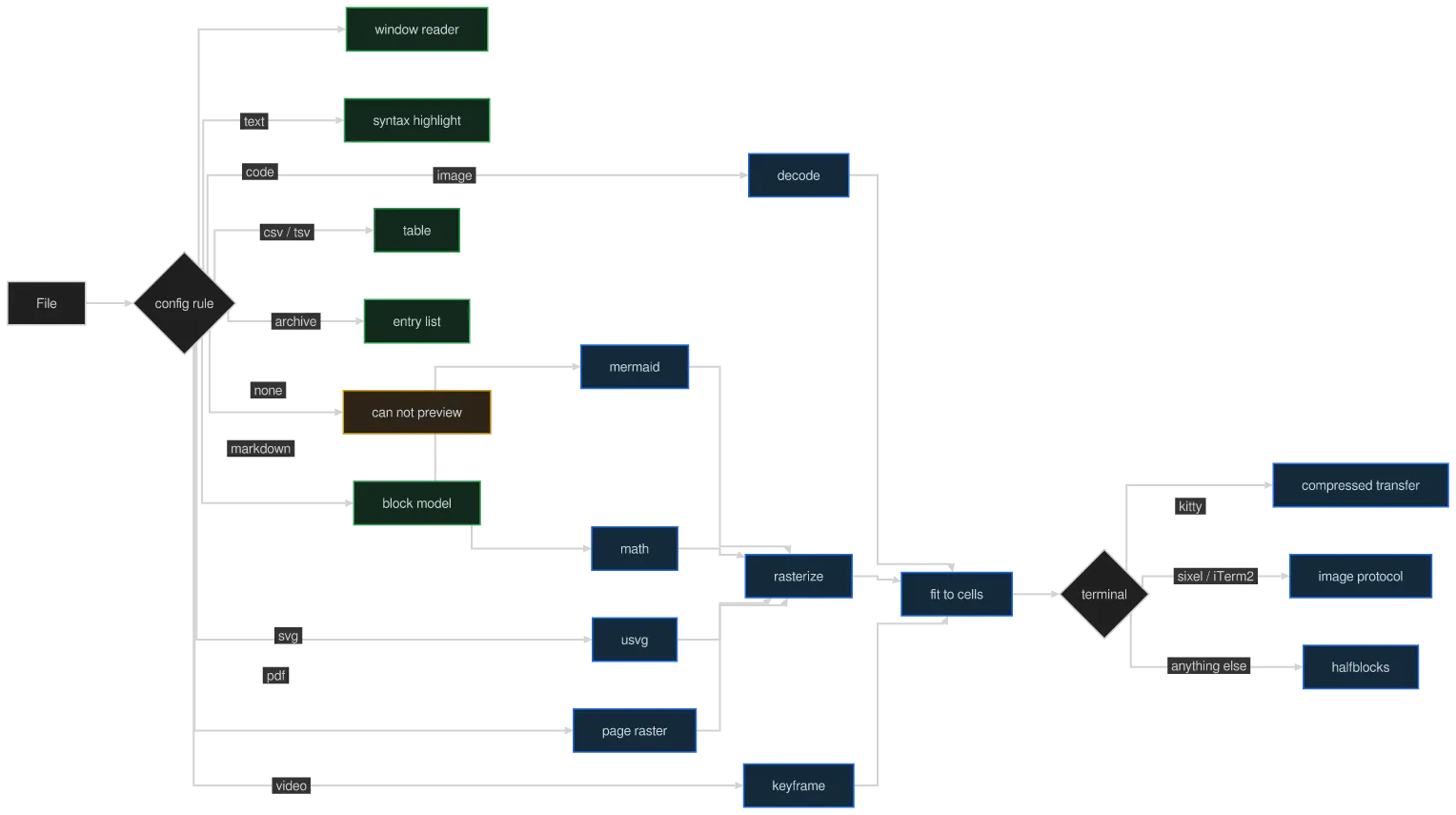
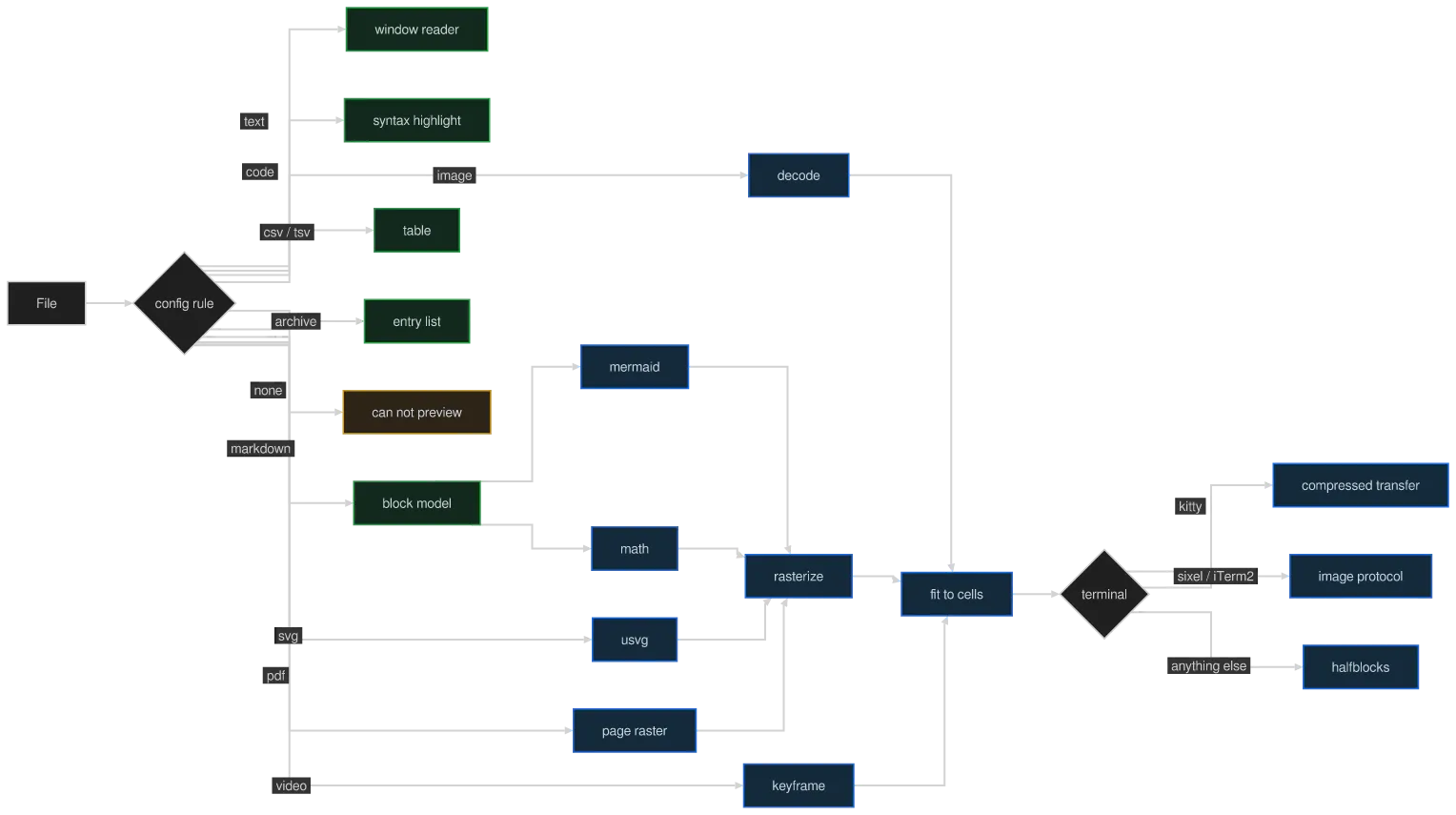
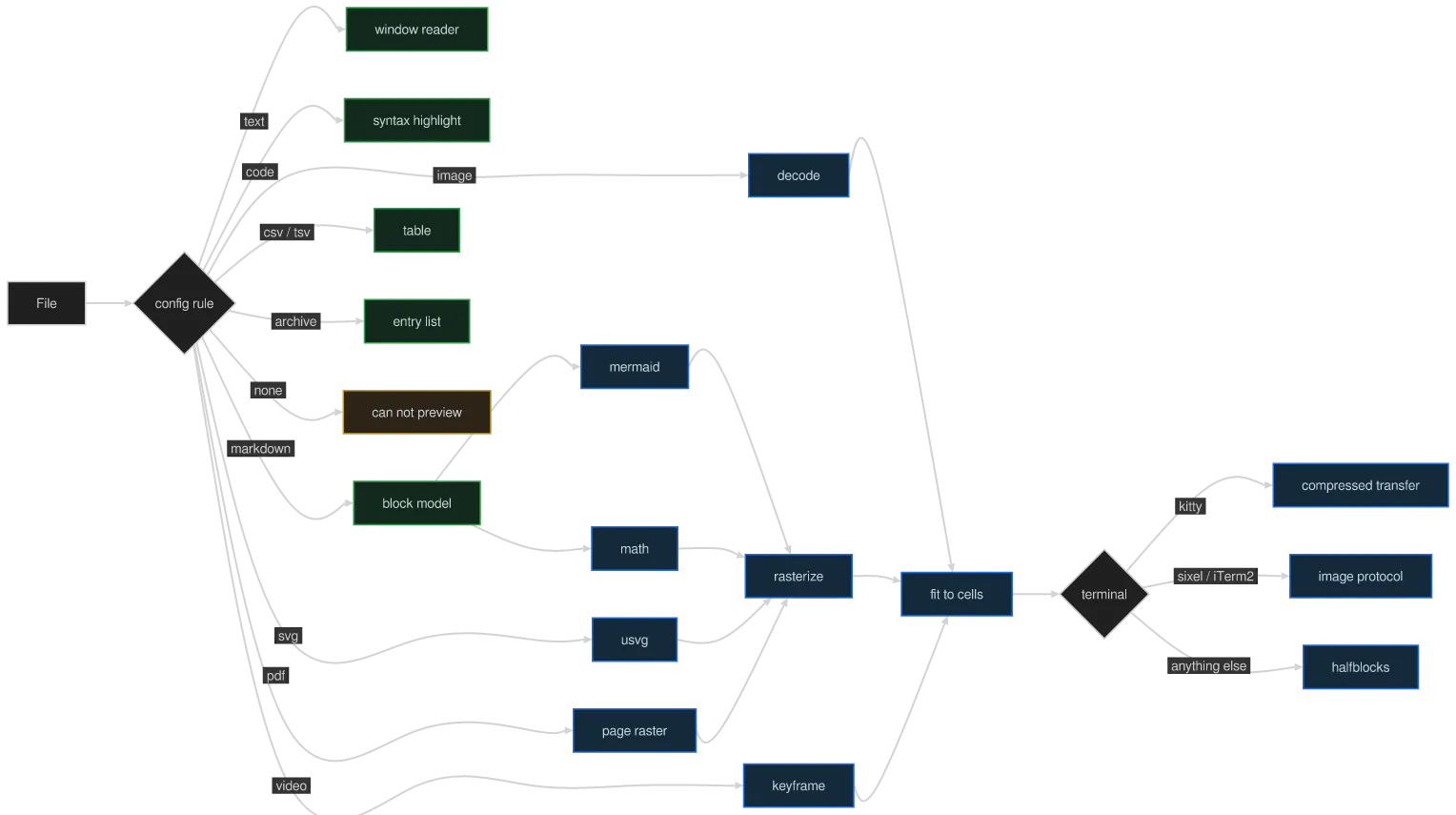
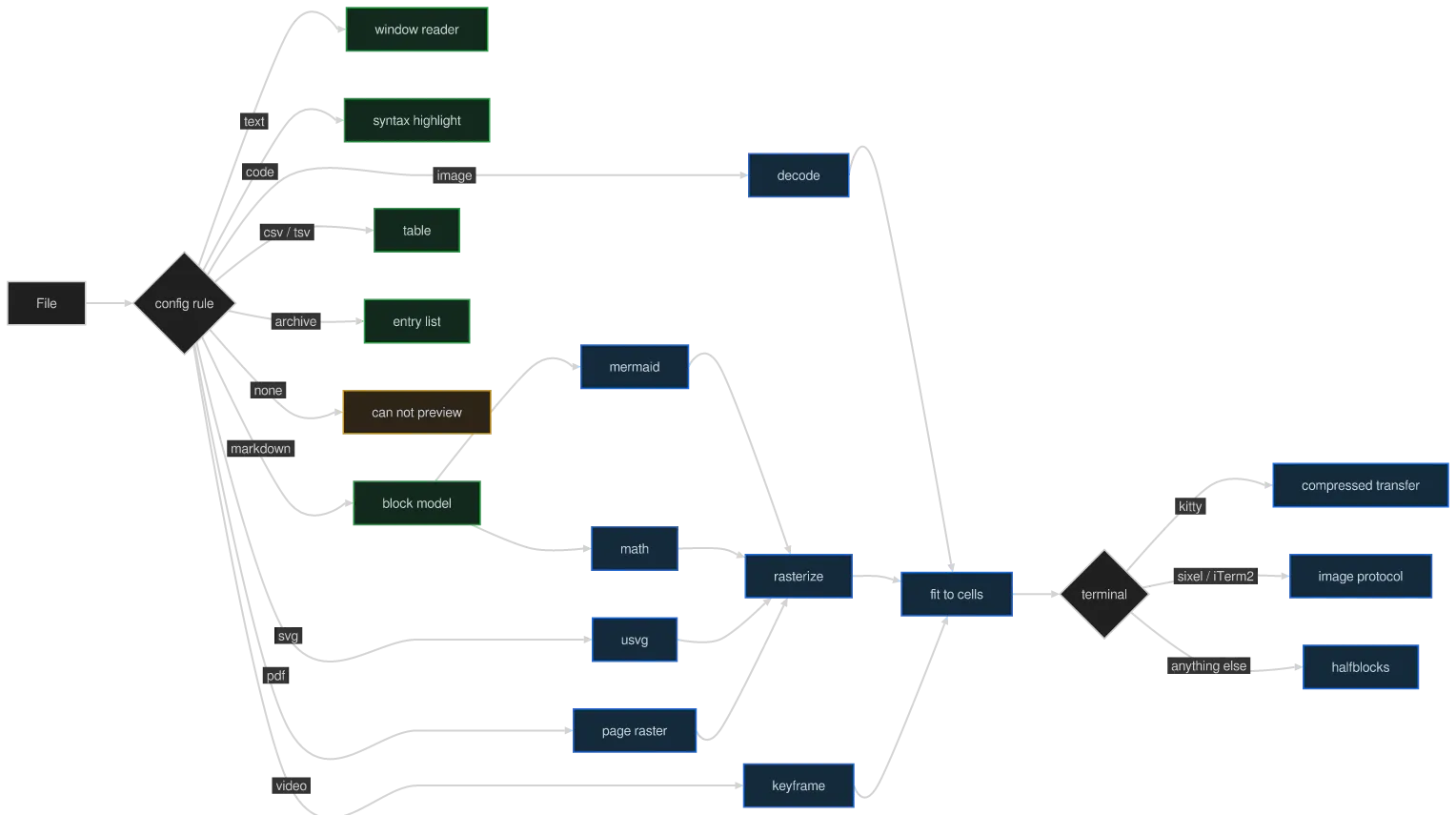
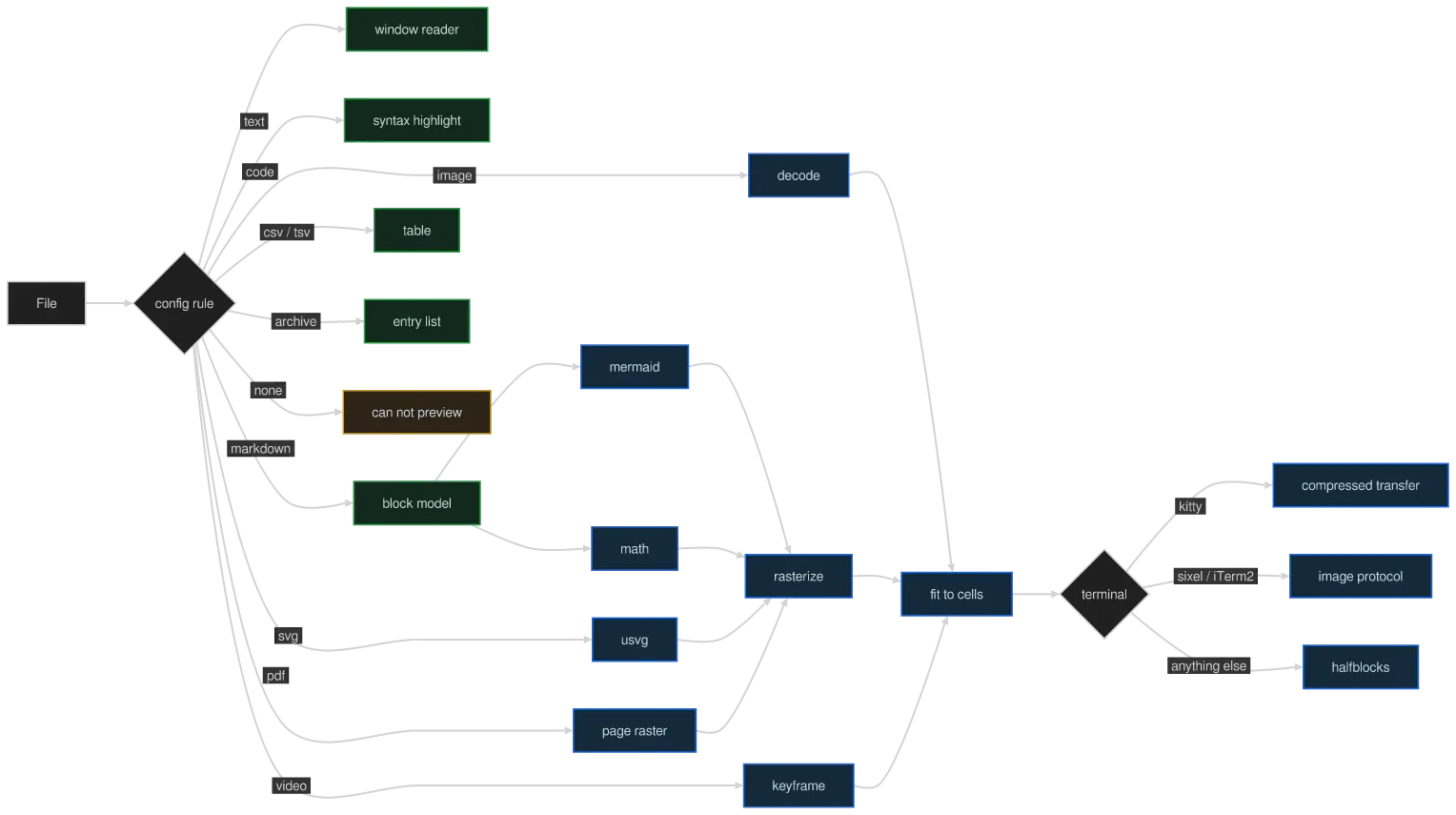
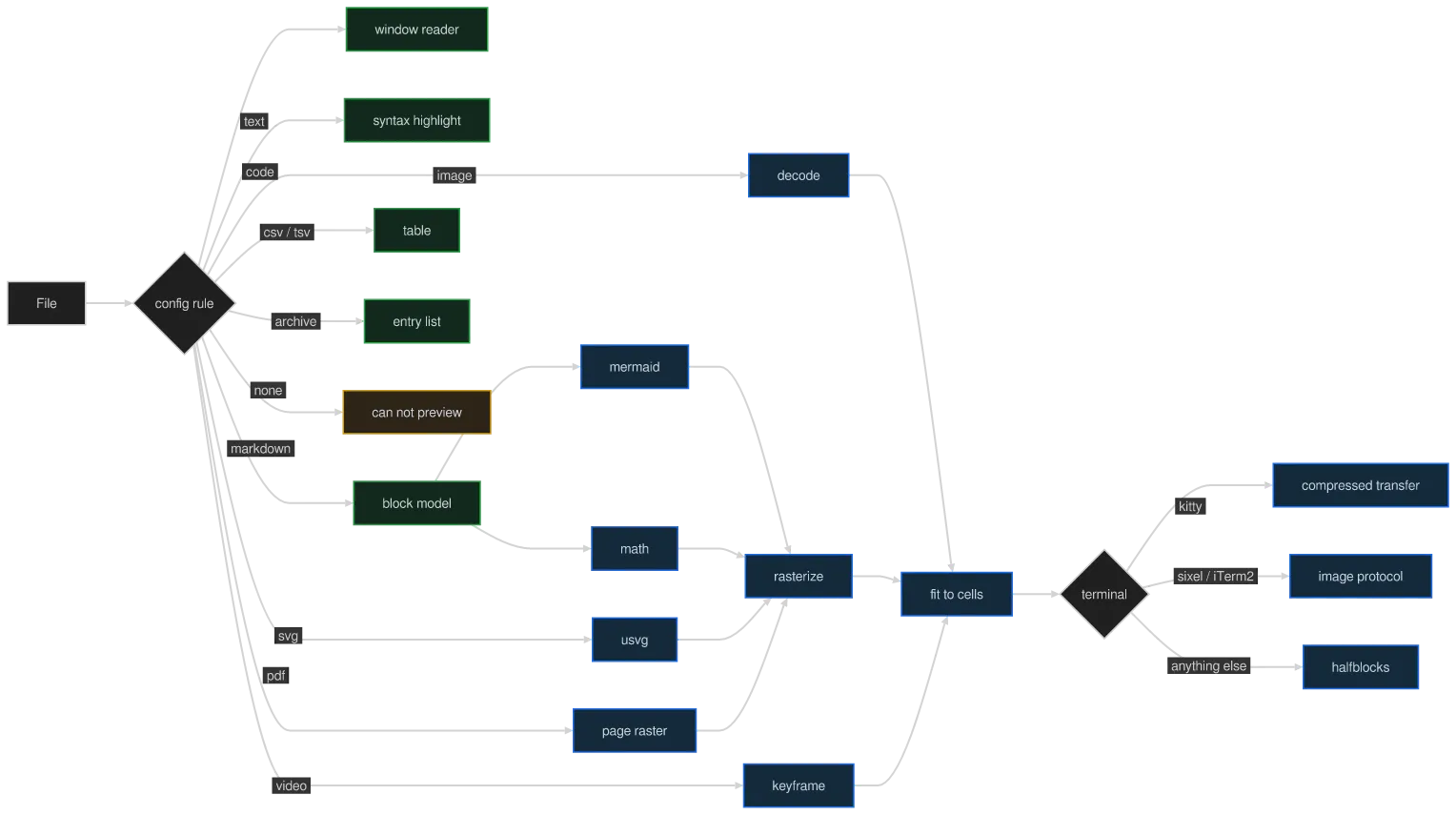
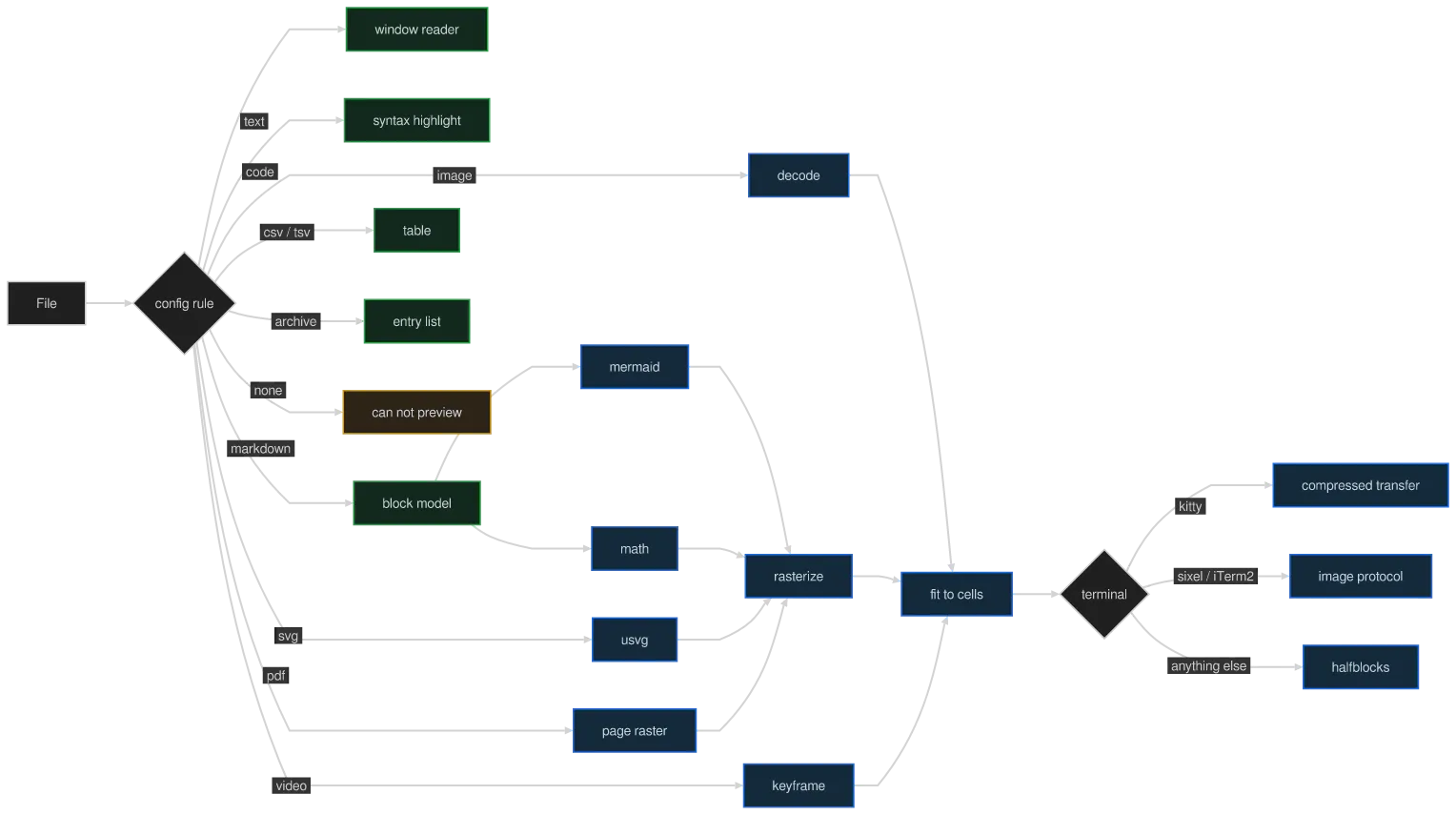
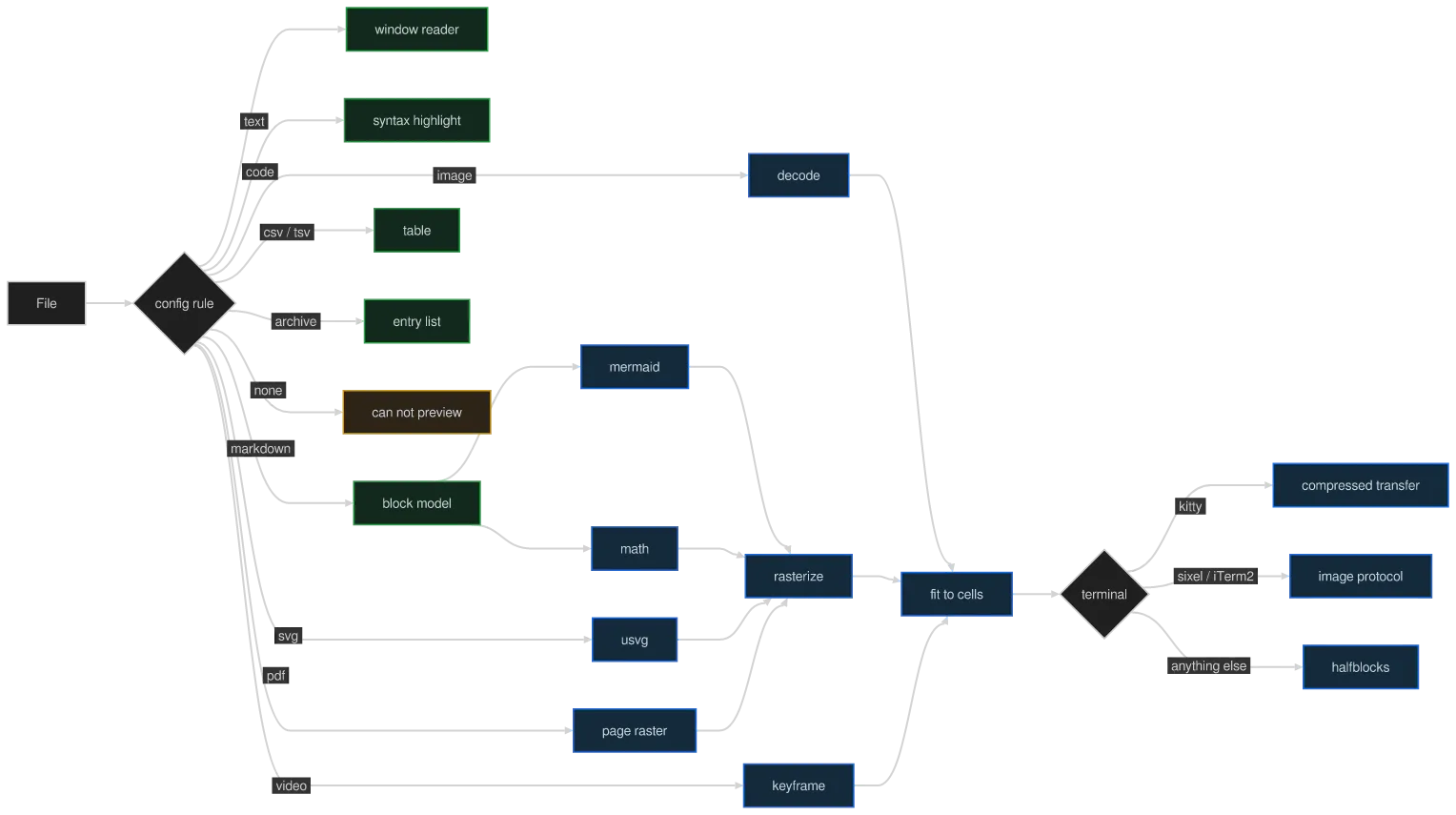
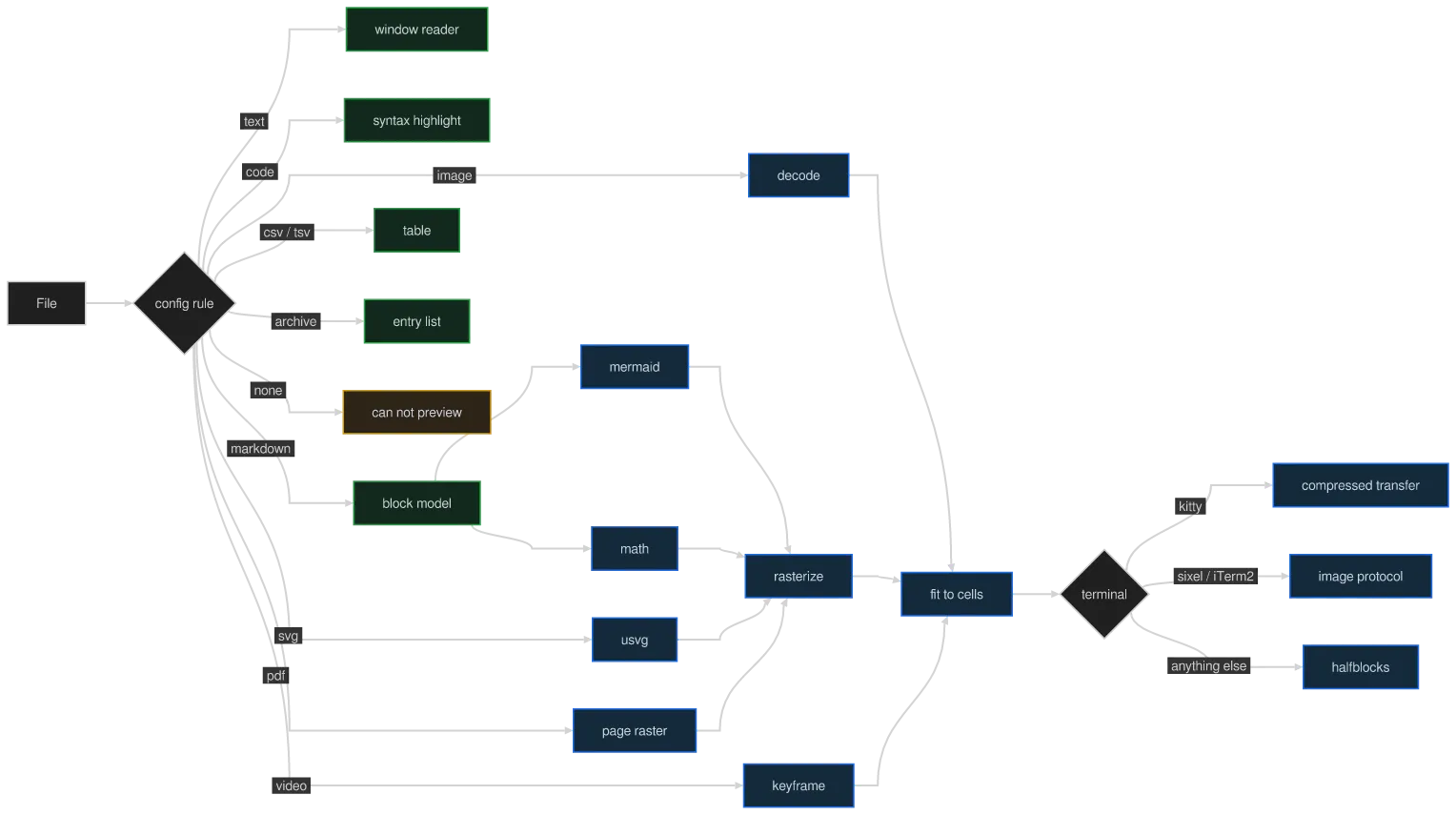
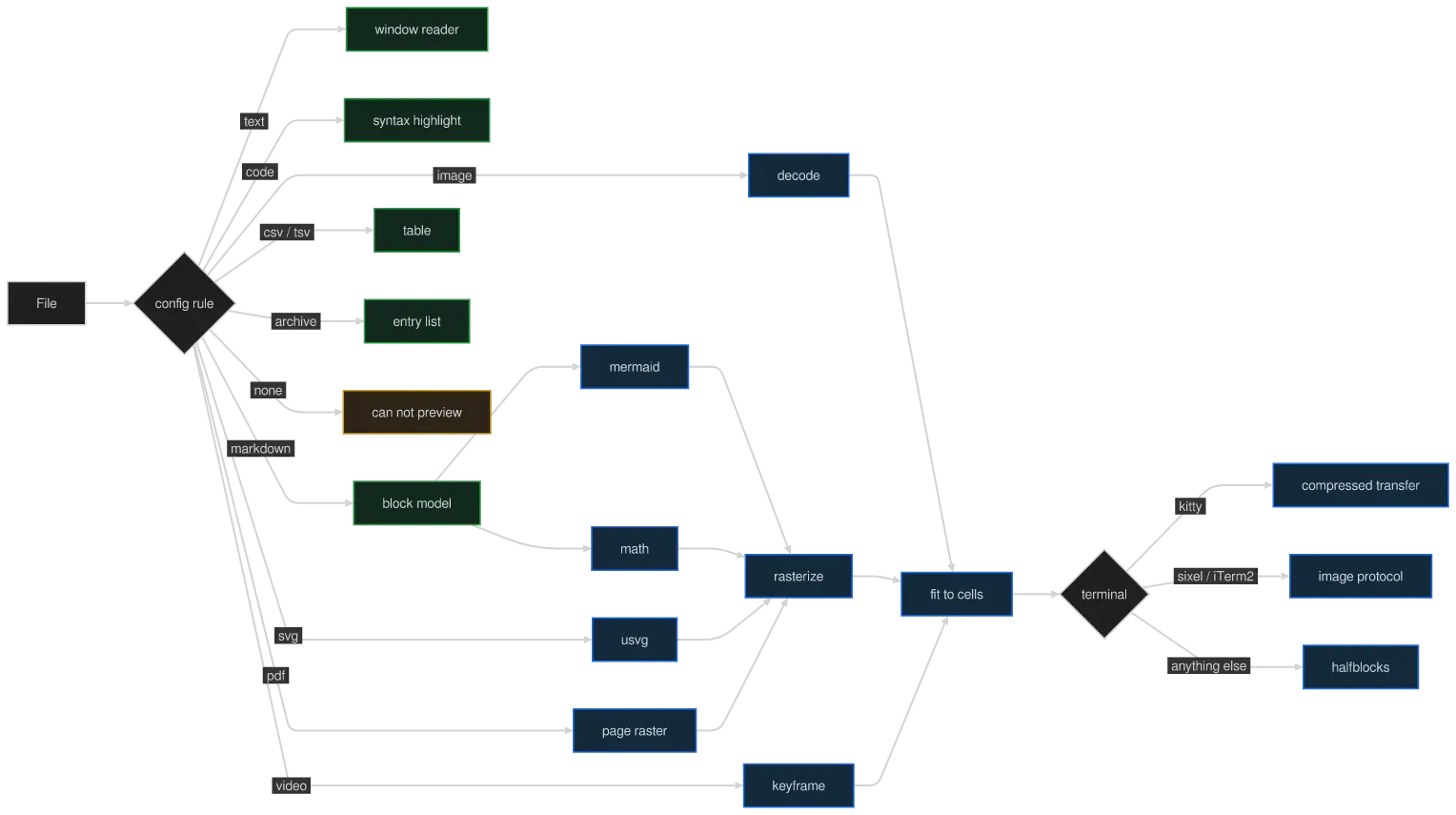
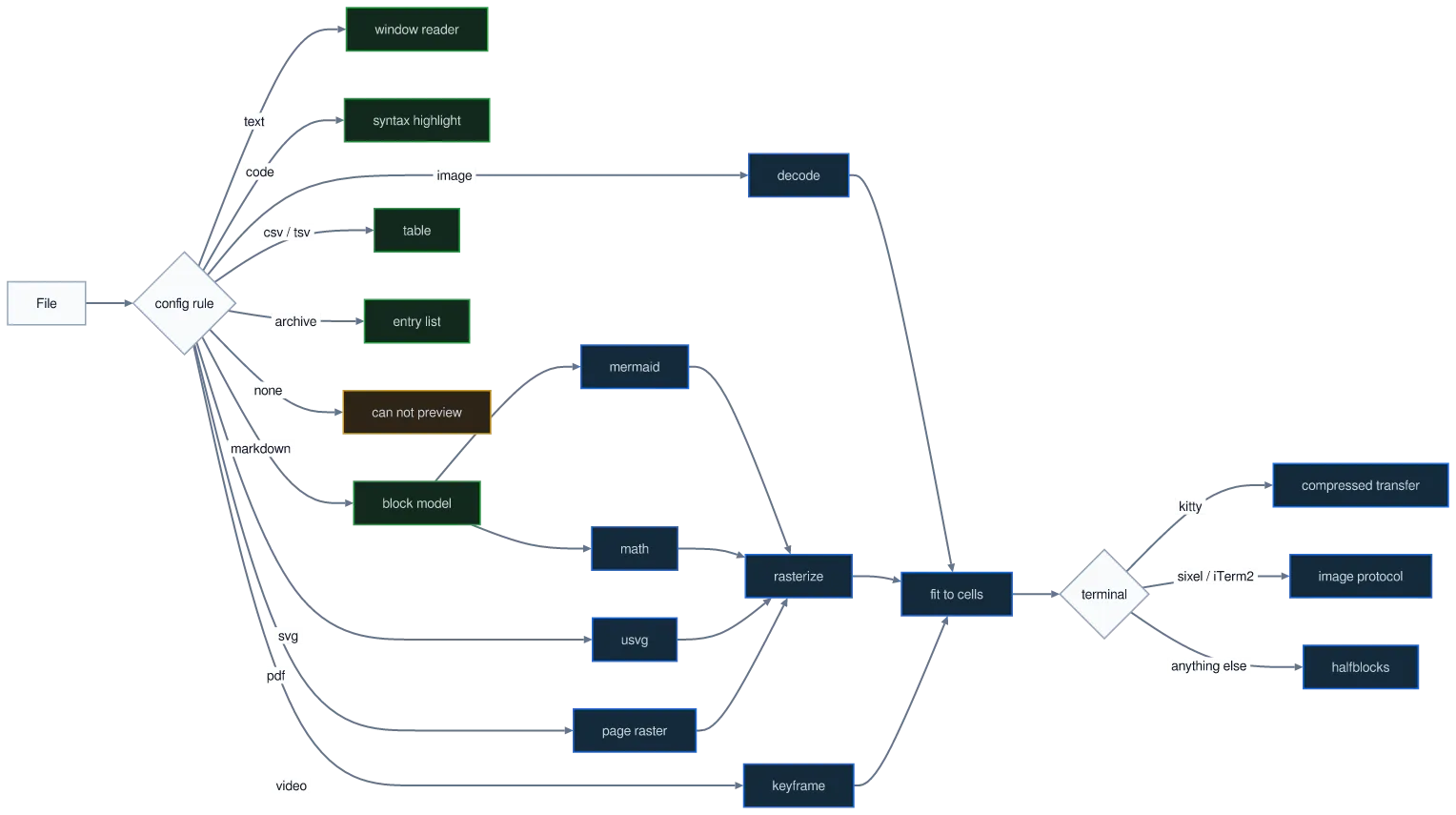
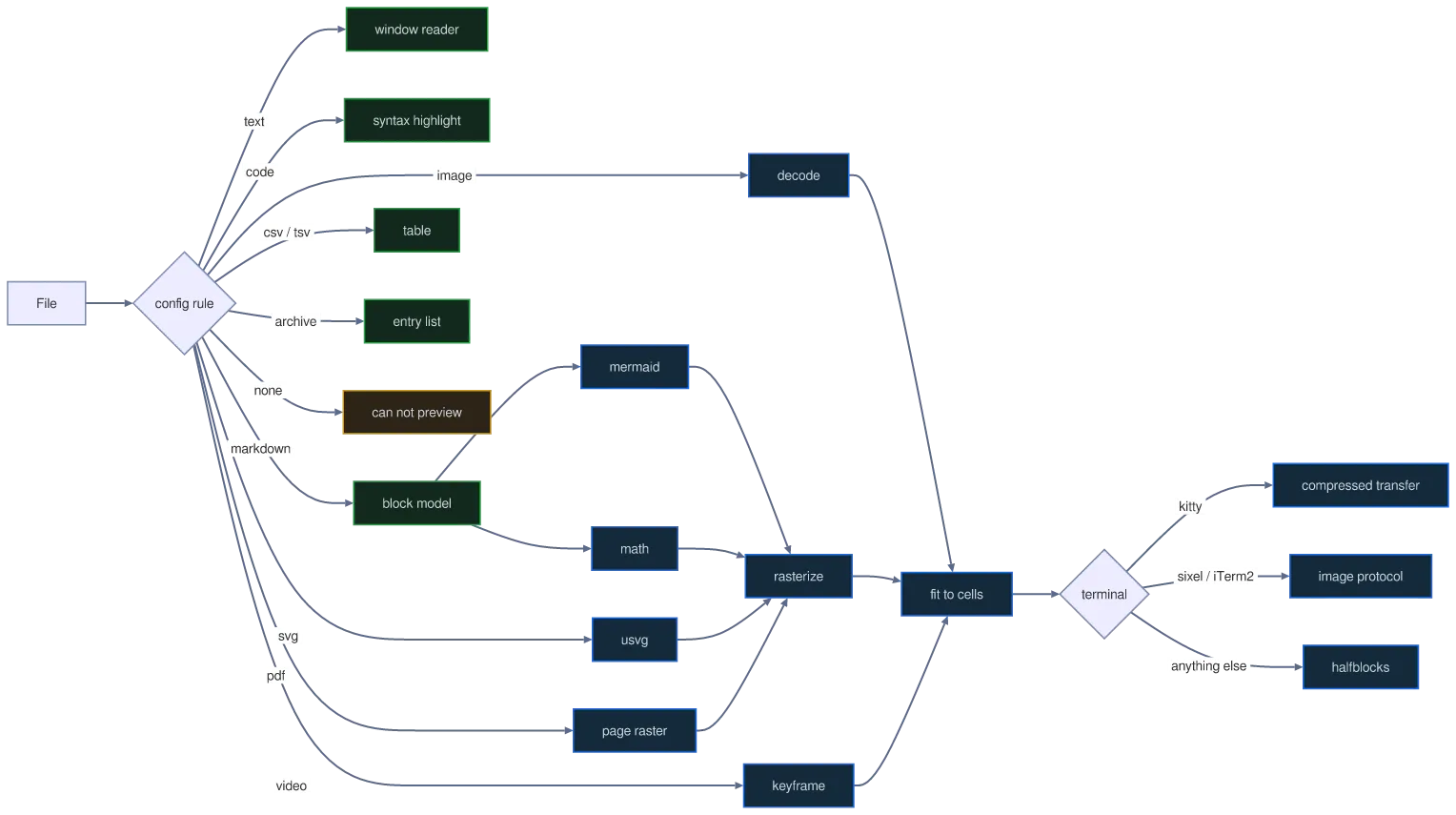
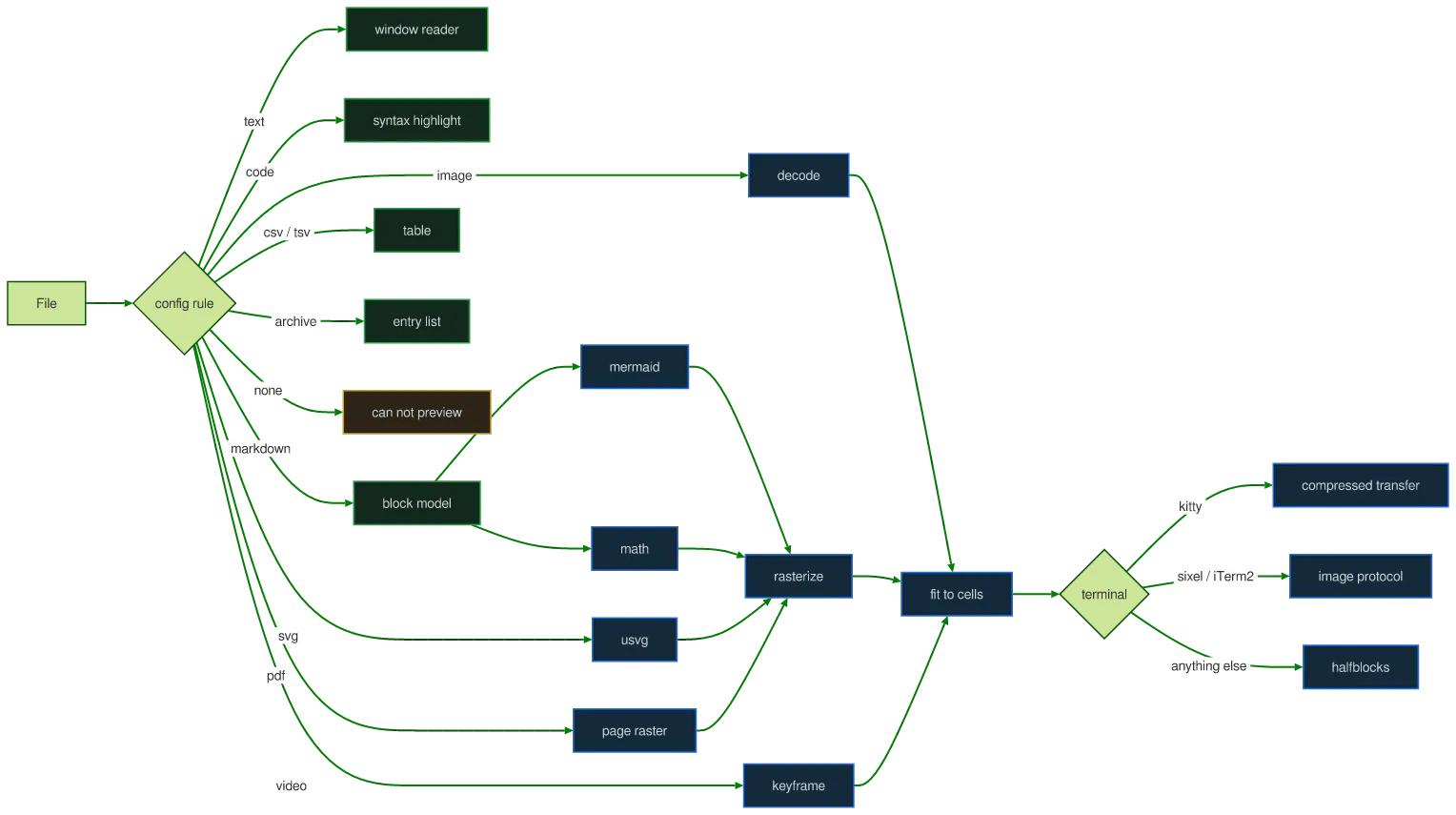
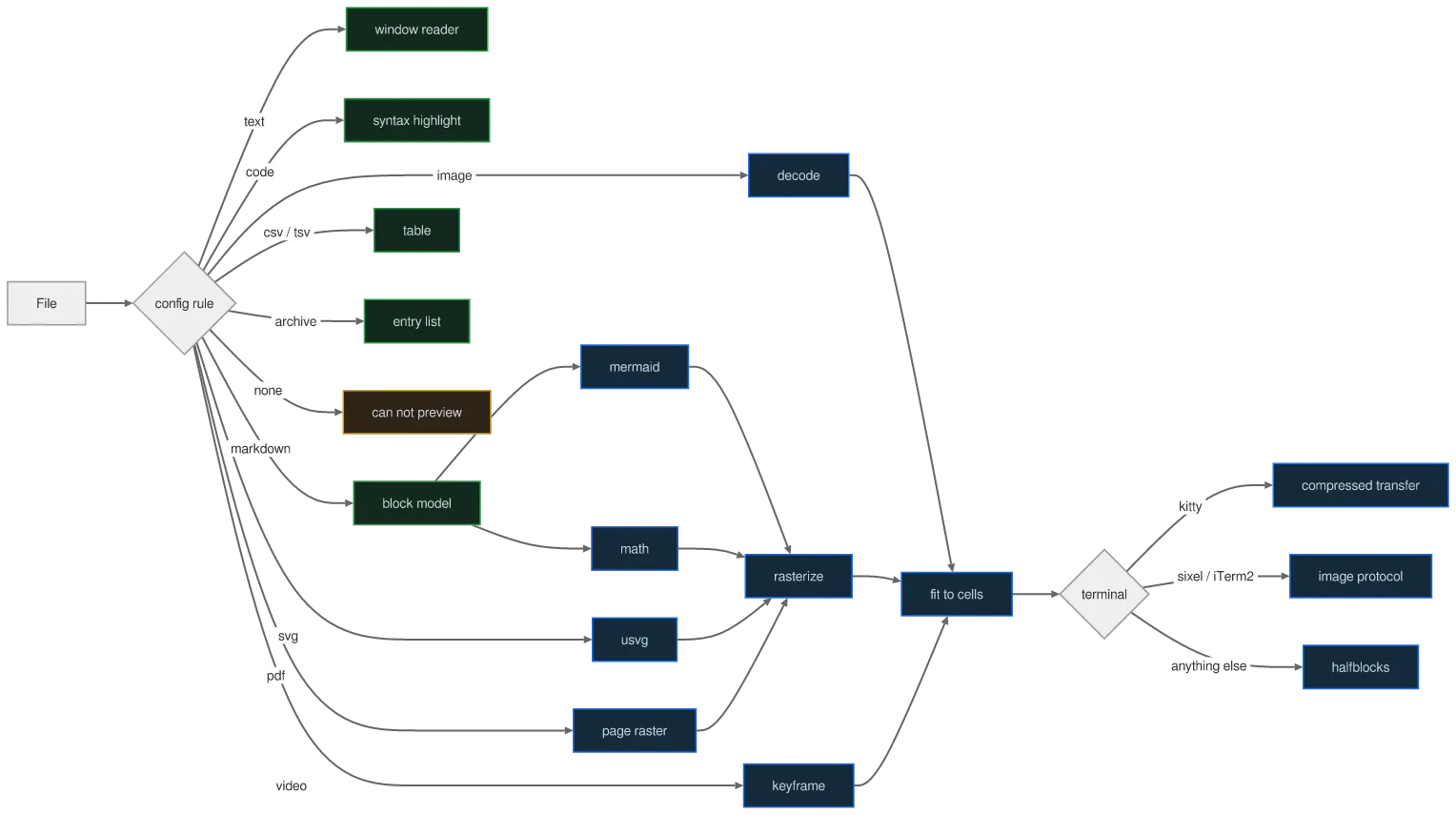
konoma lays a diagram out at the size of the text around it and never blows it up. A busy one is genuinely wide — this is konoma’s own preview dispatch, every format it knows and the three ways a picture can reach a terminal.

A flowchart diagram drawn by konoma's own Mermaid renderer (routing = konoma-orthogonal)
konoma-orthogonal
A flowchart diagram drawn by konoma's own Mermaid renderer (routing = splines)
default (splines)
Mermaid source
flowchart LR
  F[File] --> C{config rule}
  C -->|text| T[window reader]
  C -->|code| S[syntax highlight]
  C -->|markdown| MD[block model]
  C -->|csv / tsv| TB[table]
  C -->|image| IM[decode]
  C -->|pdf| PD[page raster]
  C -->|svg| SV[usvg]
  C -->|video| VD[keyframe]
  C -->|archive| AR[entry list]
  C -->|none| NA[can not preview]
  MD --> MM[mermaid]
  MD --> MA[math]
  MM --> RS[rasterize]
  MA --> RS
  SV --> RS
  PD --> RS
  IM --> FIT[fit to cells]
  RS --> FIT
  VD --> FIT
  FIT --> K{terminal}
  K -->|kitty| KT[compressed transfer]
  K -->|sixel / iTerm2| RI[image protocol]
  K -->|anything else| HB[halfblocks]
  classDef pix fill:#132a3a,stroke:#1f6feb,color:#c9d1d9
  classDef txt fill:#12291c,stroke:#2da44e,color:#c9d1d9
  class IM,PD,SV,VD,MM,MA,RS,FIT,KT,RI,HB pix
  class T,S,MD,TB,AR txt
  style NA fill:#2d2418,stroke:#d4a017,color:#c9d1d9

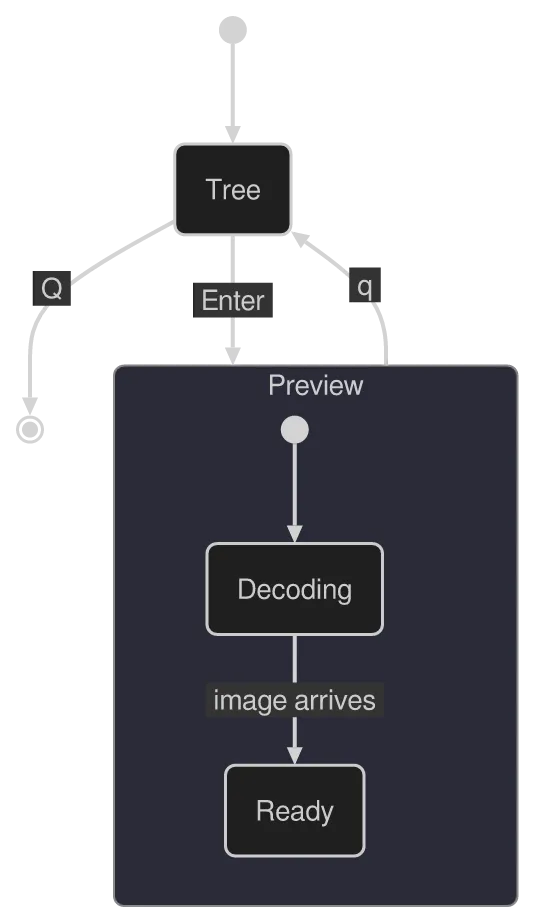
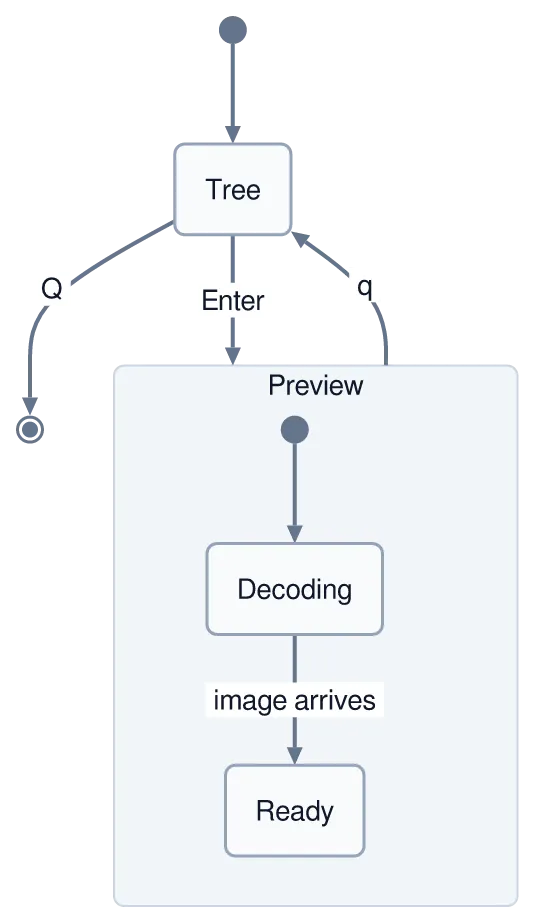
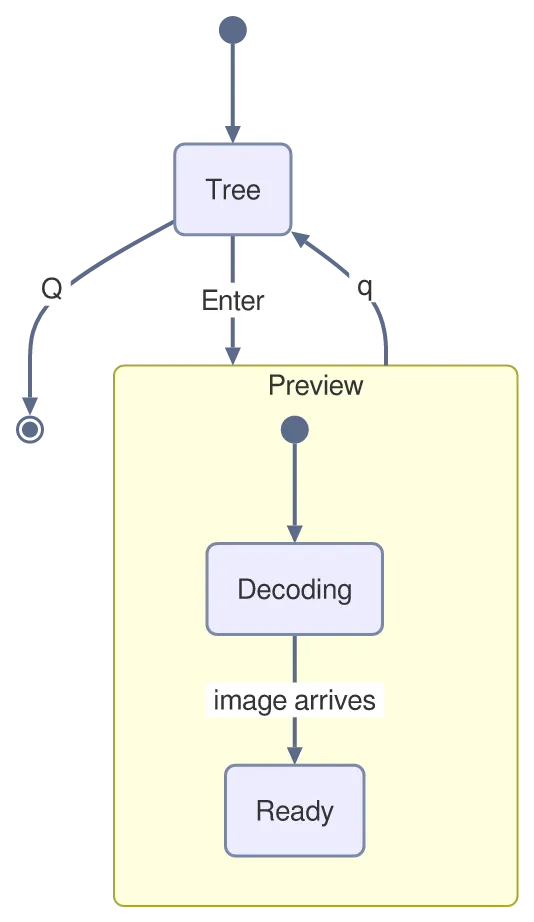
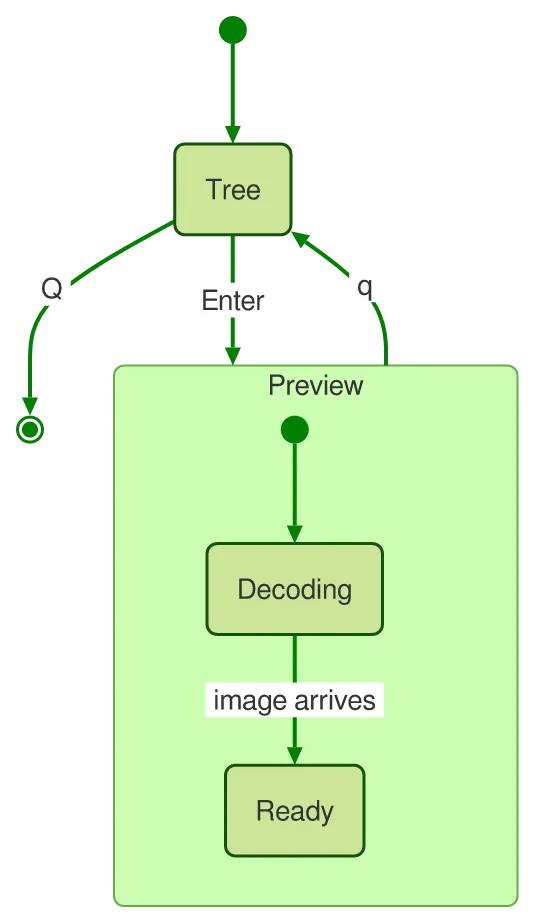
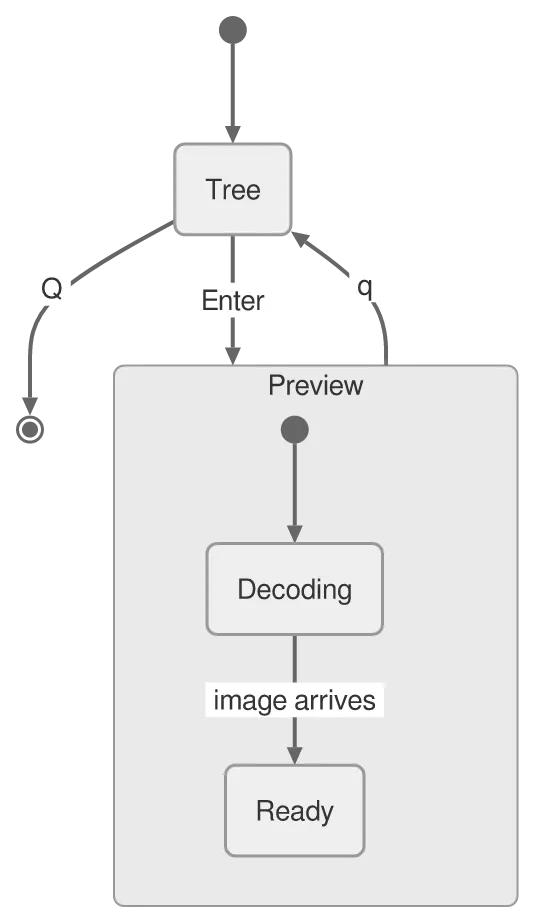
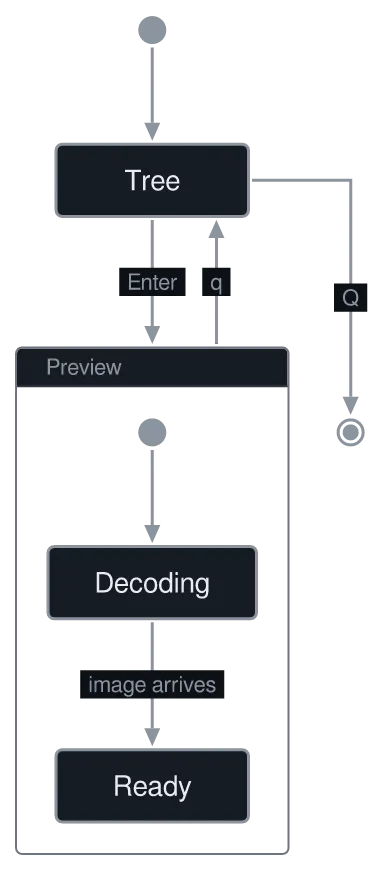
konoma’s whole UI is two modes and the moves between them. [*] is the start and end marker, and a state can contain a state machine of its own — the frame around Preview is drawn from the nesting, not from a hint.

A stateDiagram-v2 diagram drawn by konoma's own Mermaid renderer (routing = konoma-orthogonal)
konoma-orthogonal
A stateDiagram-v2 diagram drawn by konoma's own Mermaid renderer (routing = splines)
default (splines)
Mermaid source
stateDiagram-v2
  [*] --> Tree
  Tree --> Preview : Enter
  Preview --> Tree : q
  state Preview {
    [*] --> Decoding
    Decoding --> Ready : image arrives
  }
  Tree --> [*] : Q

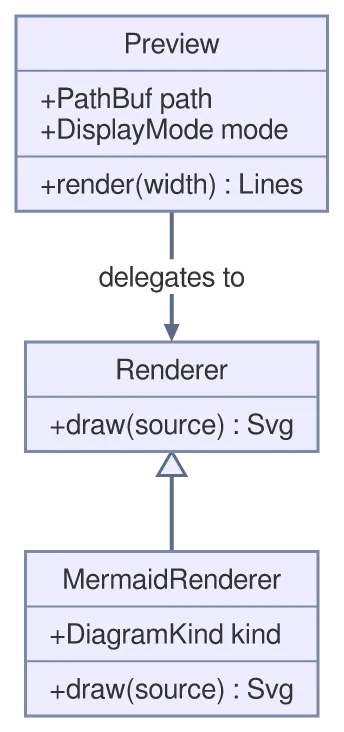
A class box has compartments: the name, then fields, then methods, with +/- for visibility. <|-- is inheritance and --> a plain association.
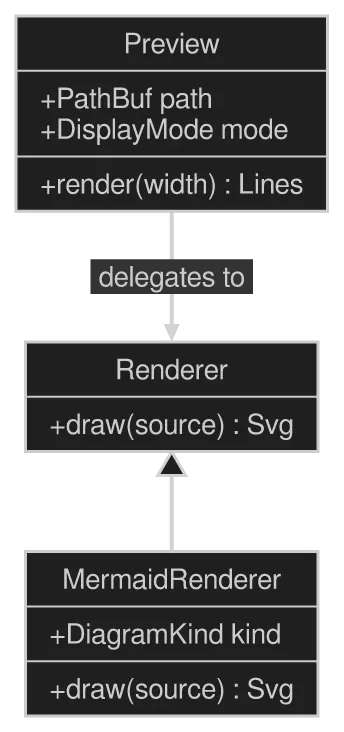
A classDiagram diagram drawn by konoma's own Mermaid renderer (routing = splines)
Mermaid source
classDiagram
  class Preview {
    +PathBuf path
    +DisplayMode mode
    +render(width) Lines
  }
  class Renderer {
    +draw(source) Svg
  }
  class MermaidRenderer {
    +DiagramKind kind
    +draw(source) Svg
  }
  Preview --> Renderer : delegates to
  Renderer <|-- MermaidRenderer

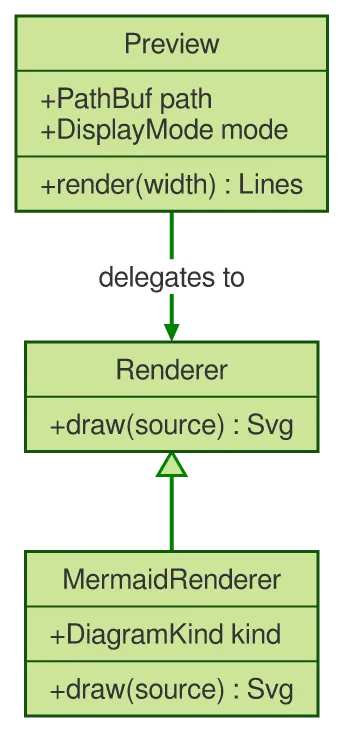
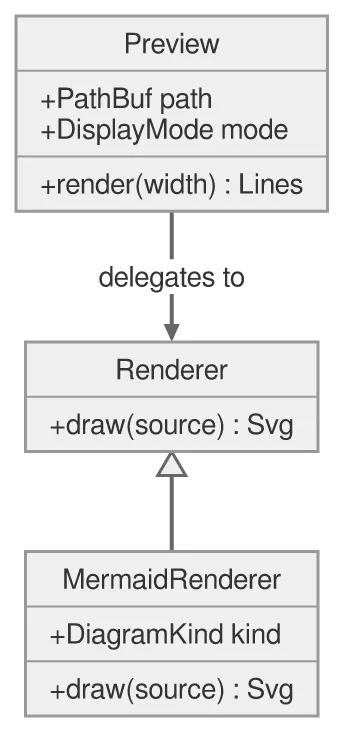
Every kind follows the theme; shown on dark and light plates.
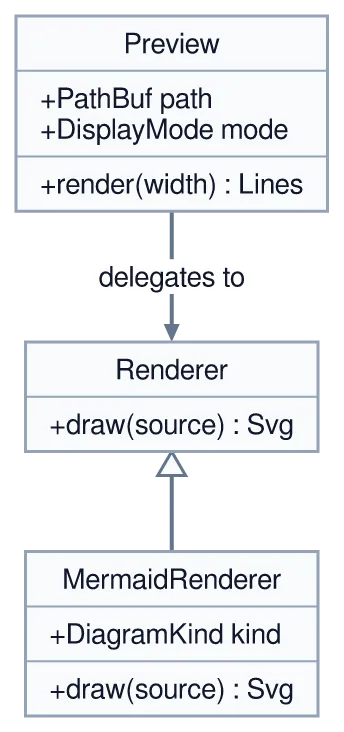
The same diagram drawn by konoma's own Mermaid renderer with mermaid_theme = "dark"
dark terminal
The same diagram drawn by konoma's own Mermaid renderer with mermaid_theme = "dark"
light terminal
darkdefault
The same diagram drawn by konoma's own Mermaid renderer with mermaid_theme = "light"
dark terminal
The same diagram drawn by konoma's own Mermaid renderer with mermaid_theme = "light"
light terminal
light
The same diagram drawn by konoma's own Mermaid renderer with mermaid_theme = "classic"
dark terminal
The same diagram drawn by konoma's own Mermaid renderer with mermaid_theme = "classic"
light terminal
classic
The same diagram drawn by konoma's own Mermaid renderer with mermaid_theme = "forest"
dark terminal
The same diagram drawn by konoma's own Mermaid renderer with mermaid_theme = "forest"
light terminal
forest
The same diagram drawn by konoma's own Mermaid renderer with mermaid_theme = "neutral"
dark terminal
The same diagram drawn by konoma's own Mermaid renderer with mermaid_theme = "neutral"
light terminal
neutral

erDiagram — entities and how many of each

Section titled “erDiagram — entities and how many of each”

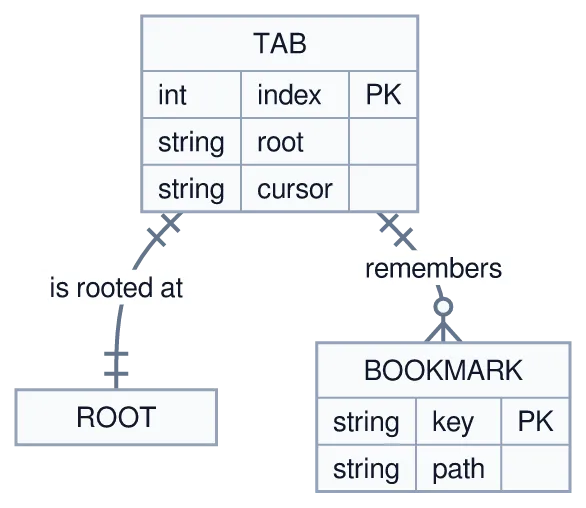
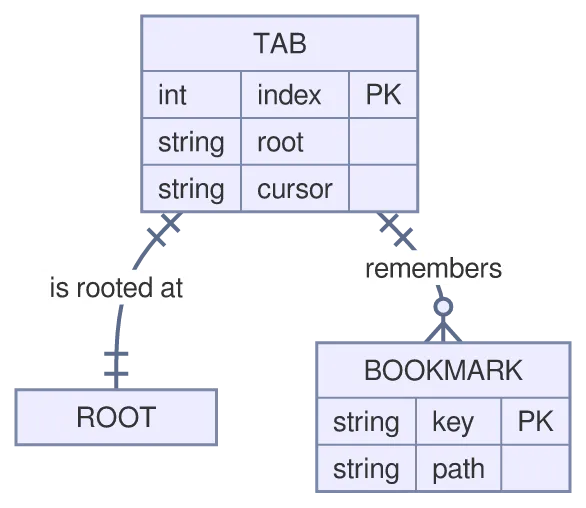
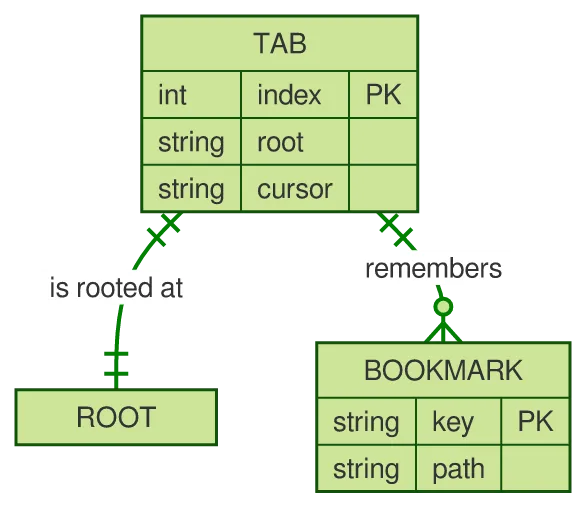
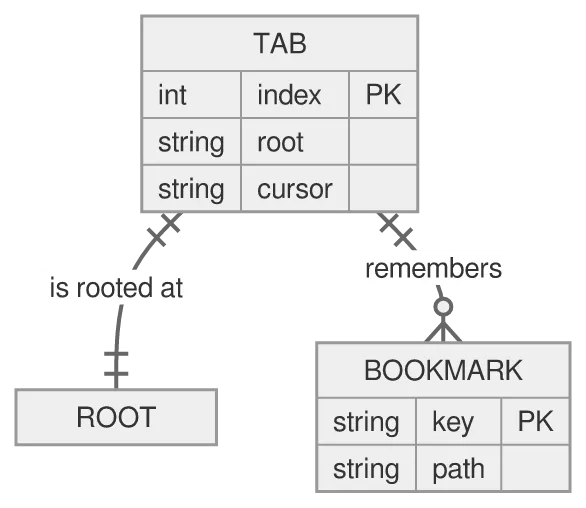
The crow’s-foot marks are the point: || is exactly one, o{ is zero or more. An entity can carry an attribute block with types and PK/FK keys.
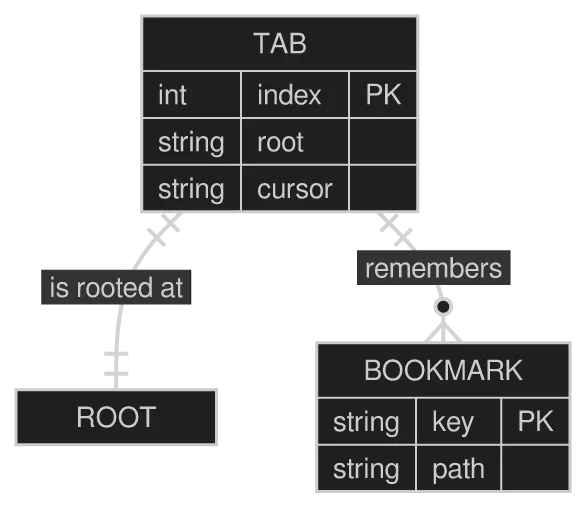
A erDiagram diagram drawn by konoma's own Mermaid renderer (routing = splines)
Mermaid source
erDiagram
  TAB ||--|| ROOT : is rooted at
  TAB ||--o{ BOOKMARK : remembers
  TAB {
    int index PK
    string root
    string cursor
  }
  BOOKMARK {
    string key PK
    string path
  }
The same diagram drawn by konoma's own Mermaid renderer with mermaid_theme = "dark"
dark terminal
The same diagram drawn by konoma's own Mermaid renderer with mermaid_theme = "dark"
light terminal
darkdefault
The same diagram drawn by konoma's own Mermaid renderer with mermaid_theme = "light"
dark terminal
The same diagram drawn by konoma's own Mermaid renderer with mermaid_theme = "light"
light terminal
light
The same diagram drawn by konoma's own Mermaid renderer with mermaid_theme = "classic"
dark terminal
The same diagram drawn by konoma's own Mermaid renderer with mermaid_theme = "classic"
light terminal
classic
The same diagram drawn by konoma's own Mermaid renderer with mermaid_theme = "forest"
dark terminal
The same diagram drawn by konoma's own Mermaid renderer with mermaid_theme = "forest"
light terminal
forest
The same diagram drawn by konoma's own Mermaid renderer with mermaid_theme = "neutral"
dark terminal
The same diagram drawn by konoma's own Mermaid renderer with mermaid_theme = "neutral"
light terminal
neutral

sequenceDiagram — who says what, in order

Section titled “sequenceDiagram — who says what, in order”

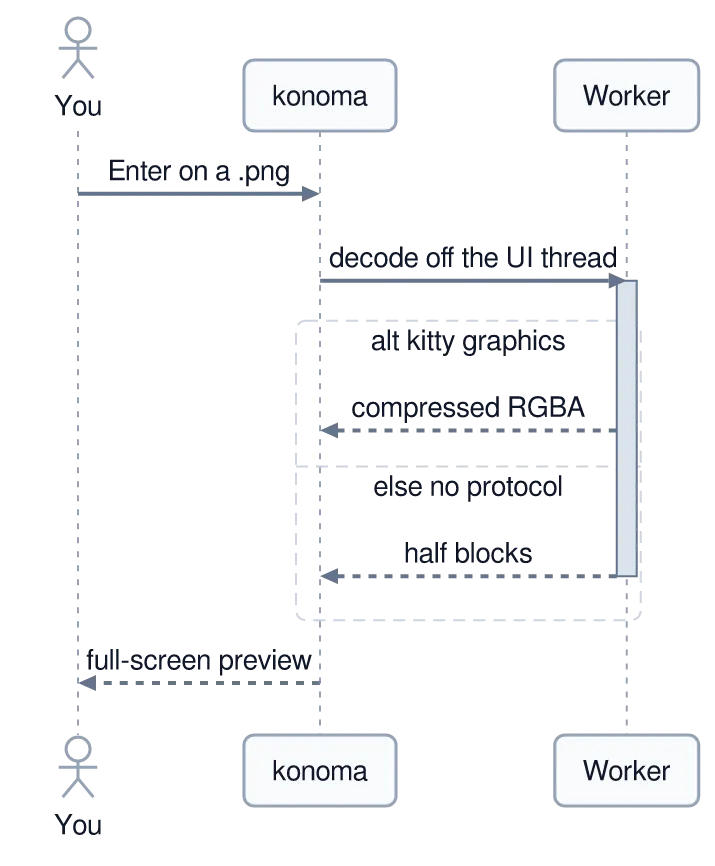
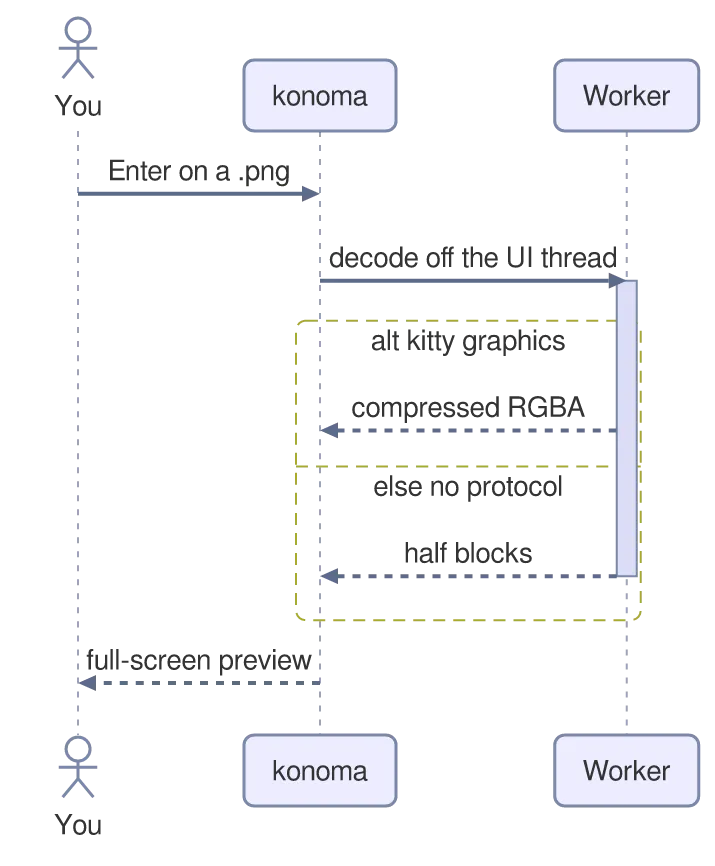
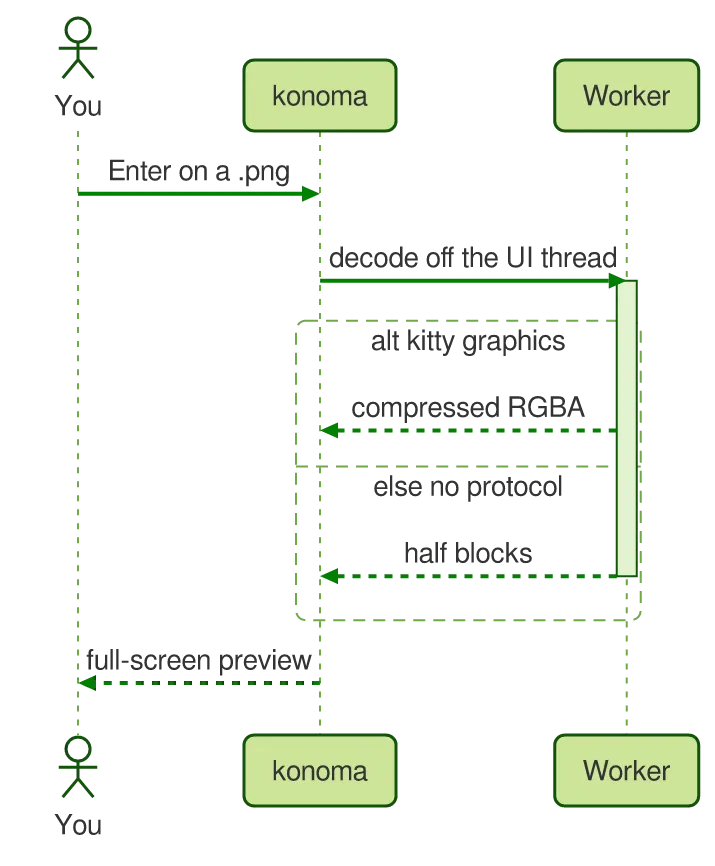
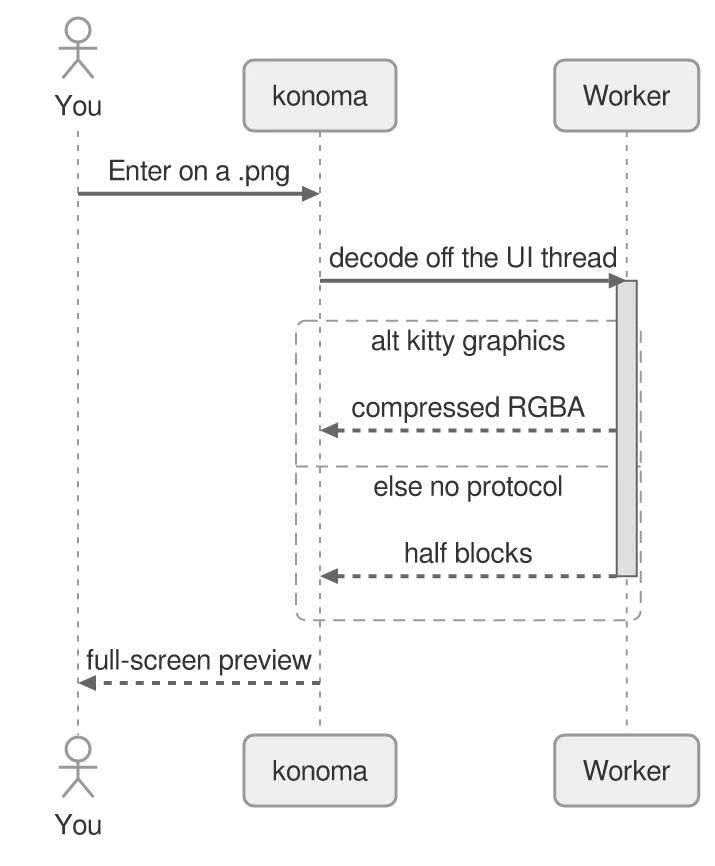
Time runs down the page: an actor, an activation bar (+deactivate) for the worker thread being busy, and an alt block for the branch every terminal takes differently.
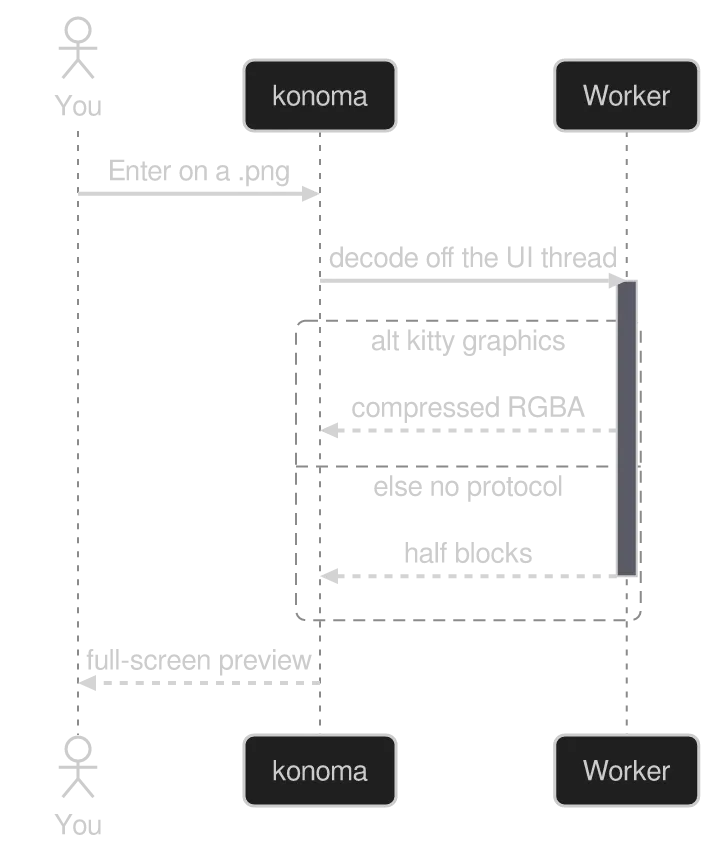
A sequenceDiagram diagram drawn by konoma's own Mermaid renderer (routing = splines)
Mermaid source
sequenceDiagram
  actor You
  participant K as konoma
  participant W as Worker
  You->>K: Enter on a .png
  K->>+W: decode off the UI thread
  alt kitty graphics
    W-->>K: compressed RGBA
  else no protocol
    W-->>K: half blocks
  end
  deactivate W
  K-->>You: full-screen preview
The same diagram drawn by konoma's own Mermaid renderer with mermaid_theme = "dark"
dark terminal
The same diagram drawn by konoma's own Mermaid renderer with mermaid_theme = "dark"
light terminal
darkdefault
The same diagram drawn by konoma's own Mermaid renderer with mermaid_theme = "light"
dark terminal
The same diagram drawn by konoma's own Mermaid renderer with mermaid_theme = "light"
light terminal
light
The same diagram drawn by konoma's own Mermaid renderer with mermaid_theme = "classic"
dark terminal
The same diagram drawn by konoma's own Mermaid renderer with mermaid_theme = "classic"
light terminal
classic
The same diagram drawn by konoma's own Mermaid renderer with mermaid_theme = "forest"
dark terminal
The same diagram drawn by konoma's own Mermaid renderer with mermaid_theme = "forest"
light terminal
forest
The same diagram drawn by konoma's own Mermaid renderer with mermaid_theme = "neutral"
dark terminal
The same diagram drawn by konoma's own Mermaid renderer with mermaid_theme = "neutral"
light terminal
neutral

zenuml — the same story, written as code

Section titled “zenuml — the same story, written as code”

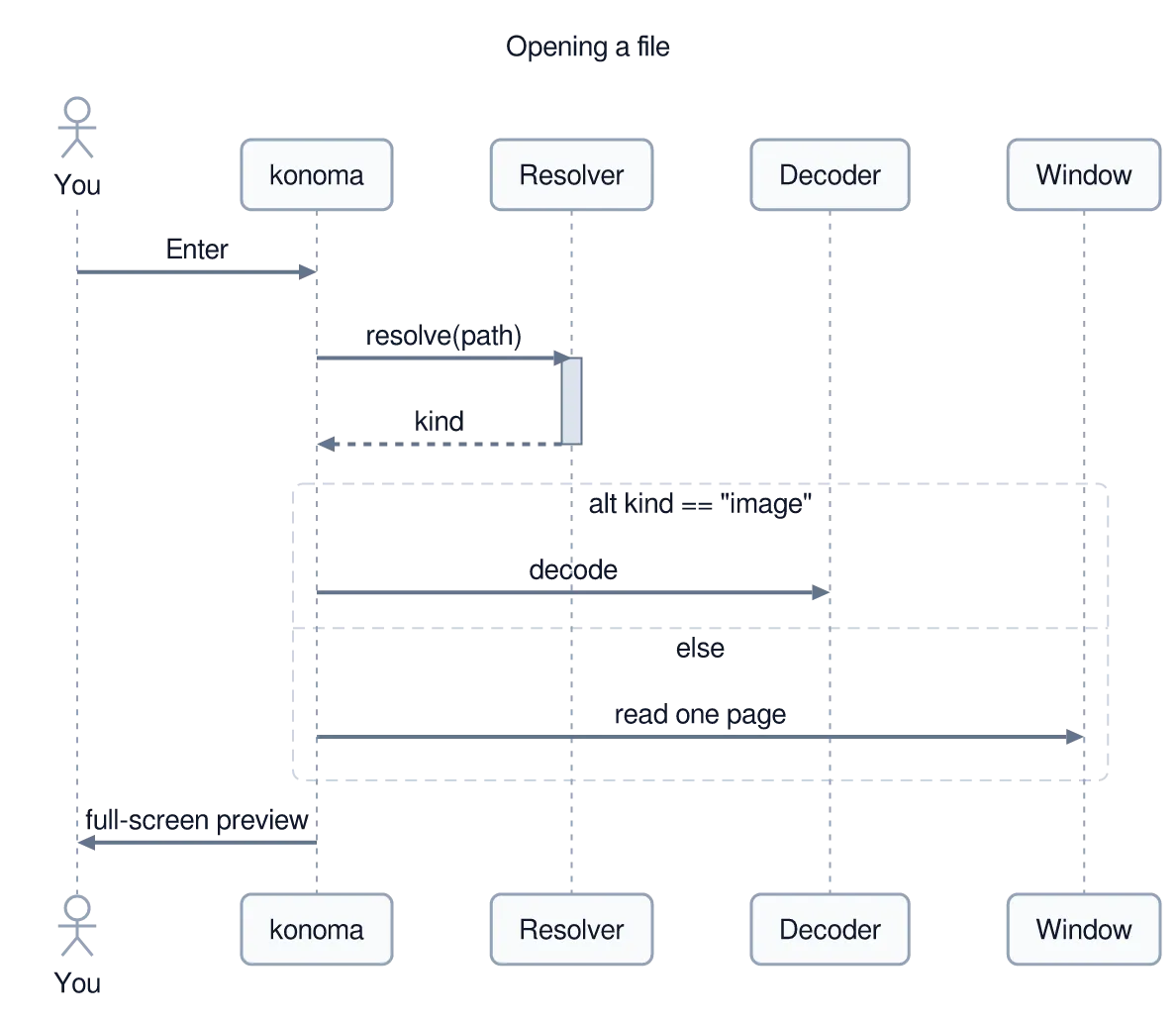
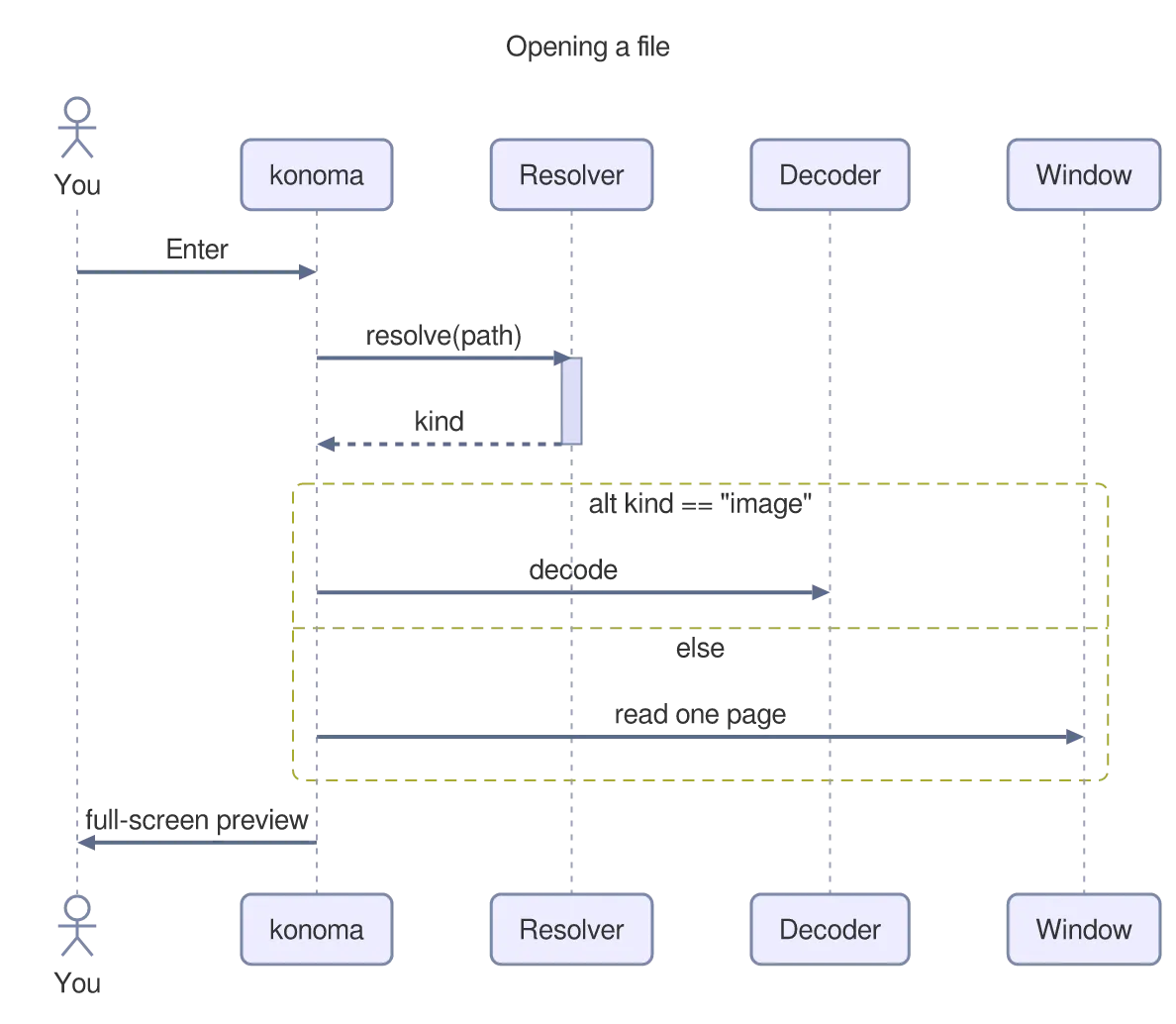
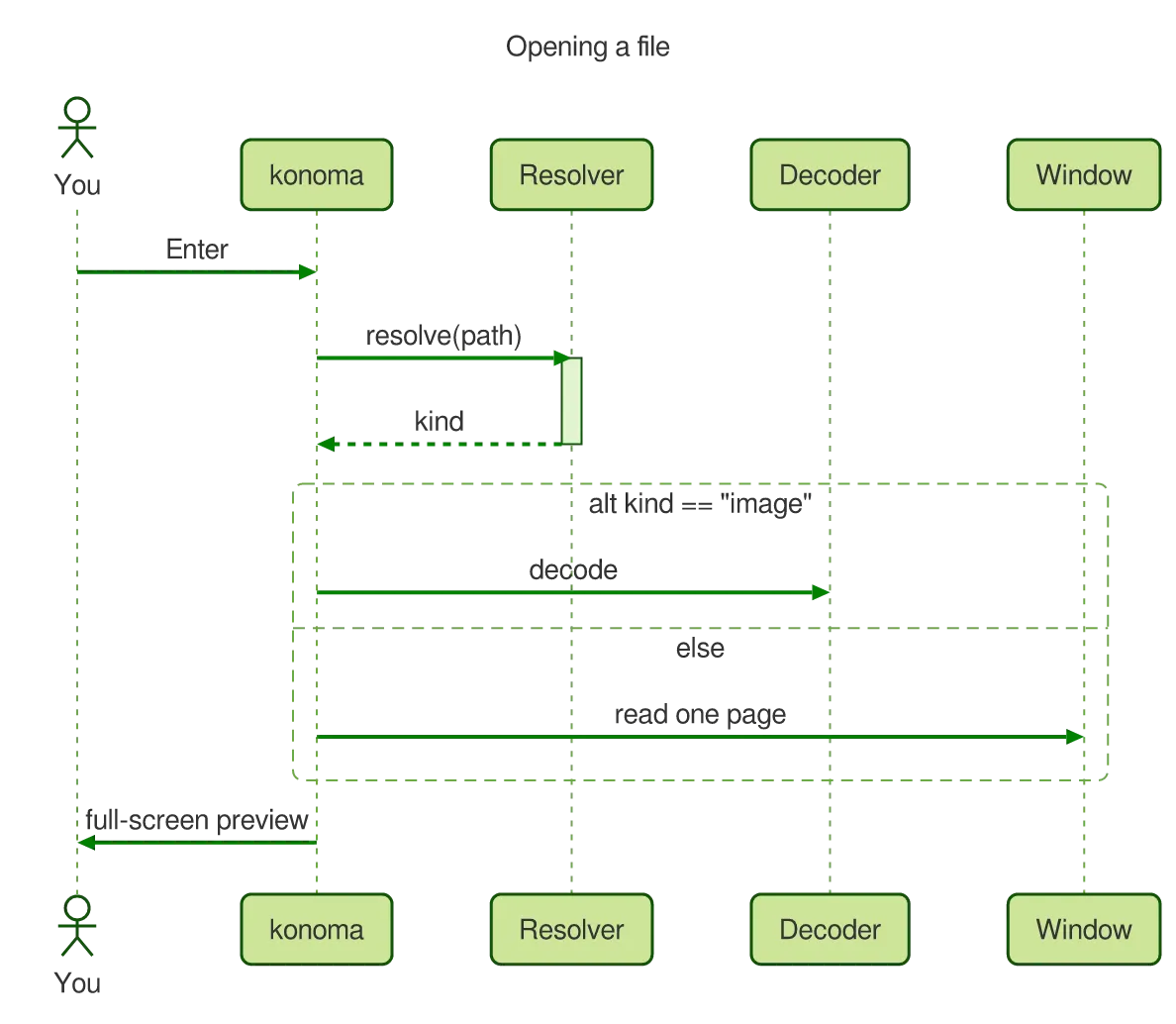
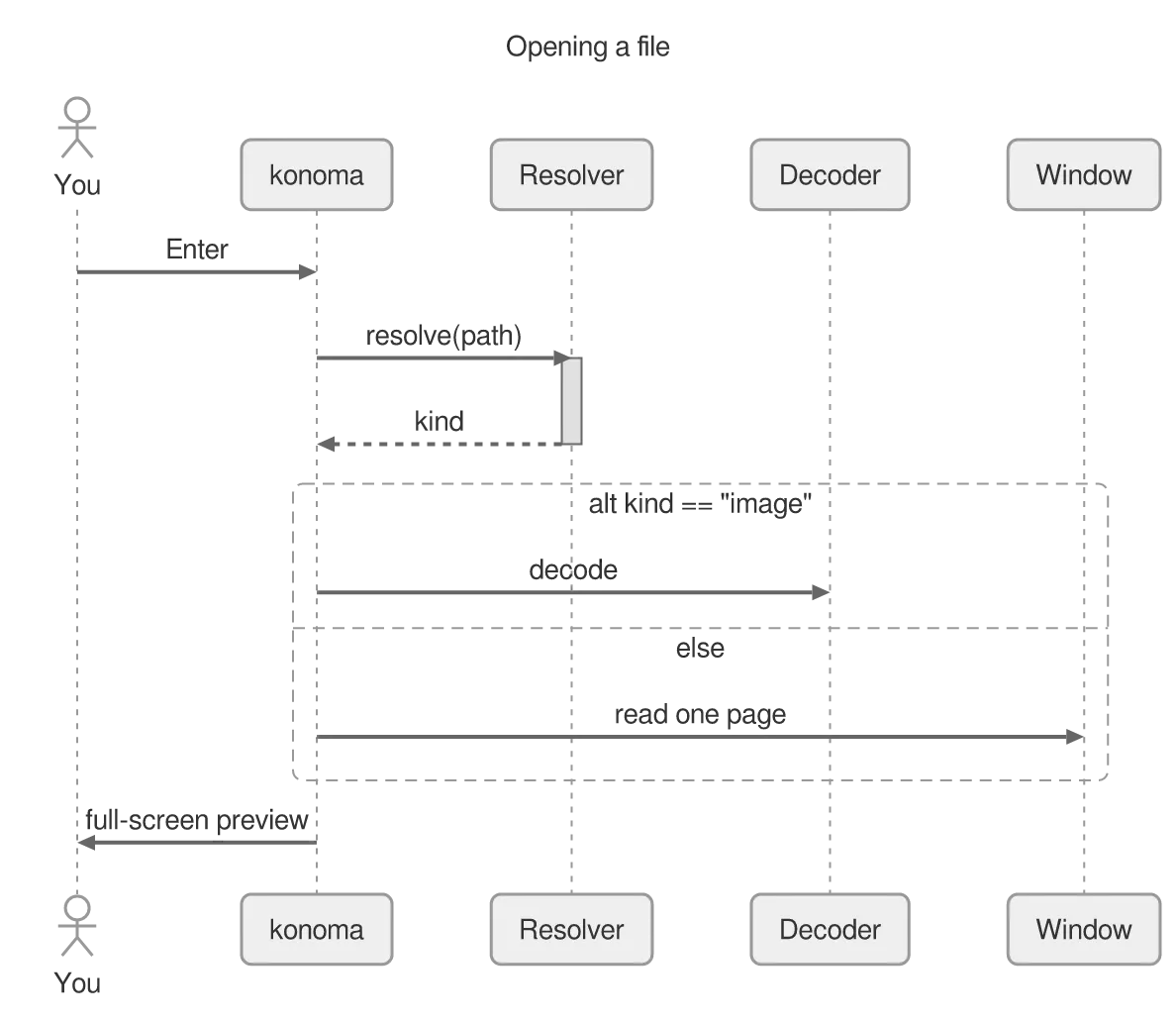
ZenUML describes an interaction as nested calls rather than as arrows. A block with { … } is the callee doing work, and if/else reads as it would in a program.
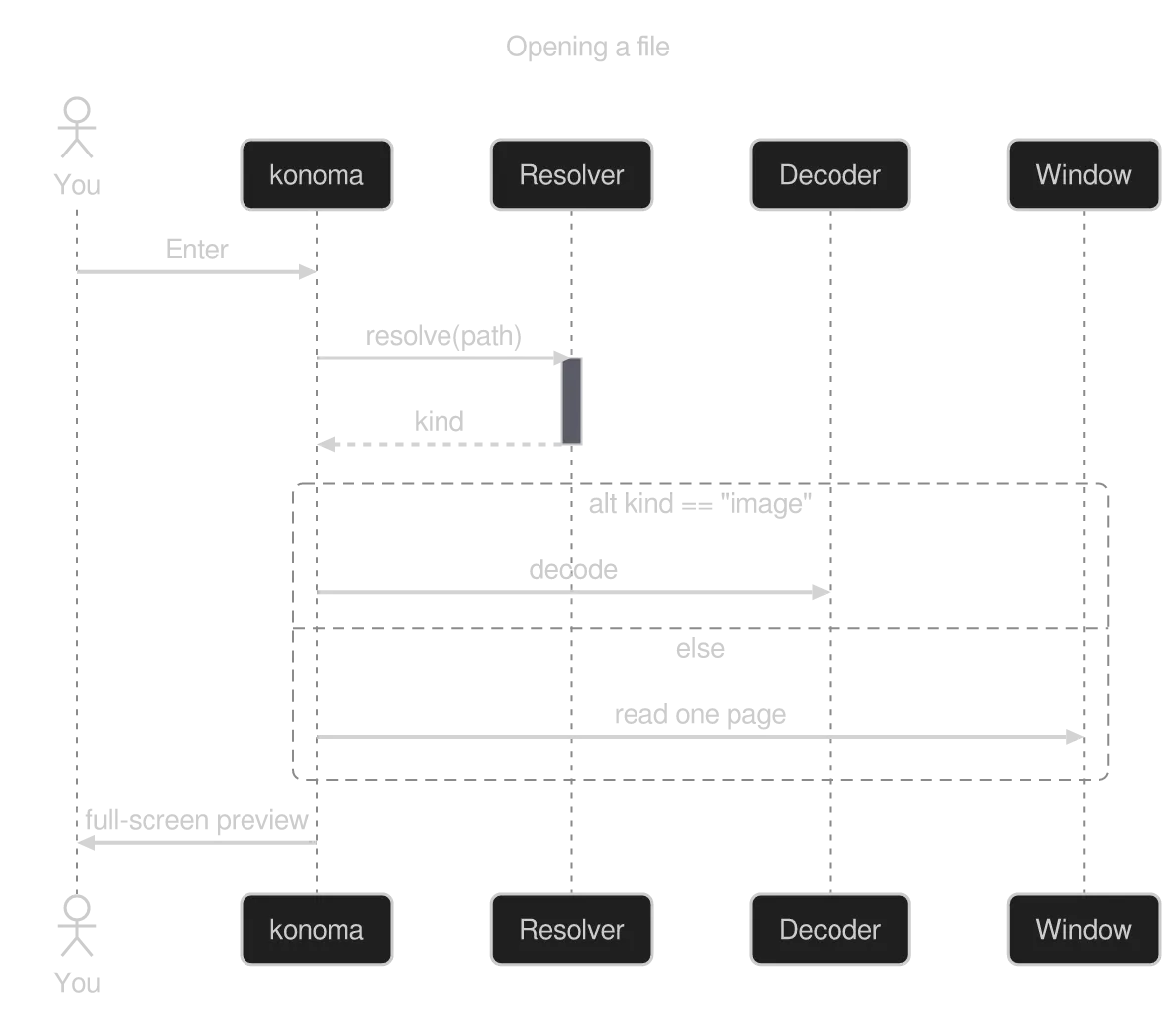
A zenuml diagram drawn by konoma's own Mermaid renderer (routing = splines)
Mermaid source
zenuml
  title Opening a file
  @Actor You
  You->konoma: Enter
  konoma->Resolver.resolve(path) {
    return kind
  }
  if(kind == "image") {
    konoma->Decoder: decode
  } else {
    konoma->Window: read one page
  }
  konoma->You: full-screen preview
The same diagram drawn by konoma's own Mermaid renderer with mermaid_theme = "dark"
dark terminal
The same diagram drawn by konoma's own Mermaid renderer with mermaid_theme = "dark"
light terminal
darkdefault
The same diagram drawn by konoma's own Mermaid renderer with mermaid_theme = "light"
dark terminal
The same diagram drawn by konoma's own Mermaid renderer with mermaid_theme = "light"
light terminal
light
The same diagram drawn by konoma's own Mermaid renderer with mermaid_theme = "classic"
dark terminal
The same diagram drawn by konoma's own Mermaid renderer with mermaid_theme = "classic"
light terminal
classic
The same diagram drawn by konoma's own Mermaid renderer with mermaid_theme = "forest"
dark terminal
The same diagram drawn by konoma's own Mermaid renderer with mermaid_theme = "forest"
light terminal
forest
The same diagram drawn by konoma's own Mermaid renderer with mermaid_theme = "neutral"
dark terminal
The same diagram drawn by konoma's own Mermaid renderer with mermaid_theme = "neutral"
light terminal
neutral

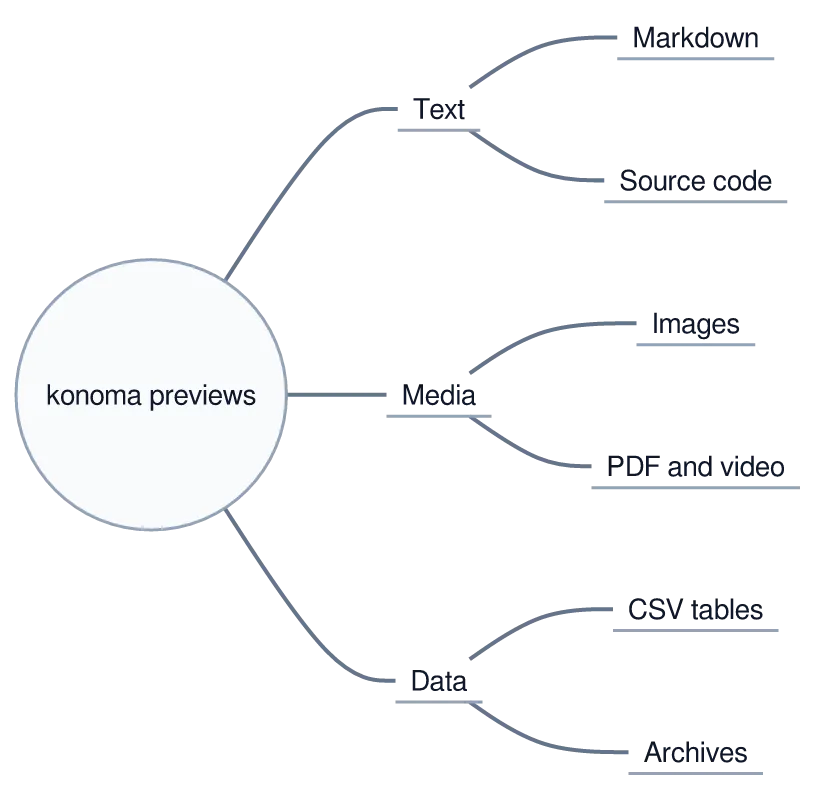
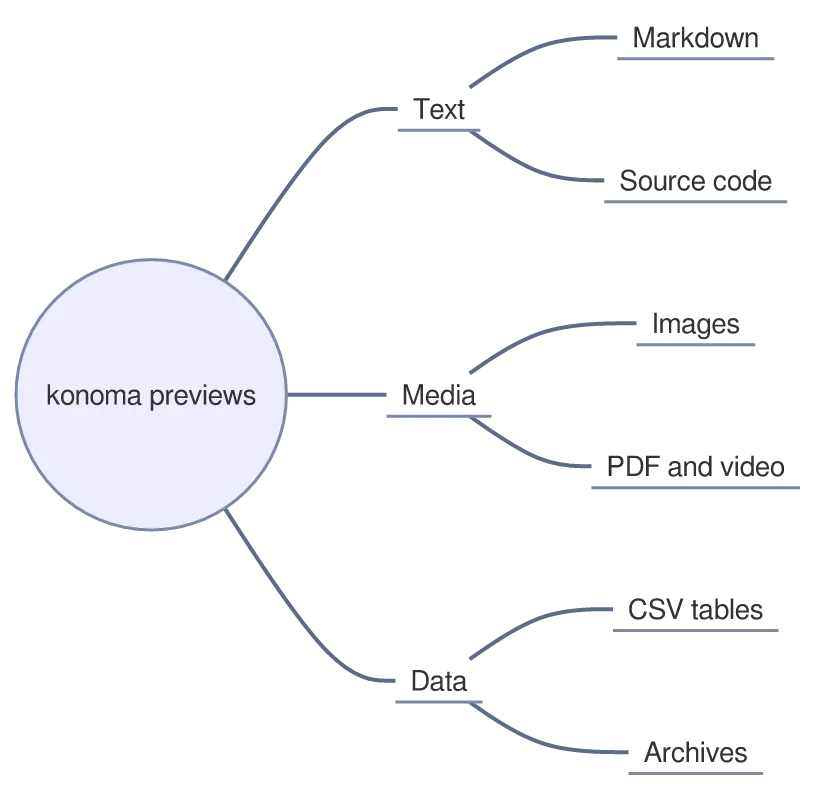
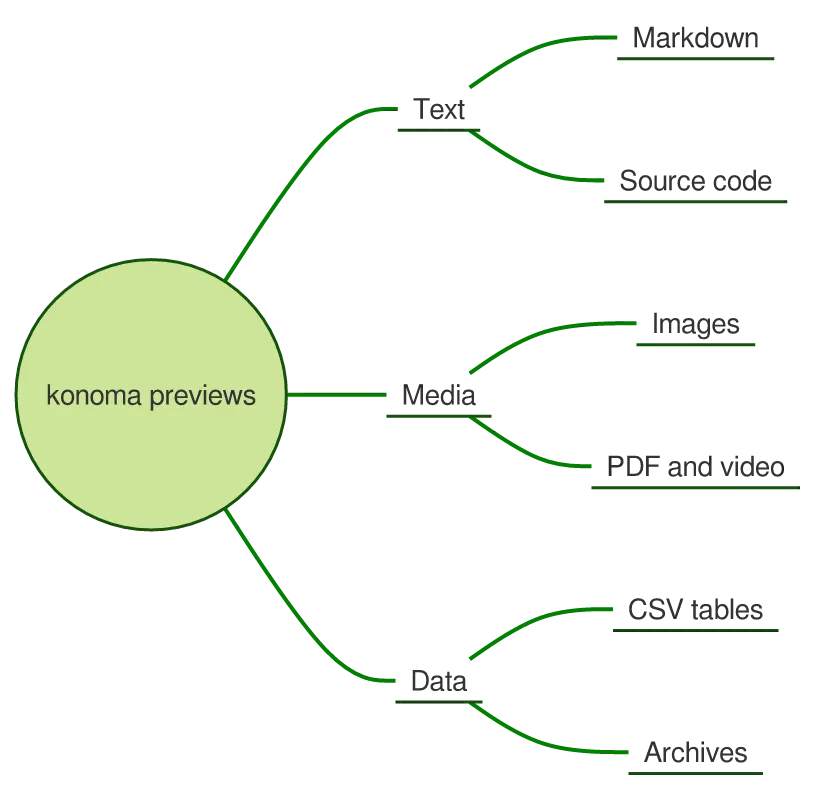
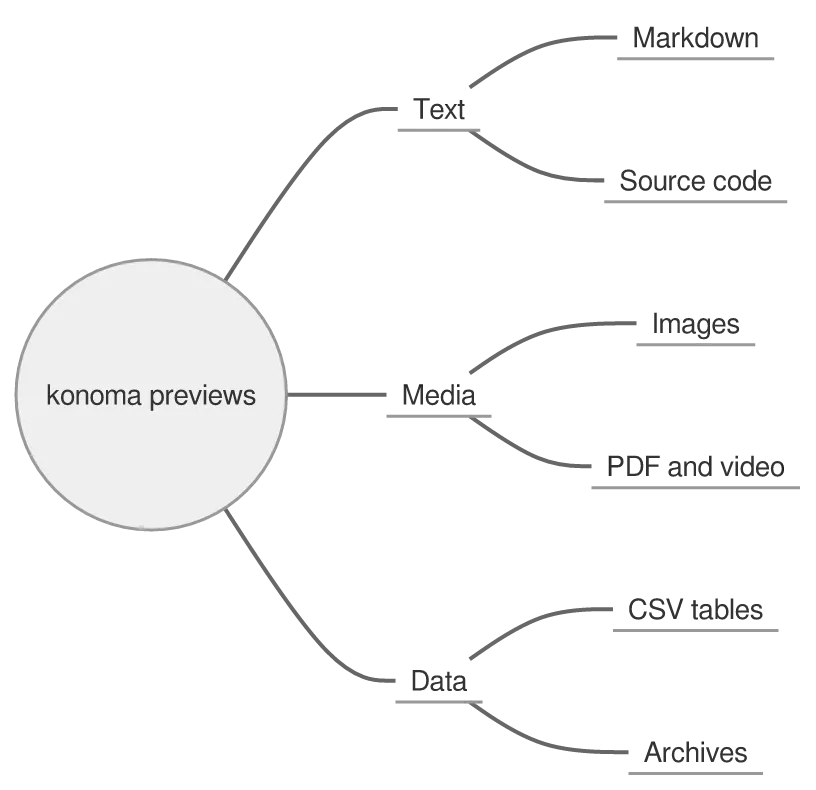
Written as indentation alone. konoma lays a mindmap out left to right rather than radially, because a radial layout puts half the labels on the wrong side of the line in a terminal.
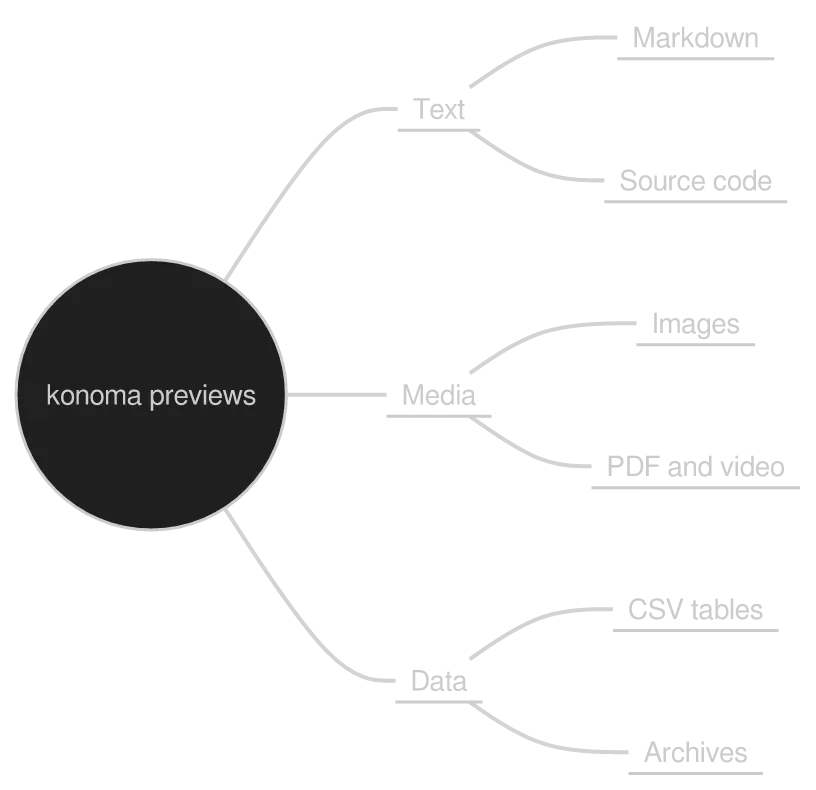
A mindmap diagram drawn by konoma's own Mermaid renderer (routing = splines)
Mermaid source
mindmap
  root((konoma previews))
    Text
      Markdown
      Source code
    Media
      Images
      PDF and video
    Data
      CSV tables
      Archives
The same diagram drawn by konoma's own Mermaid renderer with mermaid_theme = "dark"
dark terminal
The same diagram drawn by konoma's own Mermaid renderer with mermaid_theme = "dark"
light terminal
darkdefault
The same diagram drawn by konoma's own Mermaid renderer with mermaid_theme = "light"
dark terminal
The same diagram drawn by konoma's own Mermaid renderer with mermaid_theme = "light"
light terminal
light
The same diagram drawn by konoma's own Mermaid renderer with mermaid_theme = "classic"
dark terminal
The same diagram drawn by konoma's own Mermaid renderer with mermaid_theme = "classic"
light terminal
classic
The same diagram drawn by konoma's own Mermaid renderer with mermaid_theme = "forest"
dark terminal
The same diagram drawn by konoma's own Mermaid renderer with mermaid_theme = "forest"
light terminal
forest
The same diagram drawn by konoma's own Mermaid renderer with mermaid_theme = "neutral"
dark terminal
The same diagram drawn by konoma's own Mermaid renderer with mermaid_theme = "neutral"
light terminal
neutral

Columns come from the first indent level, cards from the second. @{ … } attaches metadata to a card — assignee, priority, ticket.

A kanban diagram drawn by konoma's own Mermaid renderer (routing = splines)
Mermaid source
kanban
  Backlog
    k1[Tune the sixel palette]
  Doing
    k2[Write the mermaid gallery]@{ assigned: 'konoma', priority: 'High' }
  Done
    k3[Drop the renderer dependency]@{ ticket: 'v0.27.0' }
The same diagram drawn by konoma's own Mermaid renderer with mermaid_theme = "dark"
dark terminal
The same diagram drawn by konoma's own Mermaid renderer with mermaid_theme = "dark"
light terminal
darkdefault
The same diagram drawn by konoma's own Mermaid renderer with mermaid_theme = "light"
dark terminal
The same diagram drawn by konoma's own Mermaid renderer with mermaid_theme = "light"
light terminal
light
The same diagram drawn by konoma's own Mermaid renderer with mermaid_theme = "classic"
dark terminal
The same diagram drawn by konoma's own Mermaid renderer with mermaid_theme = "classic"
light terminal
classic
The same diagram drawn by konoma's own Mermaid renderer with mermaid_theme = "forest"
dark terminal
The same diagram drawn by konoma's own Mermaid renderer with mermaid_theme = "forest"
light terminal
forest
The same diagram drawn by konoma's own Mermaid renderer with mermaid_theme = "neutral"
dark terminal
The same diagram drawn by konoma's own Mermaid renderer with mermaid_theme = "neutral"
light terminal
neutral

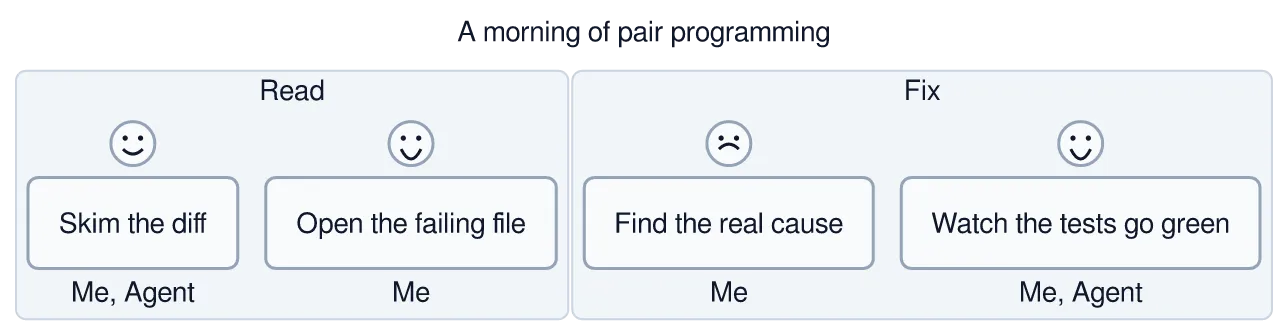
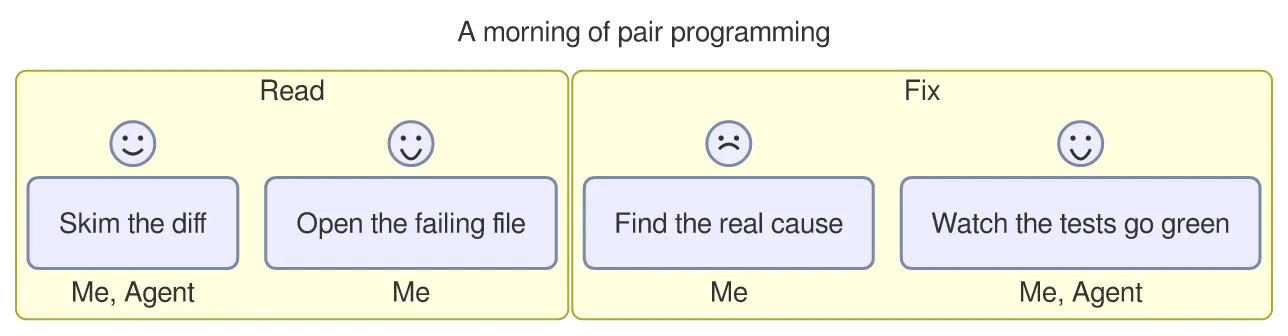
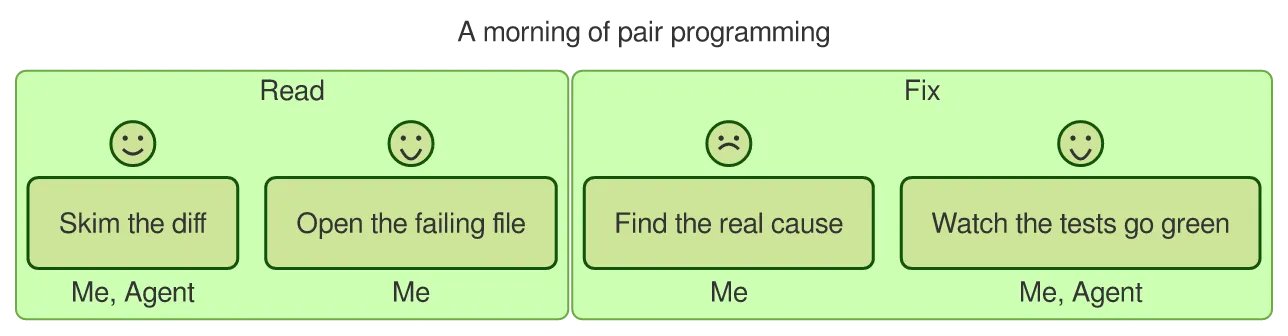
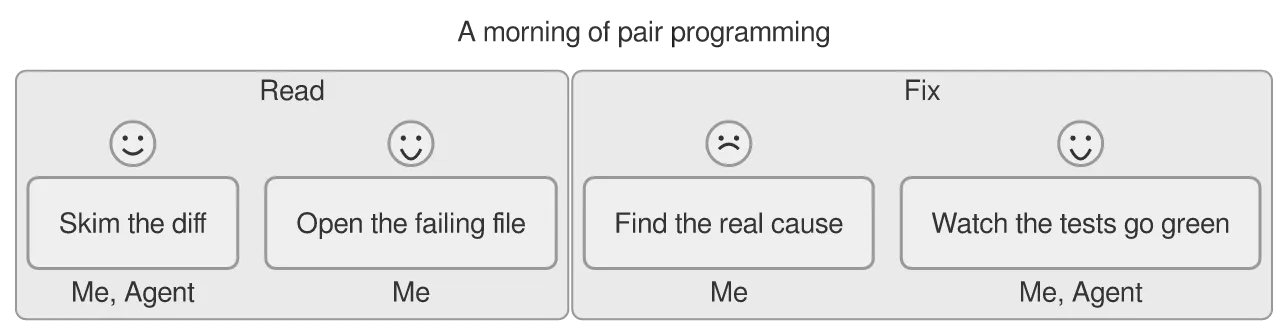
Each step gets a score from 1 to 5, drawn as a face, and the people involved after the score. Sections band the day.
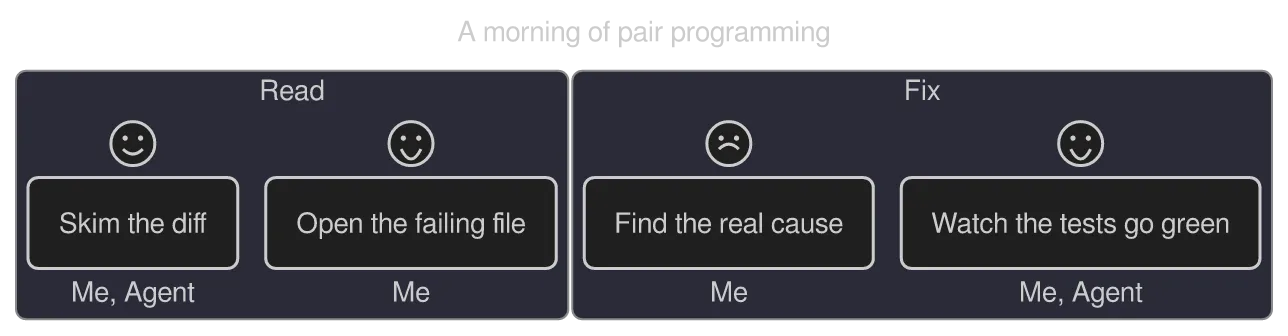
A journey diagram drawn by konoma's own Mermaid renderer (routing = splines)
Mermaid source
journey
  title A morning of pair programming
  section Read
    Skim the diff: 4: Me, Agent
    Open the failing file: 5: Me
  section Fix
    Find the real cause: 2: Me
    Watch the tests go green: 5: Me, Agent
The same diagram drawn by konoma's own Mermaid renderer with mermaid_theme = "dark"
dark terminal
The same diagram drawn by konoma's own Mermaid renderer with mermaid_theme = "dark"
light terminal
darkdefault
The same diagram drawn by konoma's own Mermaid renderer with mermaid_theme = "light"
dark terminal
The same diagram drawn by konoma's own Mermaid renderer with mermaid_theme = "light"
light terminal
light
The same diagram drawn by konoma's own Mermaid renderer with mermaid_theme = "classic"
dark terminal
The same diagram drawn by konoma's own Mermaid renderer with mermaid_theme = "classic"
light terminal
classic
The same diagram drawn by konoma's own Mermaid renderer with mermaid_theme = "forest"
dark terminal
The same diagram drawn by konoma's own Mermaid renderer with mermaid_theme = "forest"
light terminal
forest
The same diagram drawn by konoma's own Mermaid renderer with mermaid_theme = "neutral"
dark terminal
The same diagram drawn by konoma's own Mermaid renderer with mermaid_theme = "neutral"
light terminal
neutral

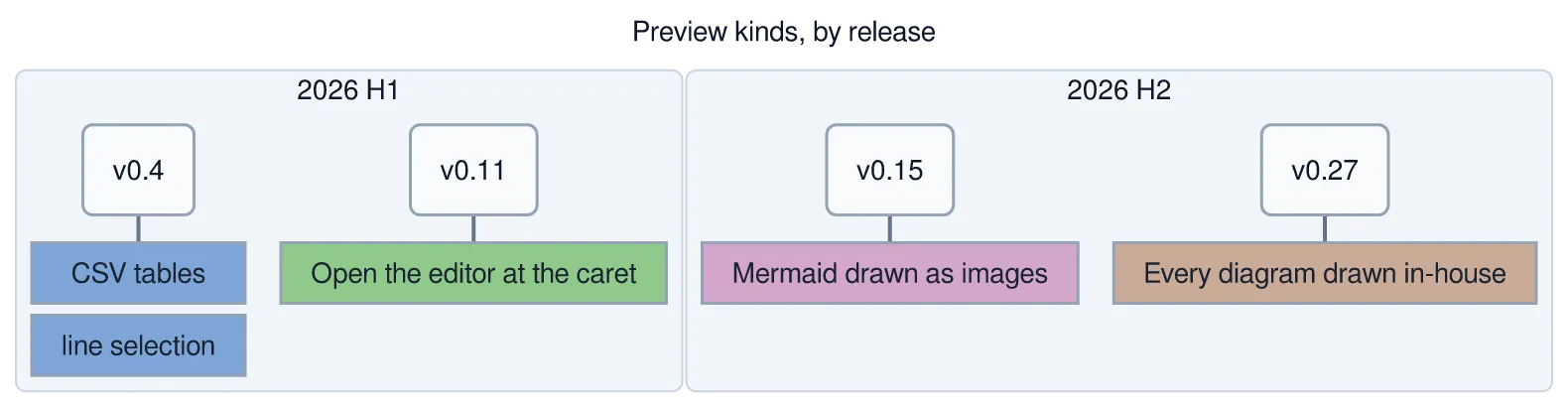
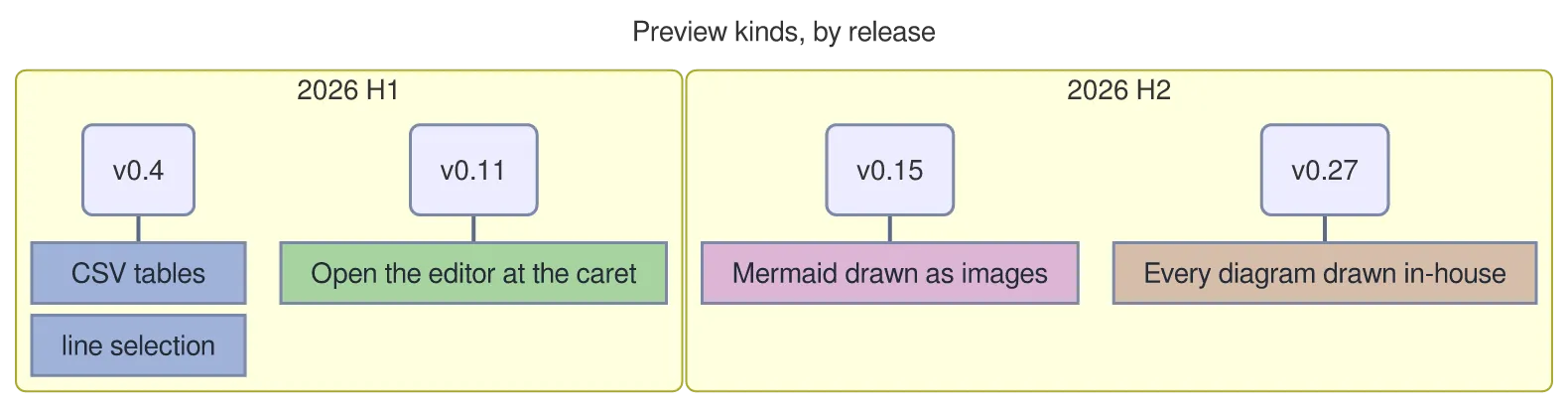
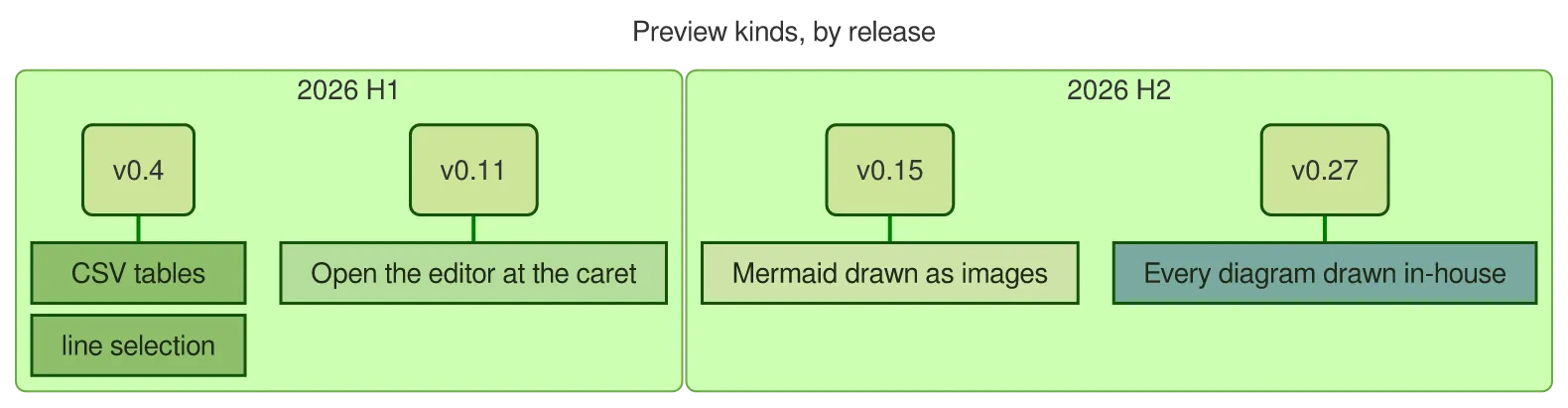
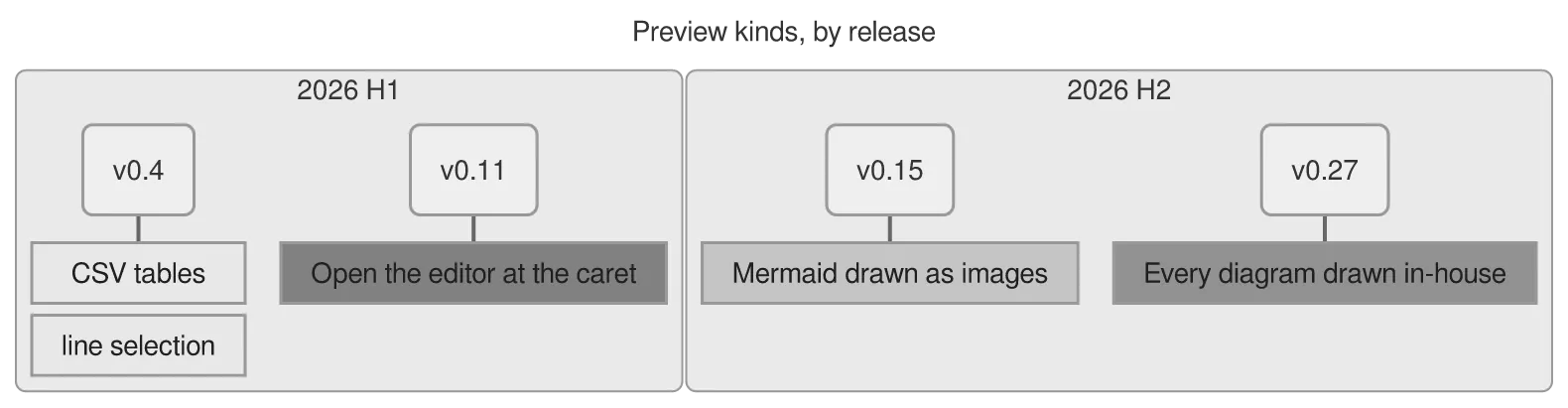
Periods on the left, events on the right; section bands them. A period can carry several events separated by :.
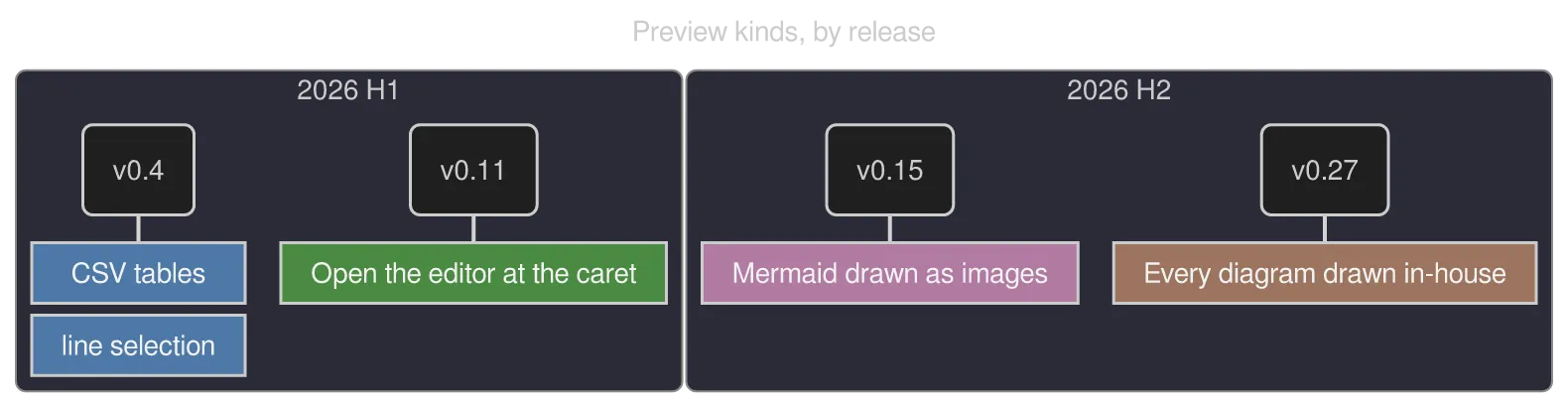
A timeline diagram drawn by konoma's own Mermaid renderer (routing = splines)
Mermaid source
timeline
  title Preview kinds, by release
  section 2026 H1
    v0.4 : CSV tables : line selection
    v0.11 : Open the editor at the caret
  section 2026 H2
    v0.15 : Mermaid drawn as images
    v0.27 : Every diagram drawn in-house
The same diagram drawn by konoma's own Mermaid renderer with mermaid_theme = "dark"
dark terminal
The same diagram drawn by konoma's own Mermaid renderer with mermaid_theme = "dark"
light terminal
darkdefault
The same diagram drawn by konoma's own Mermaid renderer with mermaid_theme = "light"
dark terminal
The same diagram drawn by konoma's own Mermaid renderer with mermaid_theme = "light"
light terminal
light
The same diagram drawn by konoma's own Mermaid renderer with mermaid_theme = "classic"
dark terminal
The same diagram drawn by konoma's own Mermaid renderer with mermaid_theme = "classic"
light terminal
classic
The same diagram drawn by konoma's own Mermaid renderer with mermaid_theme = "forest"
dark terminal
The same diagram drawn by konoma's own Mermaid renderer with mermaid_theme = "forest"
light terminal
forest
The same diagram drawn by konoma's own Mermaid renderer with mermaid_theme = "neutral"
dark terminal
The same diagram drawn by konoma's own Mermaid renderer with mermaid_theme = "neutral"
light terminal
neutral

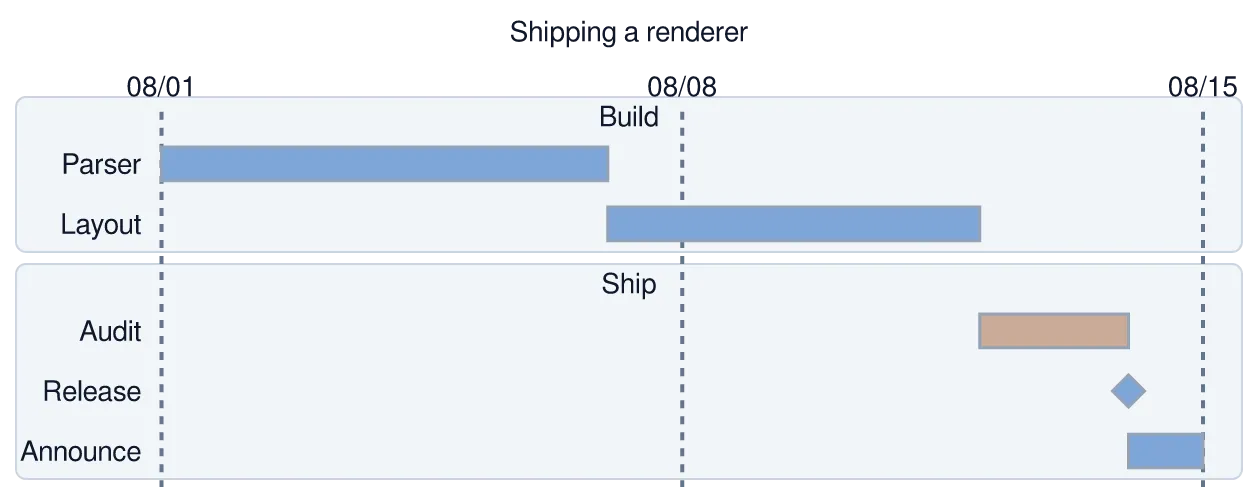
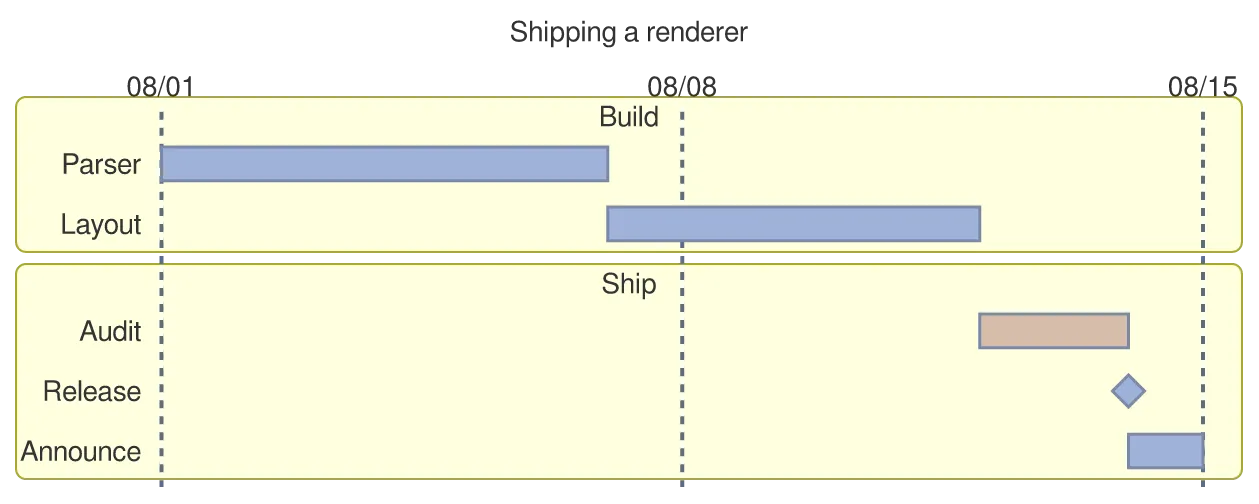
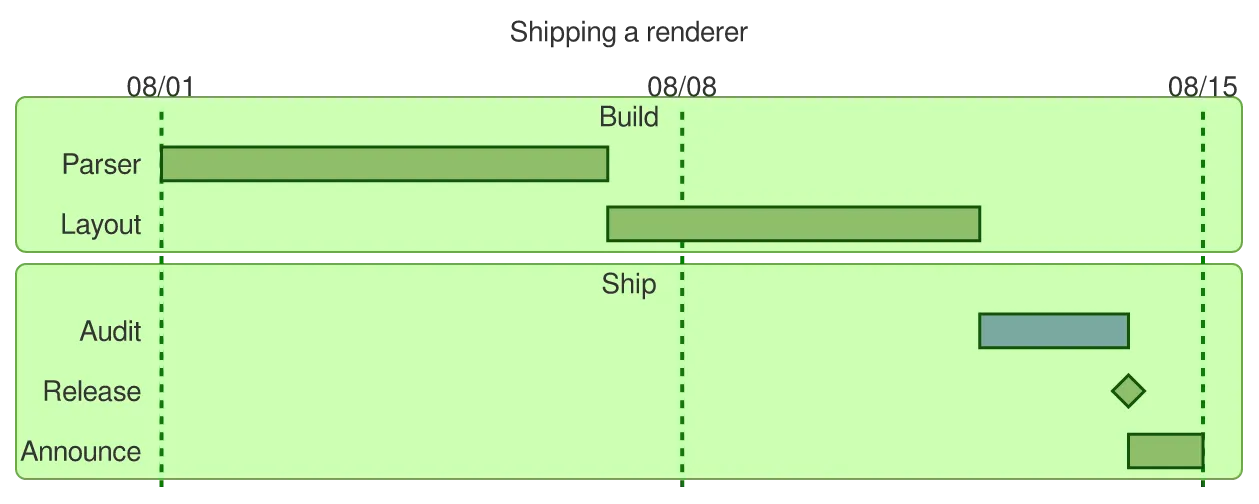
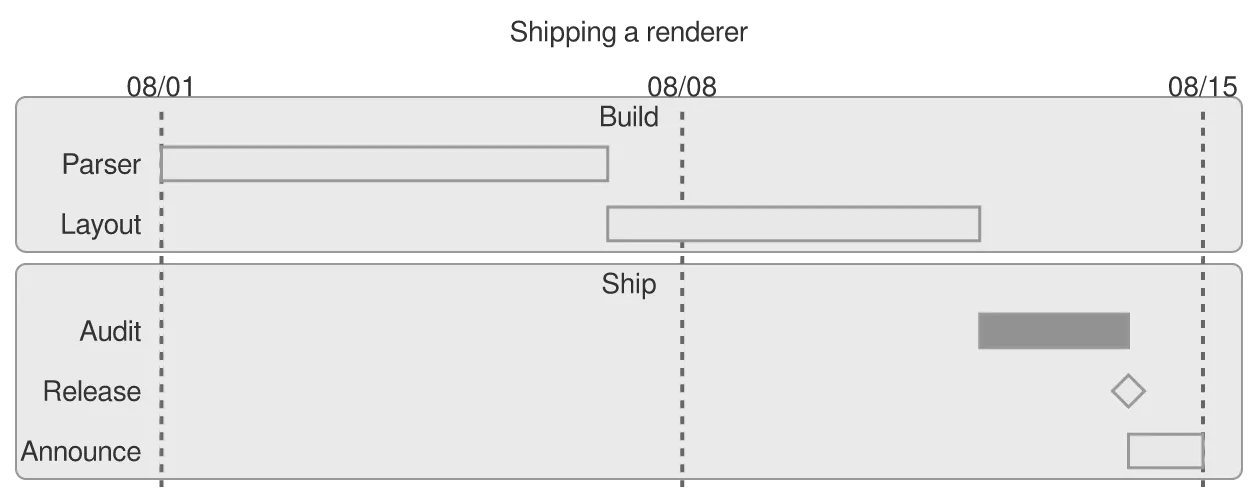
Note the section bands, the after dependency that chains one bar to the end of another, the crit tag, and the milestone drawn as a diamond.
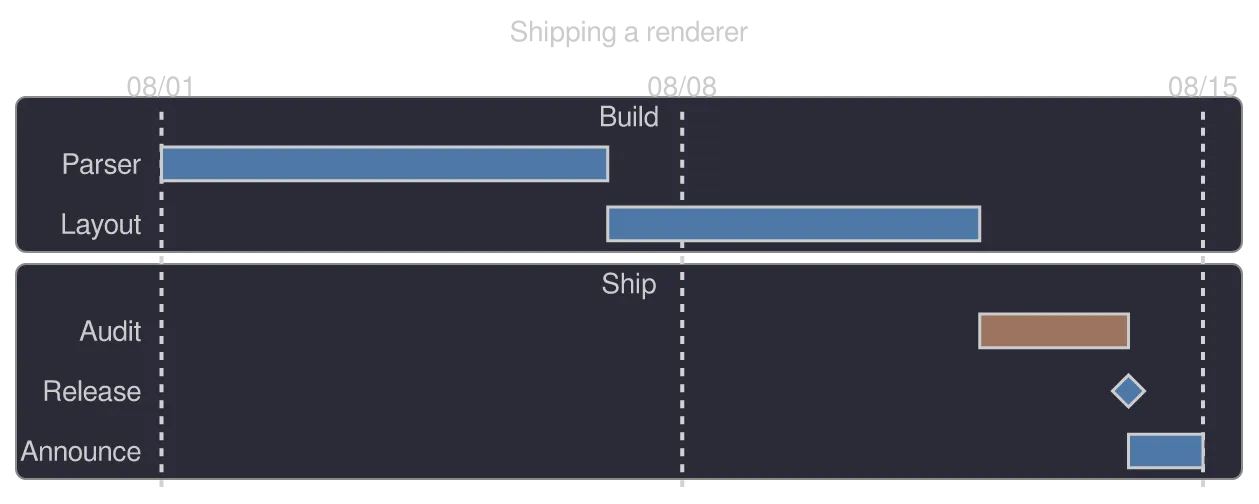
A gantt diagram drawn by konoma's own Mermaid renderer (routing = splines)
Mermaid source
gantt
  title Shipping a renderer
  dateFormat YYYY-MM-DD
  axisFormat %m/%d
  section Build
    Parser        :p1, 2026-08-01, 6d
    Layout        :after p1, 5d
  section Ship
    Audit         :crit, a1, 2026-08-12, 2d
    Release       :milestone, m1, after a1, 0d
    Announce      :after m1, 1d
The same diagram drawn by konoma's own Mermaid renderer with mermaid_theme = "dark"
dark terminal
The same diagram drawn by konoma's own Mermaid renderer with mermaid_theme = "dark"
light terminal
darkdefault
The same diagram drawn by konoma's own Mermaid renderer with mermaid_theme = "light"
dark terminal
The same diagram drawn by konoma's own Mermaid renderer with mermaid_theme = "light"
light terminal
light
The same diagram drawn by konoma's own Mermaid renderer with mermaid_theme = "classic"
dark terminal
The same diagram drawn by konoma's own Mermaid renderer with mermaid_theme = "classic"
light terminal
classic
The same diagram drawn by konoma's own Mermaid renderer with mermaid_theme = "forest"
dark terminal
The same diagram drawn by konoma's own Mermaid renderer with mermaid_theme = "forest"
light terminal
forest
The same diagram drawn by konoma's own Mermaid renderer with mermaid_theme = "neutral"
dark terminal
The same diagram drawn by konoma's own Mermaid renderer with mermaid_theme = "neutral"
light terminal
neutral

requirementDiagram — what must hold, and what proves it

Section titled “requirementDiagram — what must hold, and what proves it”

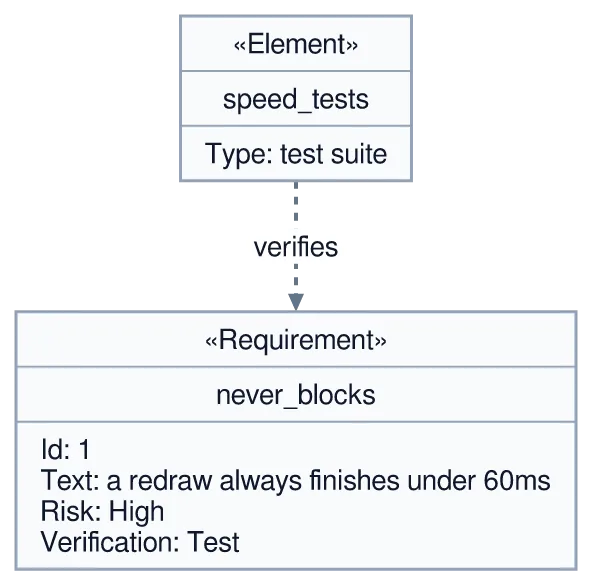
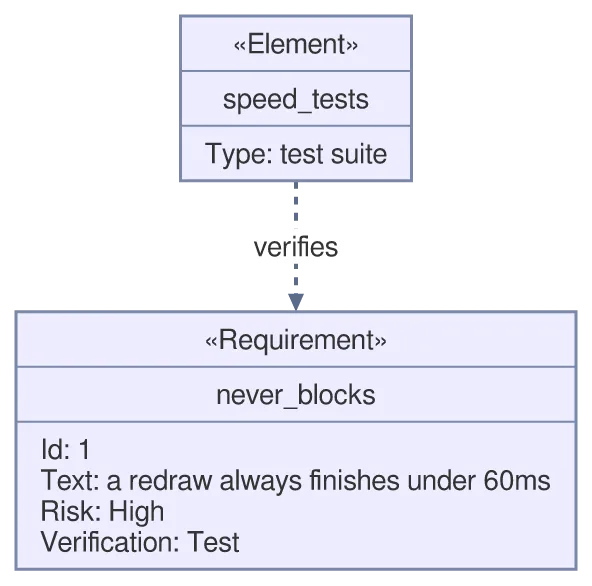
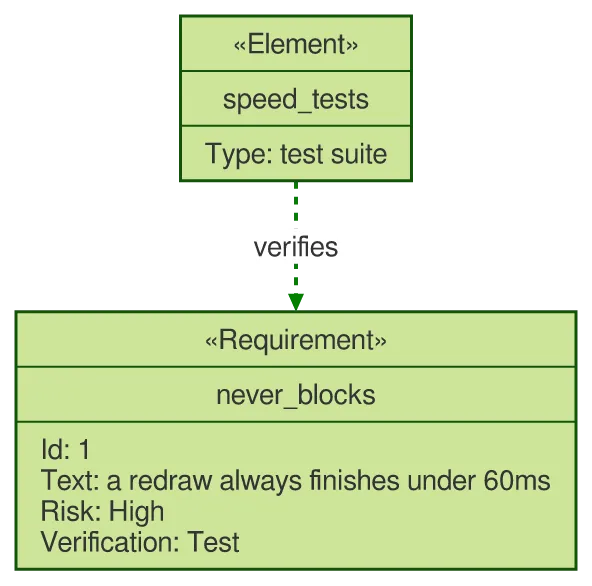
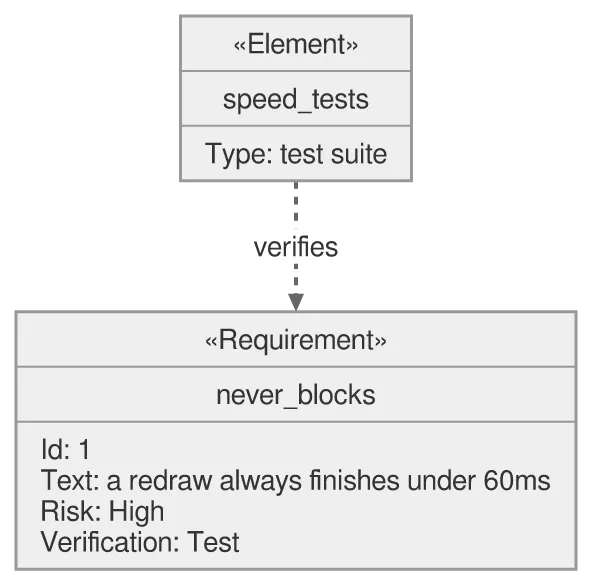
A requirement carries an id, a text, a risk and a verification method; an element is the thing that satisfies or verifies it.
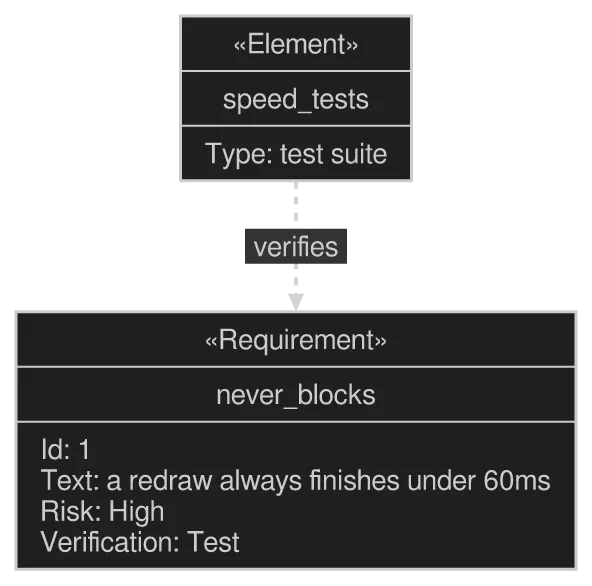
A requirementDiagram diagram drawn by konoma's own Mermaid renderer (routing = splines)
Mermaid source
requirementDiagram
  requirement never_blocks {
    id: 1
    text: a redraw always finishes under 60ms
    risk: high
    verifymethod: test
  }
  element speed_tests {
    type: test suite
  }
  speed_tests - verifies -> never_blocks
The same diagram drawn by konoma's own Mermaid renderer with mermaid_theme = "dark"
dark terminal
The same diagram drawn by konoma's own Mermaid renderer with mermaid_theme = "dark"
light terminal
darkdefault
The same diagram drawn by konoma's own Mermaid renderer with mermaid_theme = "light"
dark terminal
The same diagram drawn by konoma's own Mermaid renderer with mermaid_theme = "light"
light terminal
light
The same diagram drawn by konoma's own Mermaid renderer with mermaid_theme = "classic"
dark terminal
The same diagram drawn by konoma's own Mermaid renderer with mermaid_theme = "classic"
light terminal
classic
The same diagram drawn by konoma's own Mermaid renderer with mermaid_theme = "forest"
dark terminal
The same diagram drawn by konoma's own Mermaid renderer with mermaid_theme = "forest"
light terminal
forest
The same diagram drawn by konoma's own Mermaid renderer with mermaid_theme = "neutral"
dark terminal
The same diagram drawn by konoma's own Mermaid renderer with mermaid_theme = "neutral"
light terminal
neutral

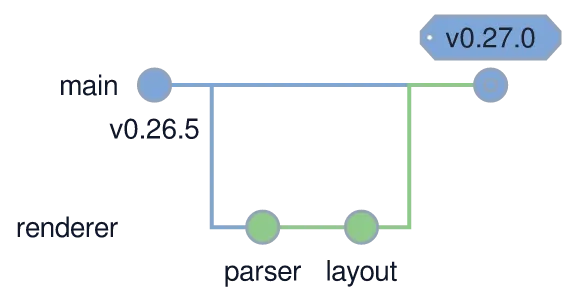
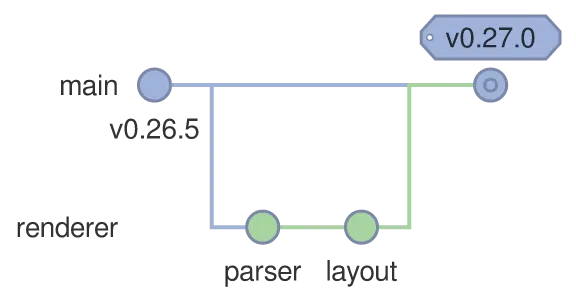
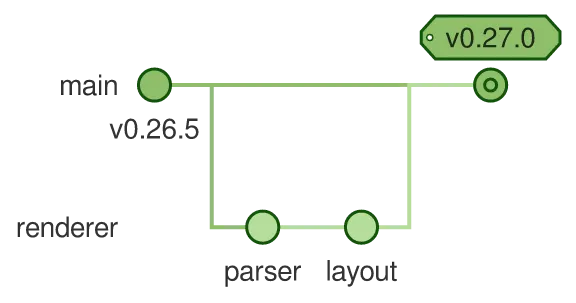
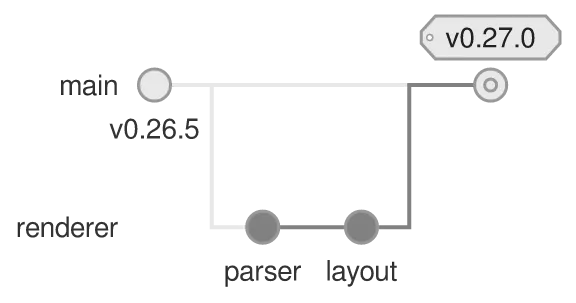
Commits run along a lane; branch opens a new one, checkout moves between them, and merge brings one back. Tags sit above the commit they mark.
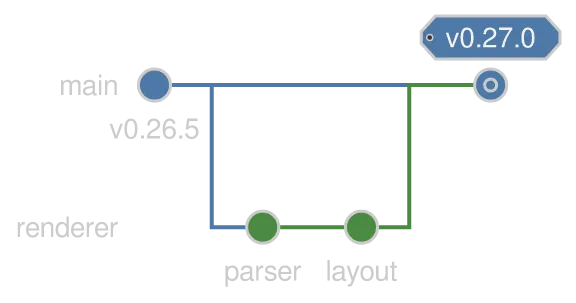
A gitGraph diagram drawn by konoma's own Mermaid renderer (routing = splines)
Mermaid source
gitGraph
  commit id: "v0.26.5"
  branch renderer
  commit id: "parser"
  commit id: "layout"
  checkout main
  merge renderer tag: "v0.27.0"
The same diagram drawn by konoma's own Mermaid renderer with mermaid_theme = "dark"
dark terminal
The same diagram drawn by konoma's own Mermaid renderer with mermaid_theme = "dark"
light terminal
darkdefault
The same diagram drawn by konoma's own Mermaid renderer with mermaid_theme = "light"
dark terminal
The same diagram drawn by konoma's own Mermaid renderer with mermaid_theme = "light"
light terminal
light
The same diagram drawn by konoma's own Mermaid renderer with mermaid_theme = "classic"
dark terminal
The same diagram drawn by konoma's own Mermaid renderer with mermaid_theme = "classic"
light terminal
classic
The same diagram drawn by konoma's own Mermaid renderer with mermaid_theme = "forest"
dark terminal
The same diagram drawn by konoma's own Mermaid renderer with mermaid_theme = "forest"
light terminal
forest
The same diagram drawn by konoma's own Mermaid renderer with mermaid_theme = "neutral"
dark terminal
The same diagram drawn by konoma's own Mermaid renderer with mermaid_theme = "neutral"
light terminal
neutral

C4Context — systems, people and boundaries

Section titled “C4Context — systems, people and boundaries”

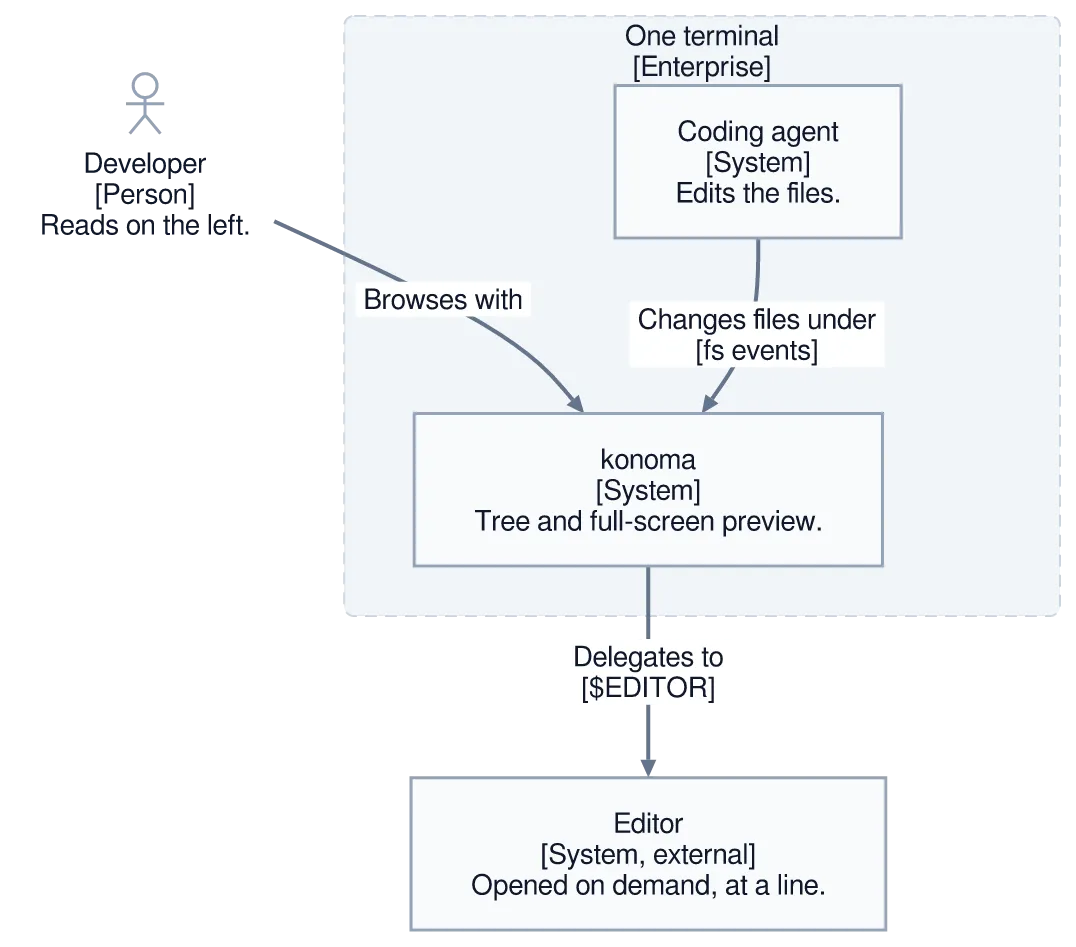
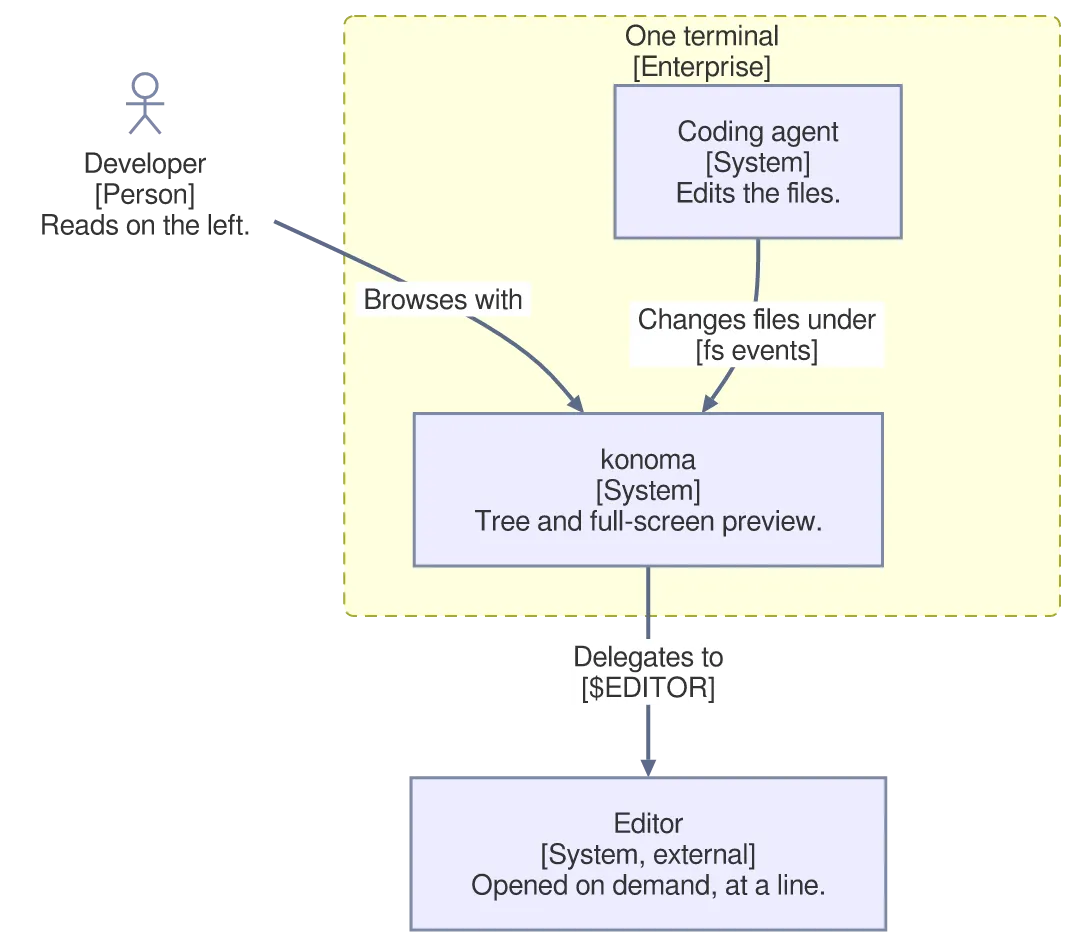
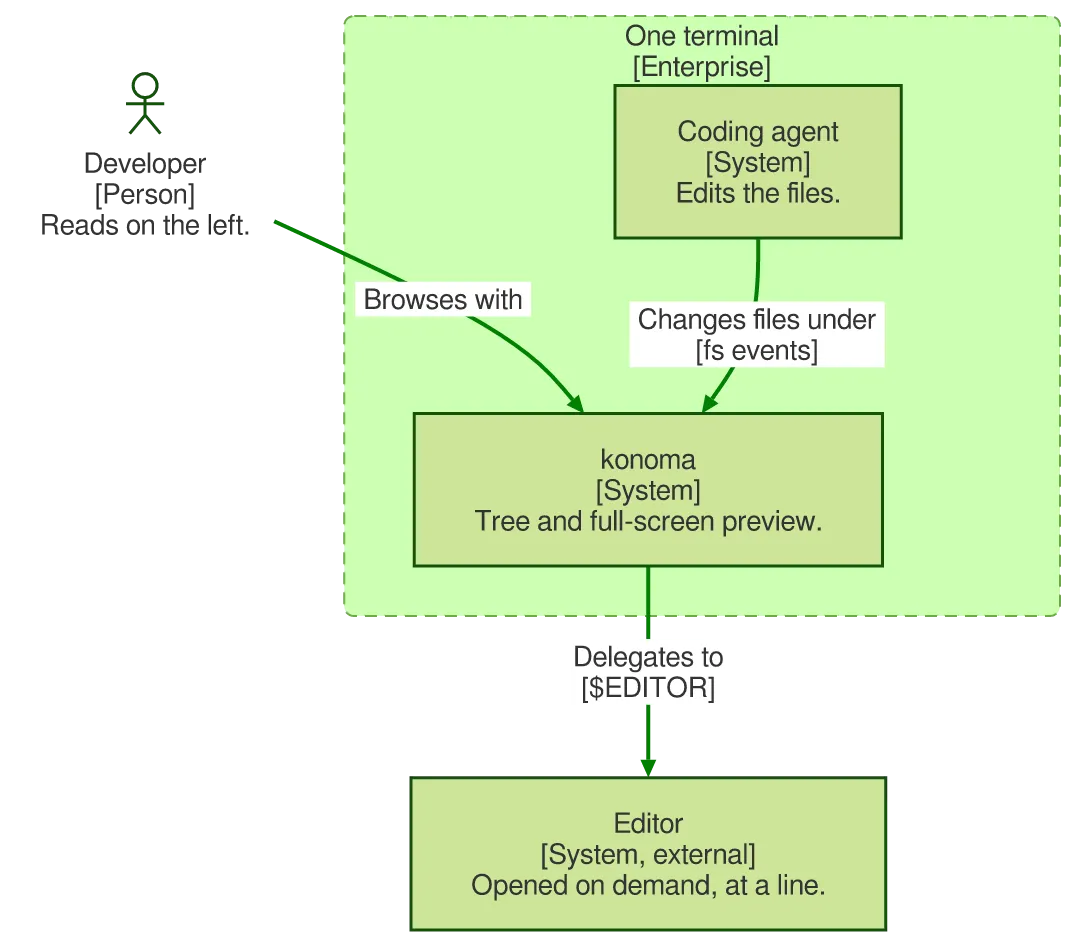
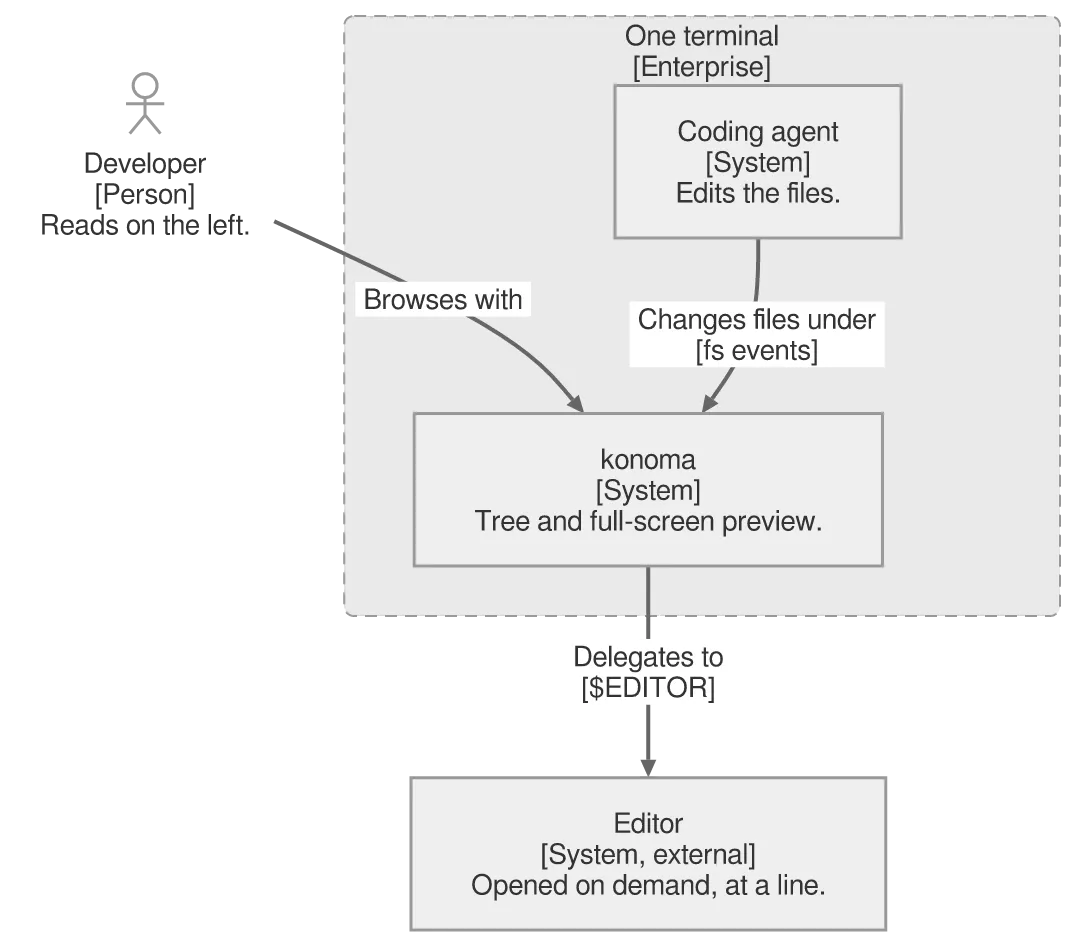
The C4 vocabulary: a Person, a System we own, a System_Ext we do not, and a boundary drawn around what is ours. Relations can carry a technology as a second label.
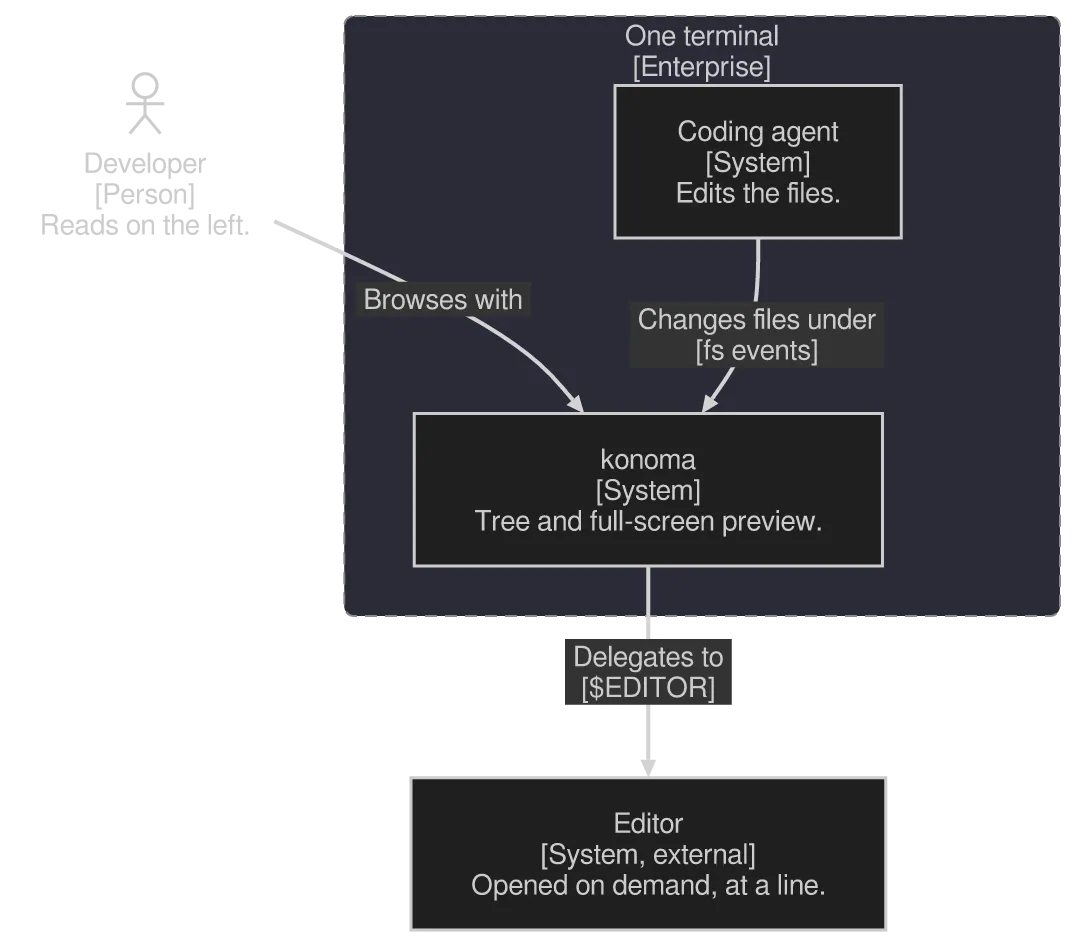
A C4Context diagram drawn by konoma's own Mermaid renderer (routing = splines)
Mermaid source
C4Context
  title konoma in an AI pair-programming setup
  Person(dev, "Developer", "Reads on the left.")
  Enterprise_Boundary(term, "One terminal") {
    System(konoma, "konoma", "Tree and full-screen preview.")
    System(agent, "Coding agent", "Edits the files.")
  }
  System_Ext(editor, "Editor", "Opened on demand, at a line.")
  Rel(dev, konoma, "Browses with")
  Rel(agent, konoma, "Changes files under", "fs events")
  Rel(konoma, editor, "Delegates to", "$EDITOR")
The same diagram drawn by konoma's own Mermaid renderer with mermaid_theme = "dark"
dark terminal
The same diagram drawn by konoma's own Mermaid renderer with mermaid_theme = "dark"
light terminal
darkdefault
The same diagram drawn by konoma's own Mermaid renderer with mermaid_theme = "light"
dark terminal
The same diagram drawn by konoma's own Mermaid renderer with mermaid_theme = "light"
light terminal
light
The same diagram drawn by konoma's own Mermaid renderer with mermaid_theme = "classic"
dark terminal
The same diagram drawn by konoma's own Mermaid renderer with mermaid_theme = "classic"
light terminal
classic
The same diagram drawn by konoma's own Mermaid renderer with mermaid_theme = "forest"
dark terminal
The same diagram drawn by konoma's own Mermaid renderer with mermaid_theme = "forest"
light terminal
forest
The same diagram drawn by konoma's own Mermaid renderer with mermaid_theme = "neutral"
dark terminal
The same diagram drawn by konoma's own Mermaid renderer with mermaid_theme = "neutral"
light terminal
neutral

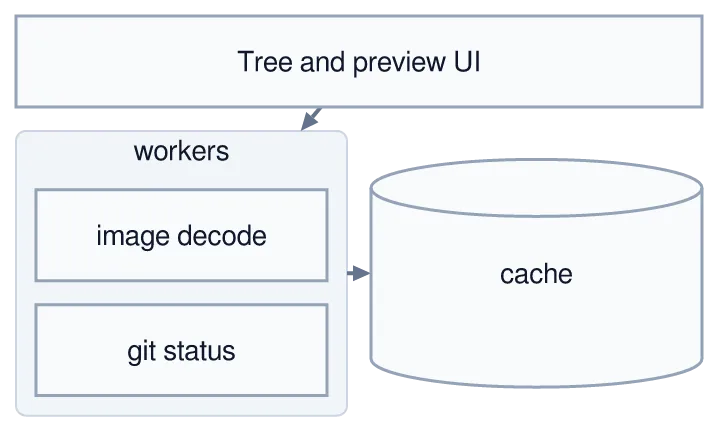
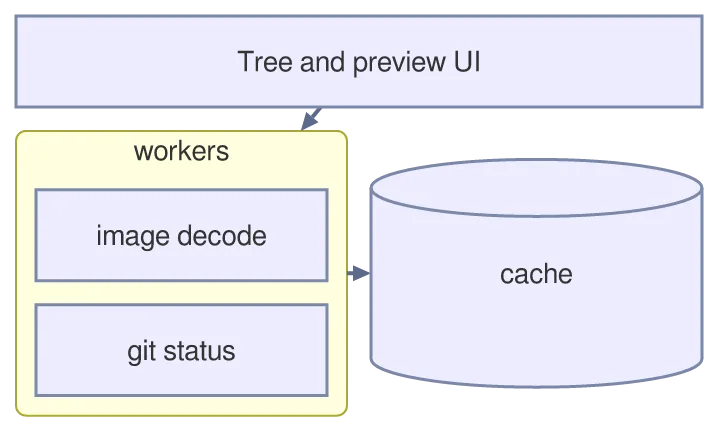
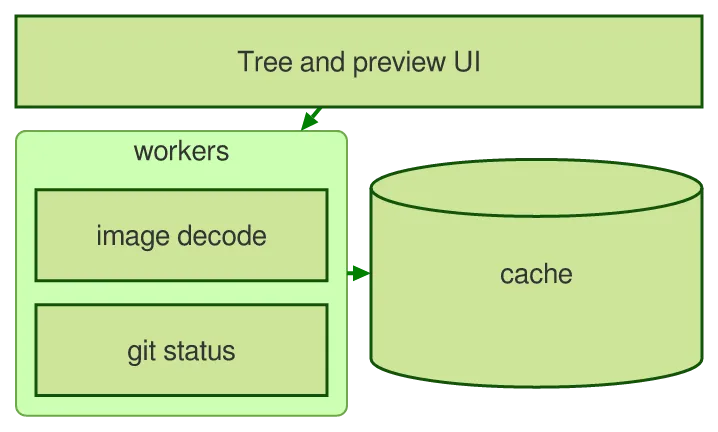
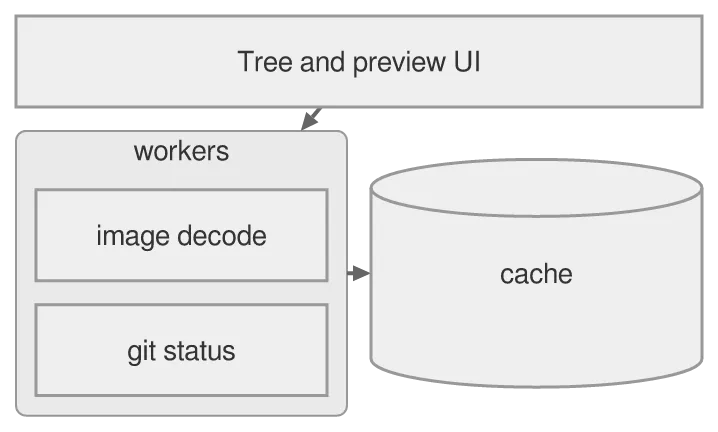
Unlike a flowchart, columns decides the shape: it says how many cells a row holds, :n widens a block across several, and a block: frame nests a grid inside a cell.
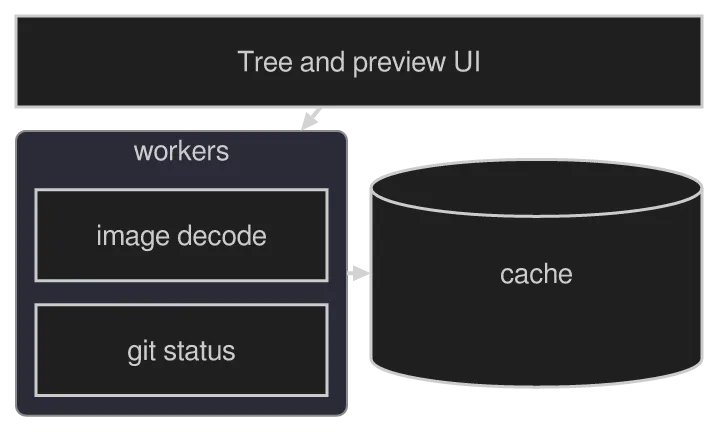
A block-beta diagram drawn by konoma's own Mermaid renderer (routing = splines)
Mermaid source
block-beta
  columns 2
  ui["Tree and preview UI"]:2
  block:workers:1
    columns 1
    img["image decode"]
    git["git status"]
  end
  cache[("cache")]
  ui --> workers
  workers --> cache
The same diagram drawn by konoma's own Mermaid renderer with mermaid_theme = "dark"
dark terminal
The same diagram drawn by konoma's own Mermaid renderer with mermaid_theme = "dark"
light terminal
darkdefault
The same diagram drawn by konoma's own Mermaid renderer with mermaid_theme = "light"
dark terminal
The same diagram drawn by konoma's own Mermaid renderer with mermaid_theme = "light"
light terminal
light
The same diagram drawn by konoma's own Mermaid renderer with mermaid_theme = "classic"
dark terminal
The same diagram drawn by konoma's own Mermaid renderer with mermaid_theme = "classic"
light terminal
classic
The same diagram drawn by konoma's own Mermaid renderer with mermaid_theme = "forest"
dark terminal
The same diagram drawn by konoma's own Mermaid renderer with mermaid_theme = "forest"
light terminal
forest
The same diagram drawn by konoma's own Mermaid renderer with mermaid_theme = "neutral"
dark terminal
The same diagram drawn by konoma's own Mermaid renderer with mermaid_theme = "neutral"
light terminal
neutral

architecture-beta — services, groups and which side a wire leaves from

Section titled “architecture-beta — services, groups and which side a wire leaves from”

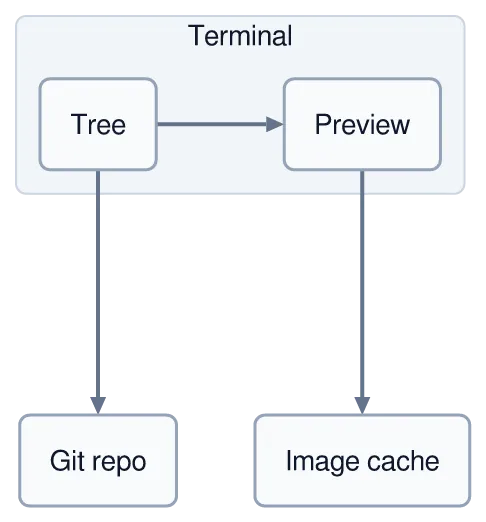
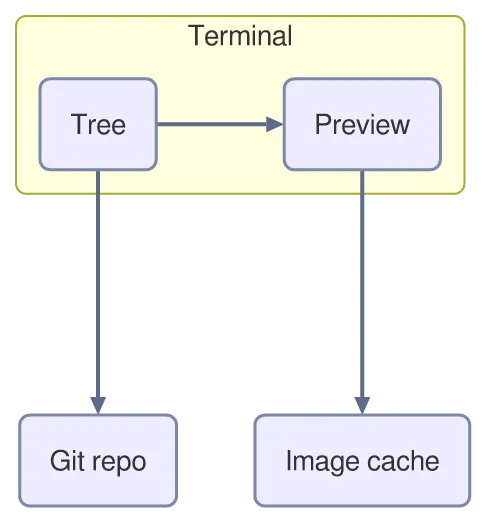
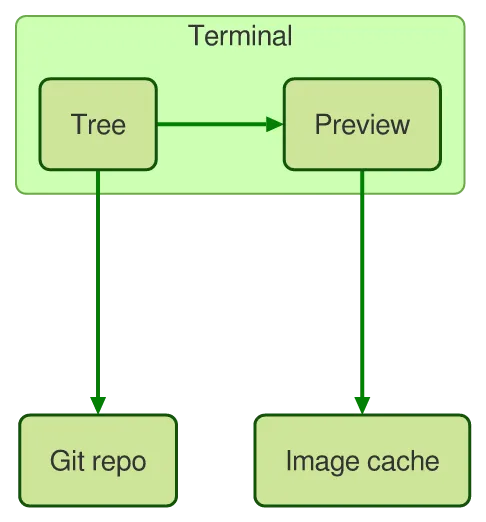
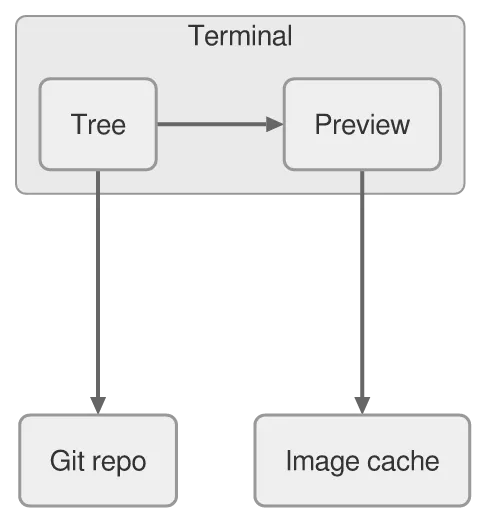
Every edge names the side it leaves and the side it arrives on (R right, L left, T top, B bottom), so the picture is stated rather than inferred.
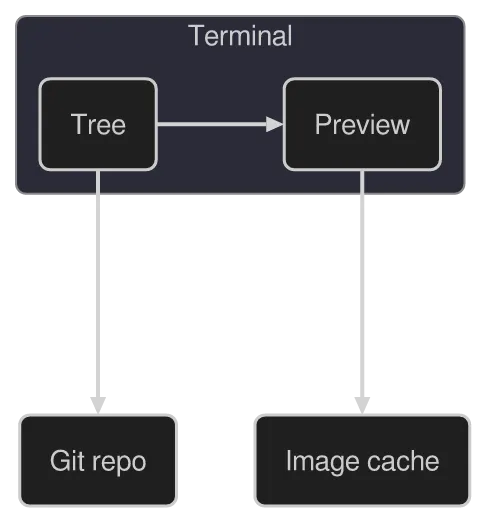
A architecture-beta diagram drawn by konoma's own Mermaid renderer (routing = splines)
Mermaid source
architecture-beta
  group term(cloud)[Terminal]
    service tree(server)[Tree] in term
    service prev(server)[Preview] in term
  service repo(database)[Git repo]
  service cache(disk)[Image cache]
  tree:R --> L:prev
  tree:B --> T:repo
  prev:B --> T:cache
The same diagram drawn by konoma's own Mermaid renderer with mermaid_theme = "dark"
dark terminal
The same diagram drawn by konoma's own Mermaid renderer with mermaid_theme = "dark"
light terminal
darkdefault
The same diagram drawn by konoma's own Mermaid renderer with mermaid_theme = "light"
dark terminal
The same diagram drawn by konoma's own Mermaid renderer with mermaid_theme = "light"
light terminal
light
The same diagram drawn by konoma's own Mermaid renderer with mermaid_theme = "classic"
dark terminal
The same diagram drawn by konoma's own Mermaid renderer with mermaid_theme = "classic"
light terminal
classic
The same diagram drawn by konoma's own Mermaid renderer with mermaid_theme = "forest"
dark terminal
The same diagram drawn by konoma's own Mermaid renderer with mermaid_theme = "forest"
light terminal
forest
The same diagram drawn by konoma's own Mermaid renderer with mermaid_theme = "neutral"
dark terminal
The same diagram drawn by konoma's own Mermaid renderer with mermaid_theme = "neutral"
light terminal
neutral

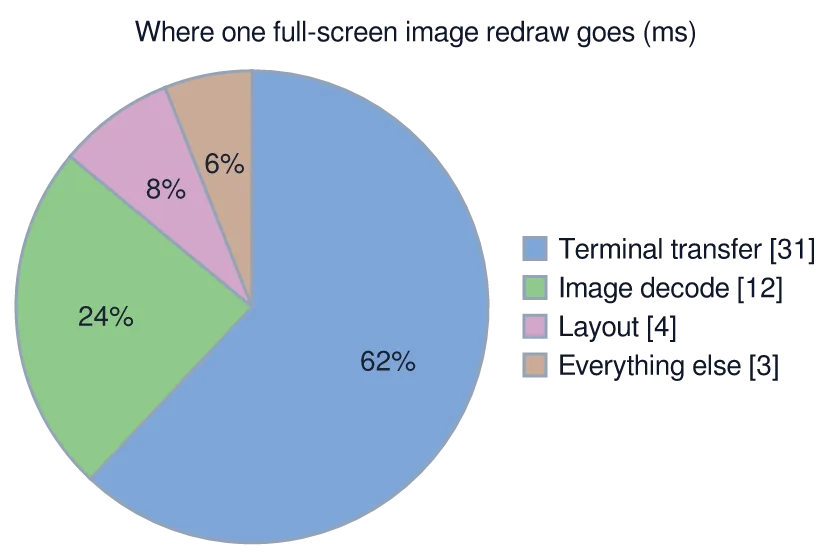
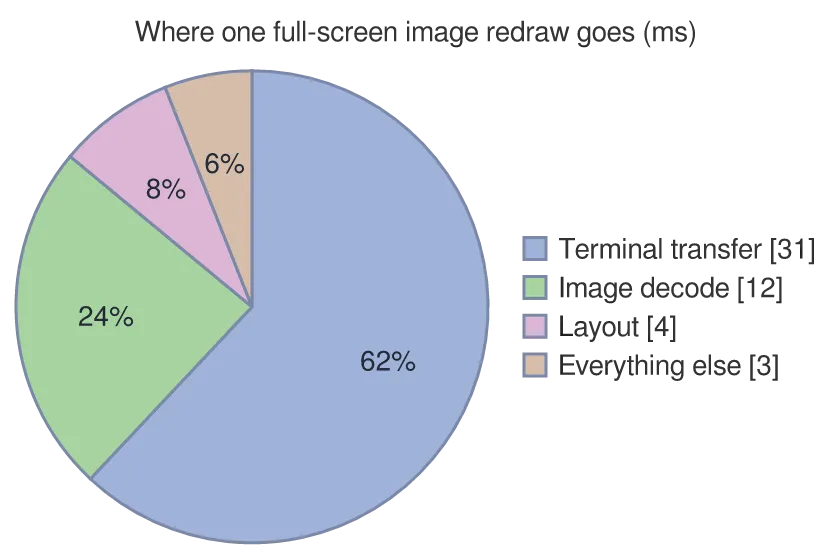
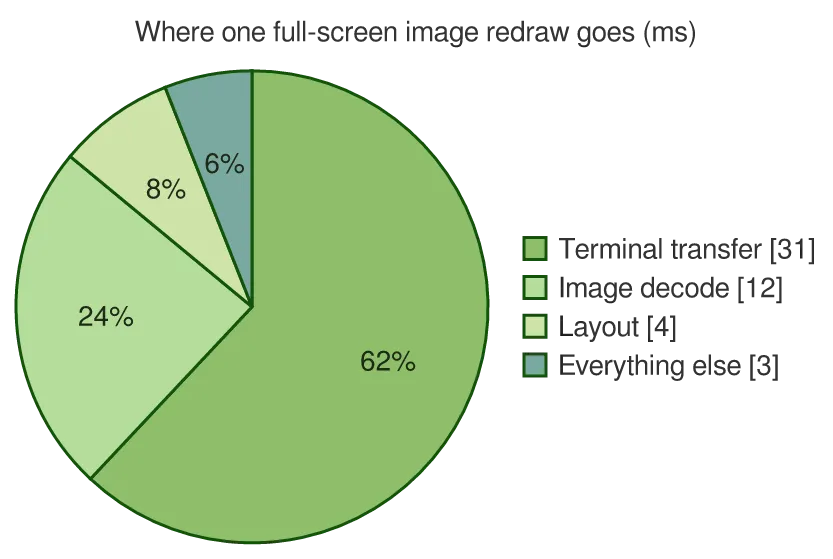
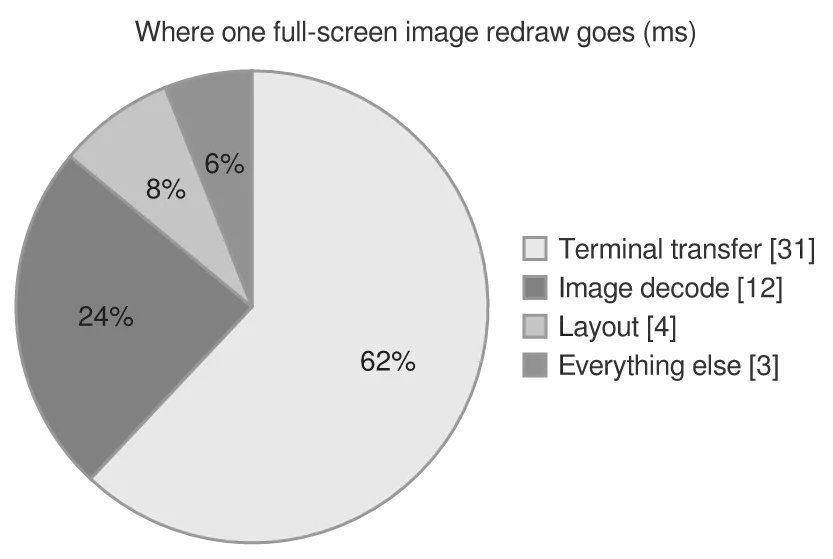
showData prints the raw number beside each label as well as the share.
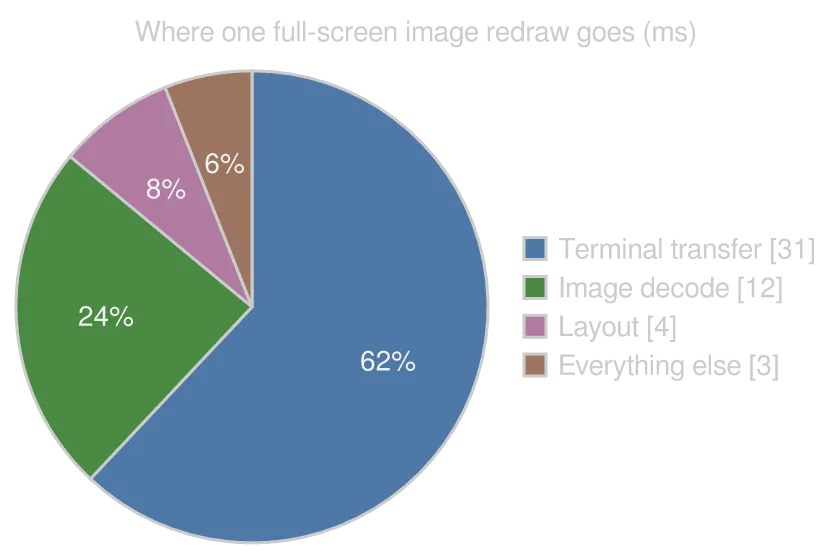
A pie diagram drawn by konoma's own Mermaid renderer (routing = splines)
Mermaid source
pie showData
  title Where one full-screen image redraw goes (ms)
  "Terminal transfer" : 31
  "Image decode" : 12
  "Layout" : 4
  "Everything else" : 3
The same diagram drawn by konoma's own Mermaid renderer with mermaid_theme = "dark"
dark terminal
The same diagram drawn by konoma's own Mermaid renderer with mermaid_theme = "dark"
light terminal
darkdefault
The same diagram drawn by konoma's own Mermaid renderer with mermaid_theme = "light"
dark terminal
The same diagram drawn by konoma's own Mermaid renderer with mermaid_theme = "light"
light terminal
light
The same diagram drawn by konoma's own Mermaid renderer with mermaid_theme = "classic"
dark terminal
The same diagram drawn by konoma's own Mermaid renderer with mermaid_theme = "classic"
light terminal
classic
The same diagram drawn by konoma's own Mermaid renderer with mermaid_theme = "forest"
dark terminal
The same diagram drawn by konoma's own Mermaid renderer with mermaid_theme = "forest"
light terminal
forest
The same diagram drawn by konoma's own Mermaid renderer with mermaid_theme = "neutral"
dark terminal
The same diagram drawn by konoma's own Mermaid renderer with mermaid_theme = "neutral"
light terminal
neutral

xychart-beta — bars and lines on the same axes

Section titled “xychart-beta — bars and lines on the same axes”

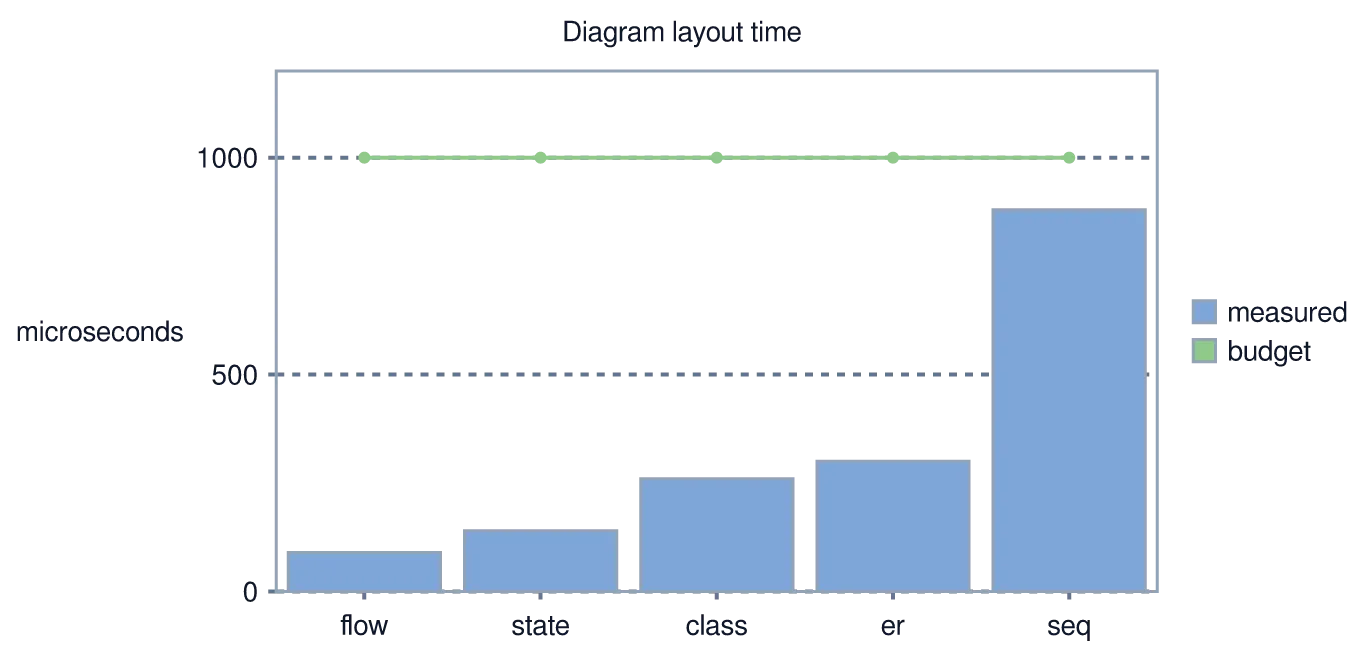
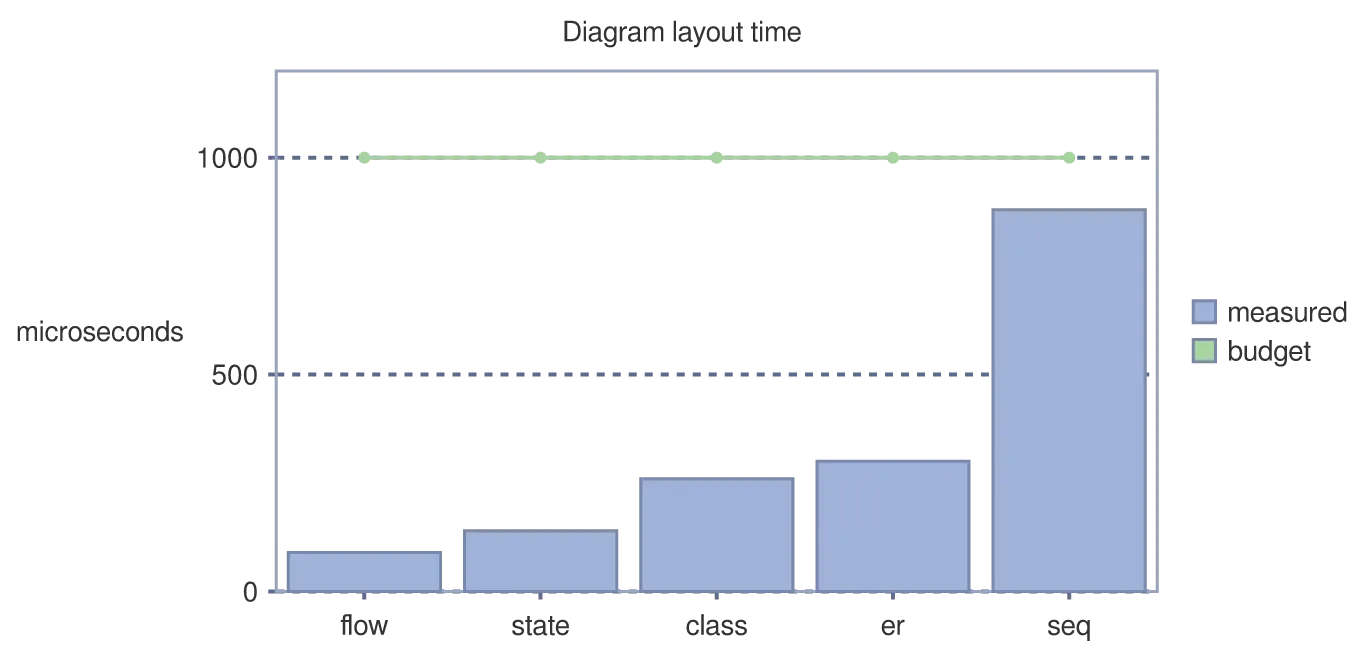
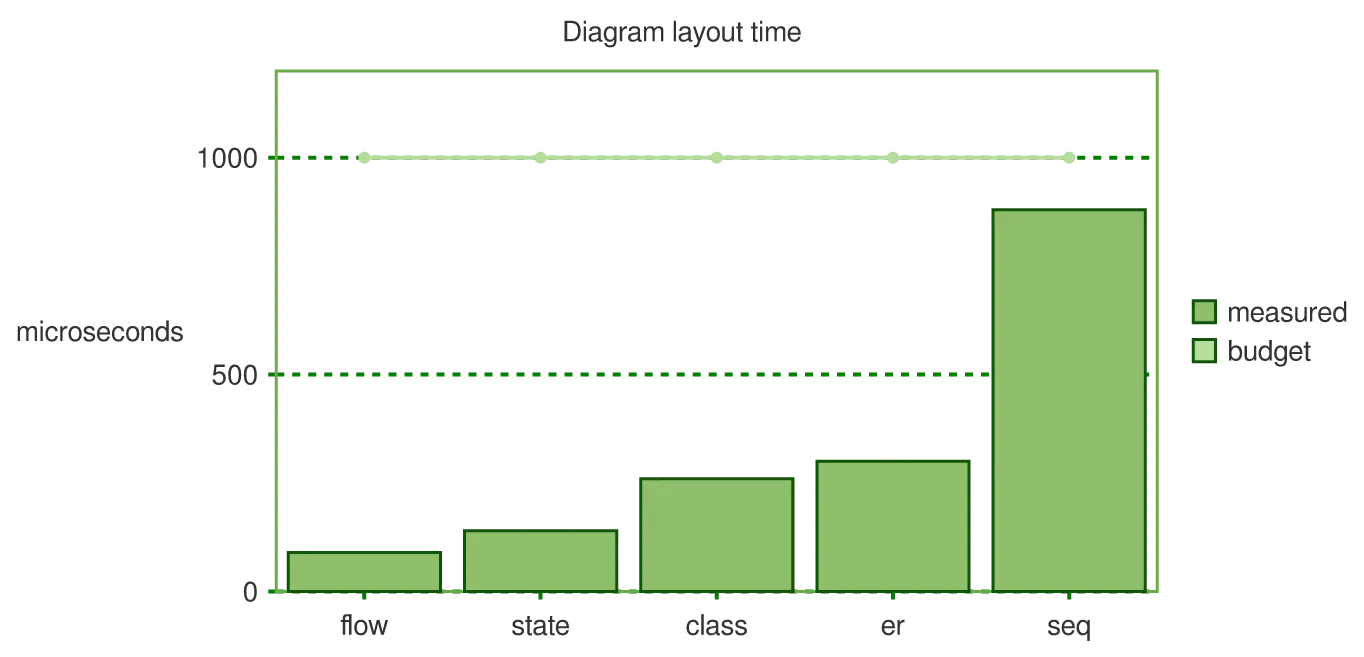
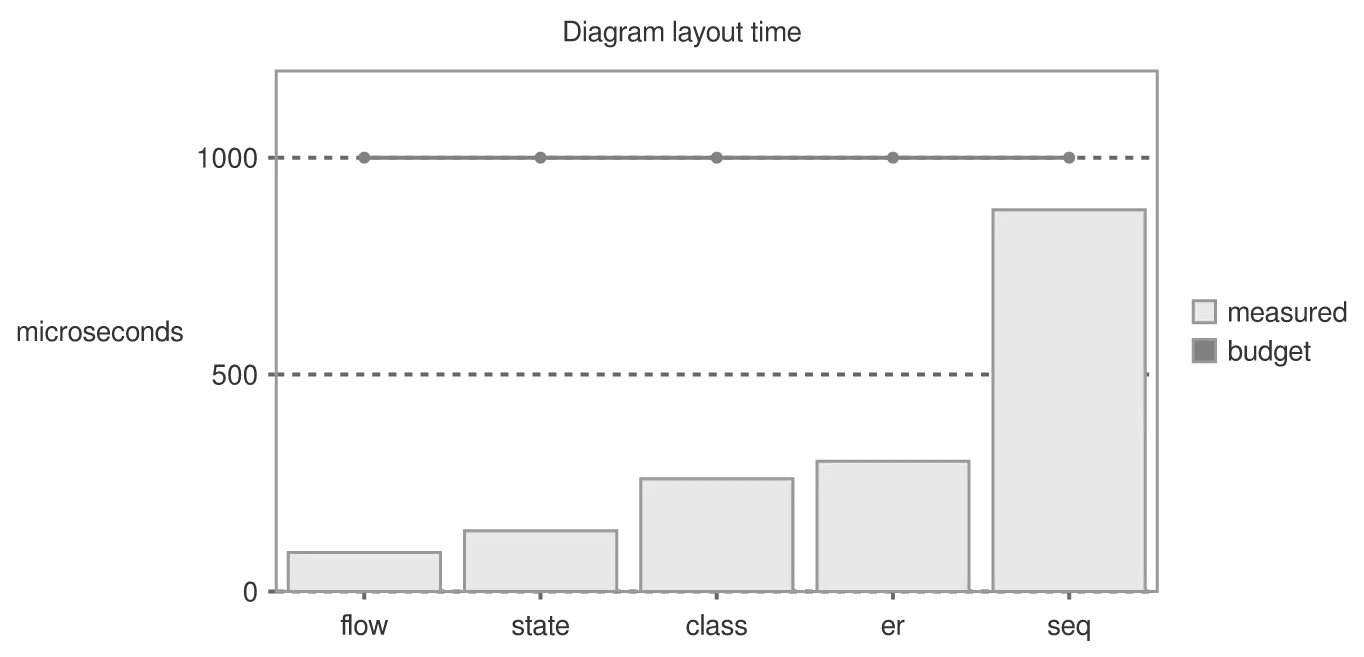
Two series over one x-axis: a bar for what was measured, a line for what was budgeted.
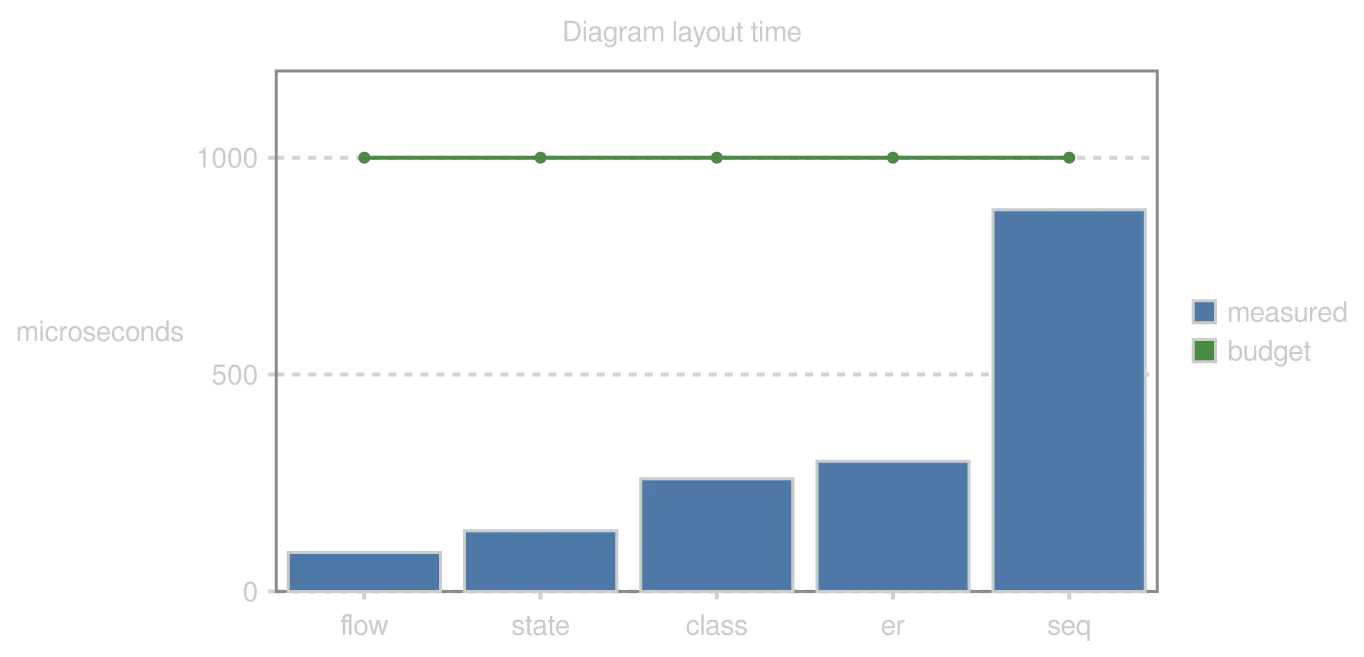
A xychart-beta diagram drawn by konoma's own Mermaid renderer (routing = splines)
Mermaid source
xychart-beta
  title "Diagram layout time"
  x-axis [flow, state, class, er, seq]
  y-axis "microseconds" 0 --> 1200
  bar "measured" [90, 140, 260, 300, 880]
  line "budget" [1000, 1000, 1000, 1000, 1000]
The same diagram drawn by konoma's own Mermaid renderer with mermaid_theme = "dark"
dark terminal
The same diagram drawn by konoma's own Mermaid renderer with mermaid_theme = "dark"
light terminal
darkdefault
The same diagram drawn by konoma's own Mermaid renderer with mermaid_theme = "light"
dark terminal
The same diagram drawn by konoma's own Mermaid renderer with mermaid_theme = "light"
light terminal
light
The same diagram drawn by konoma's own Mermaid renderer with mermaid_theme = "classic"
dark terminal
The same diagram drawn by konoma's own Mermaid renderer with mermaid_theme = "classic"
light terminal
classic
The same diagram drawn by konoma's own Mermaid renderer with mermaid_theme = "forest"
dark terminal
The same diagram drawn by konoma's own Mermaid renderer with mermaid_theme = "forest"
light terminal
forest
The same diagram drawn by konoma's own Mermaid renderer with mermaid_theme = "neutral"
dark terminal
The same diagram drawn by konoma's own Mermaid renderer with mermaid_theme = "neutral"
light terminal
neutral

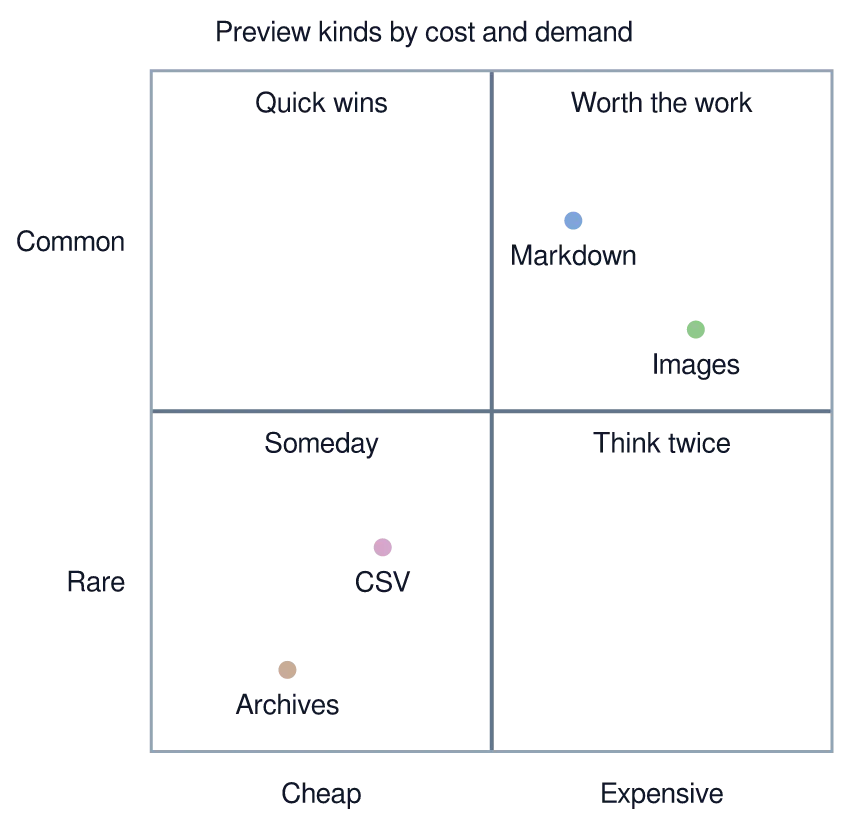
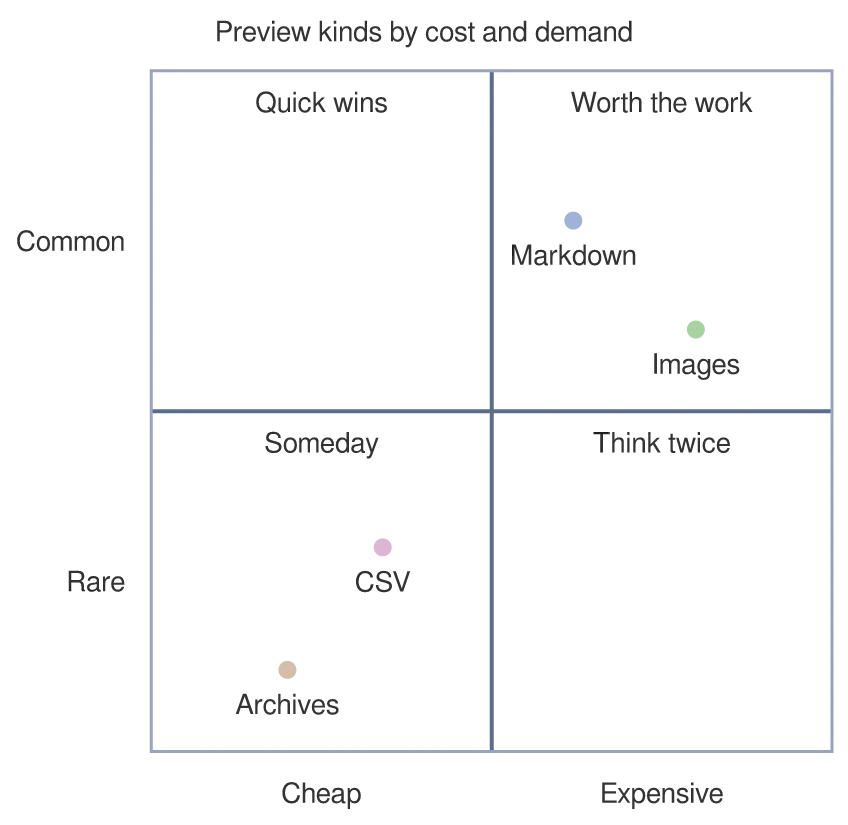
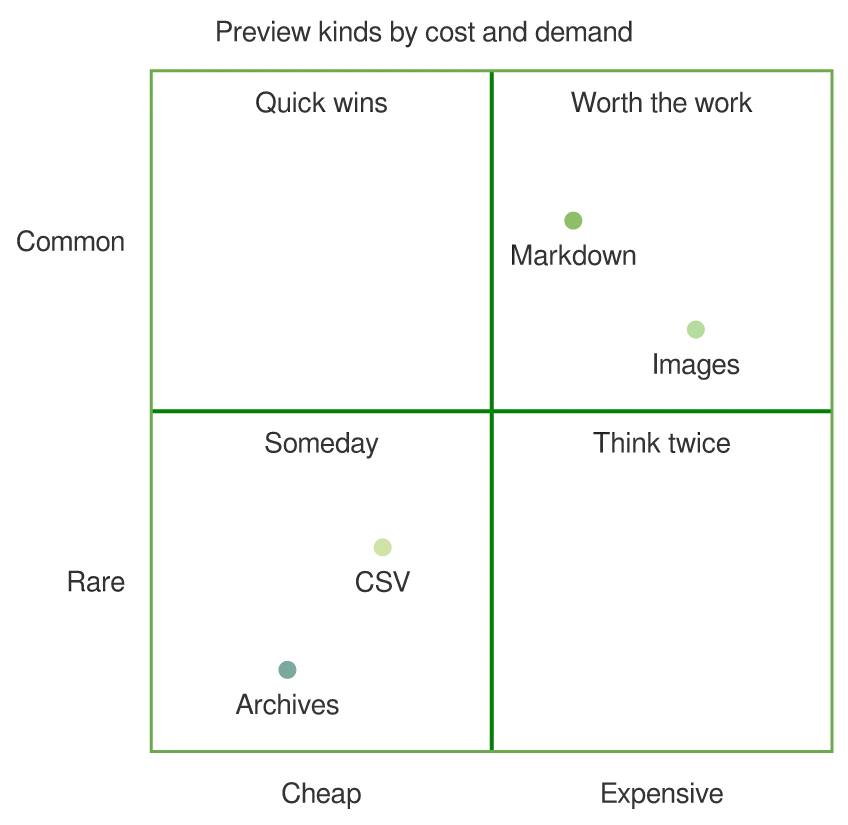
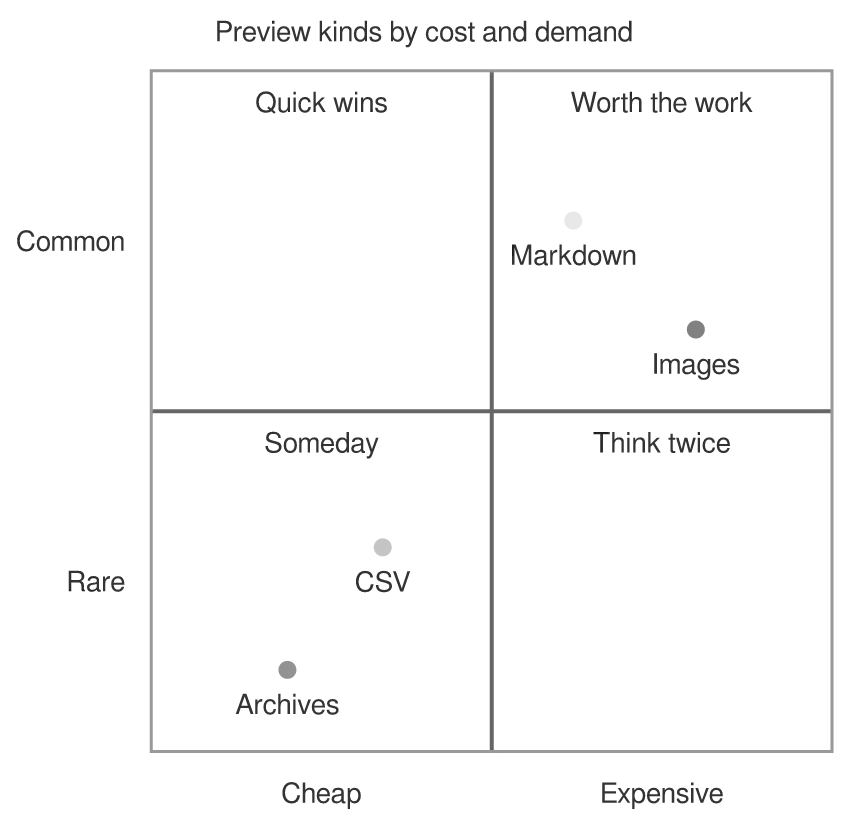
Points are placed by [x, y] in the unit square, and each quadrant gets a name.
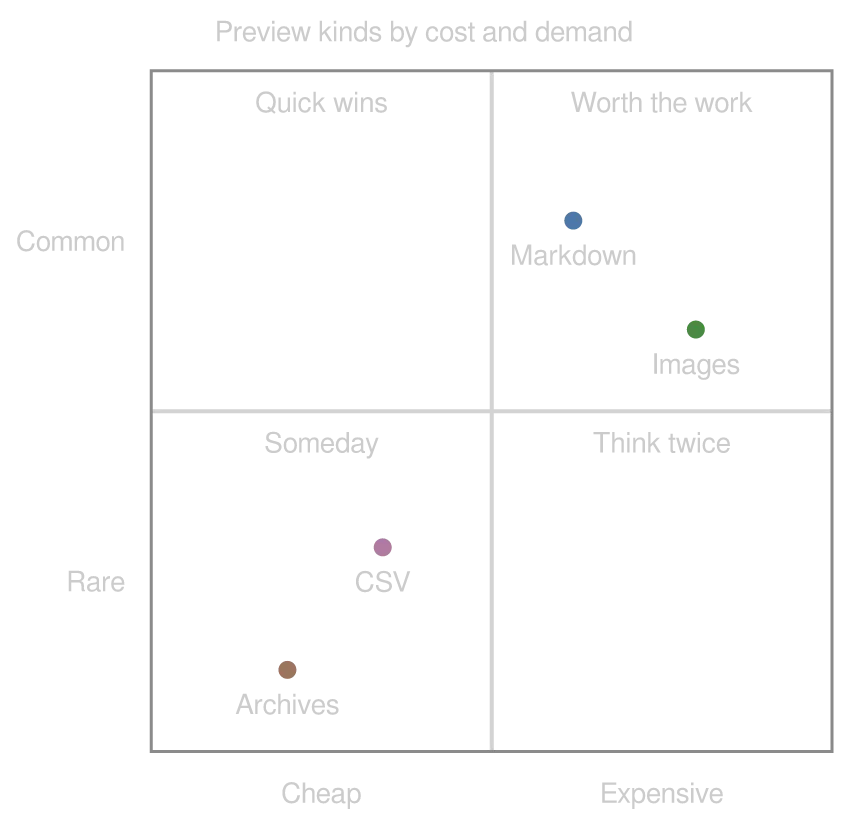
A quadrantChart diagram drawn by konoma's own Mermaid renderer (routing = splines)
Mermaid source
quadrantChart
  title Preview kinds by cost and demand
  x-axis Cheap --> Expensive
  y-axis Rare --> Common
  quadrant-1 Worth the work
  quadrant-2 Quick wins
  quadrant-3 Someday
  quadrant-4 Think twice
  Markdown: [0.62, 0.78]
  Images: [0.8, 0.62]
  CSV: [0.34, 0.3]
  Archives: [0.2, 0.12]
The same diagram drawn by konoma's own Mermaid renderer with mermaid_theme = "dark"
dark terminal
The same diagram drawn by konoma's own Mermaid renderer with mermaid_theme = "dark"
light terminal
darkdefault
The same diagram drawn by konoma's own Mermaid renderer with mermaid_theme = "light"
dark terminal
The same diagram drawn by konoma's own Mermaid renderer with mermaid_theme = "light"
light terminal
light
The same diagram drawn by konoma's own Mermaid renderer with mermaid_theme = "classic"
dark terminal
The same diagram drawn by konoma's own Mermaid renderer with mermaid_theme = "classic"
light terminal
classic
The same diagram drawn by konoma's own Mermaid renderer with mermaid_theme = "forest"
dark terminal
The same diagram drawn by konoma's own Mermaid renderer with mermaid_theme = "forest"
light terminal
forest
The same diagram drawn by konoma's own Mermaid renderer with mermaid_theme = "neutral"
dark terminal
The same diagram drawn by konoma's own Mermaid renderer with mermaid_theme = "neutral"
light terminal
neutral

radar-beta — several things scored on the same axes

Section titled “radar-beta — several things scored on the same axes”

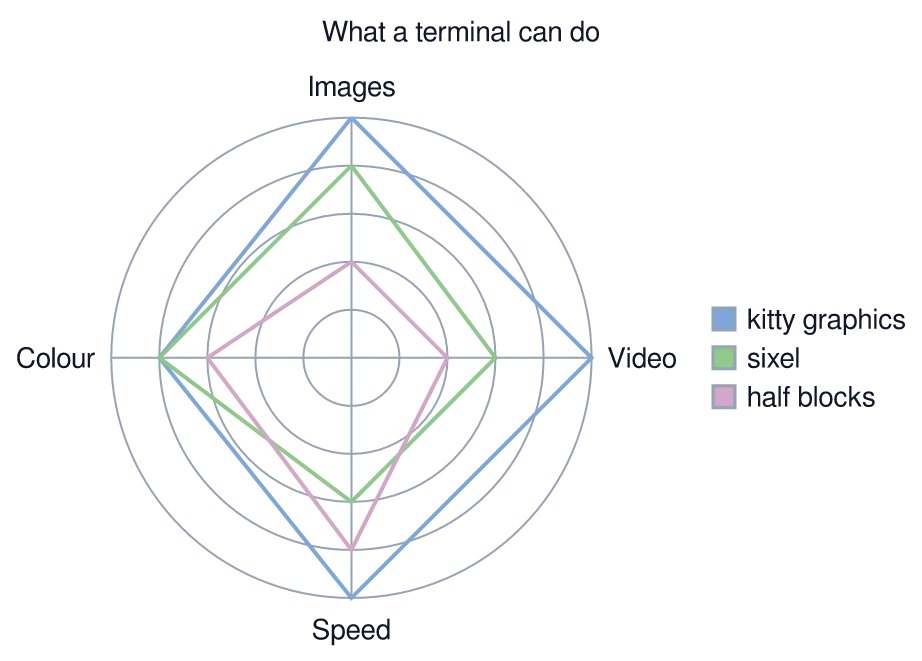
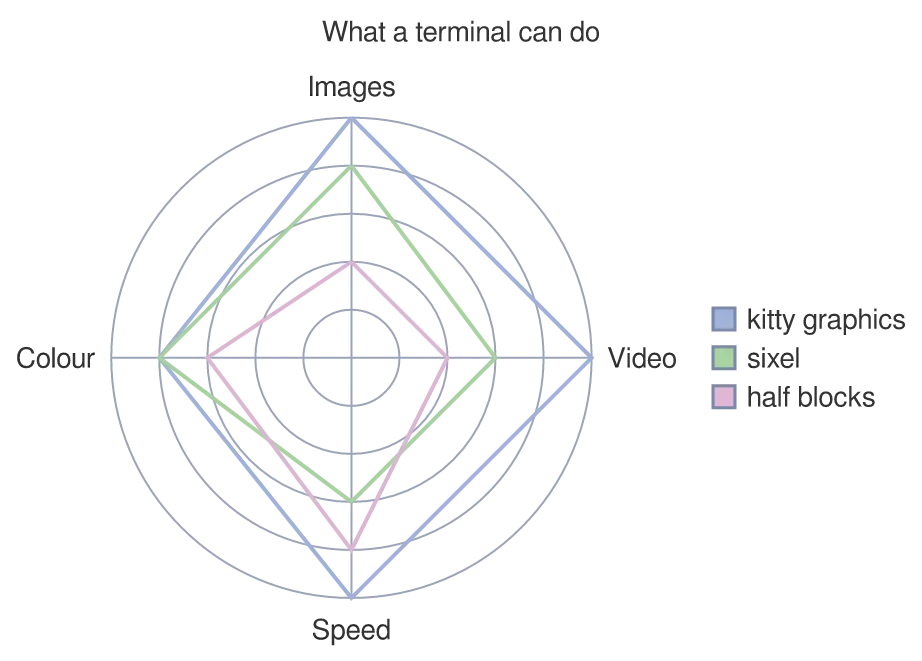
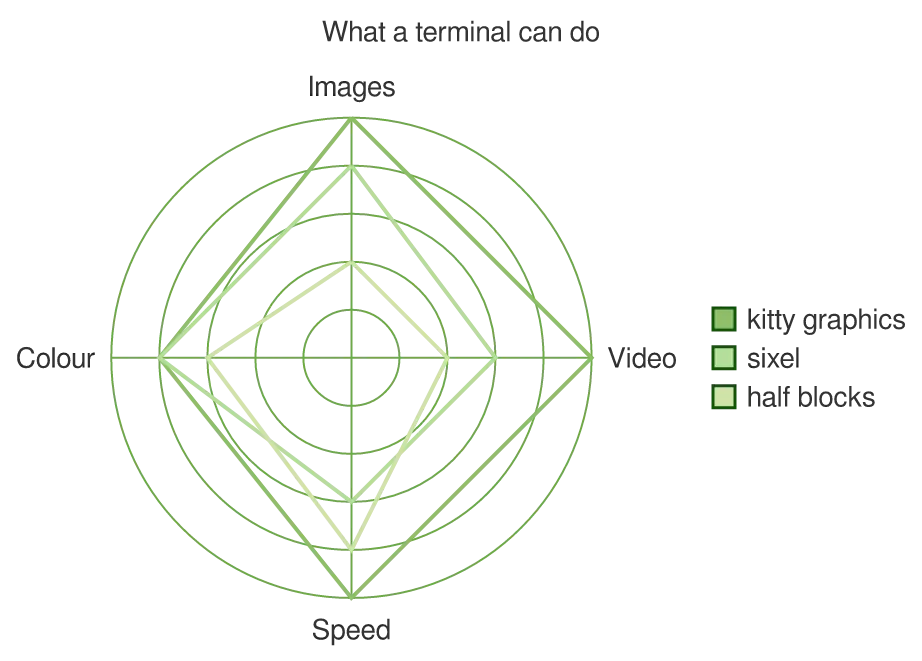
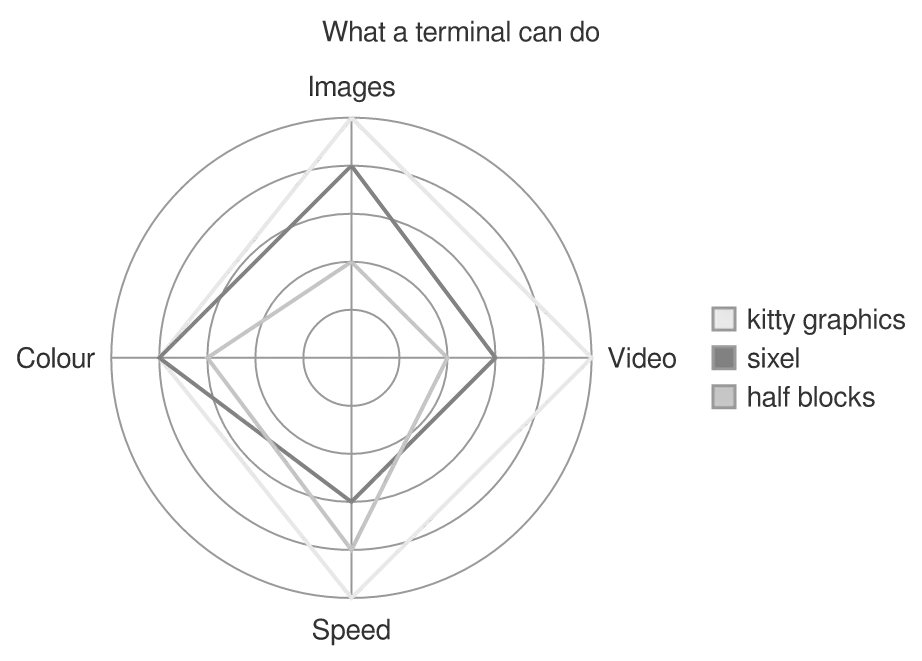
One closed curve per subject over shared axes — the shape is the comparison.
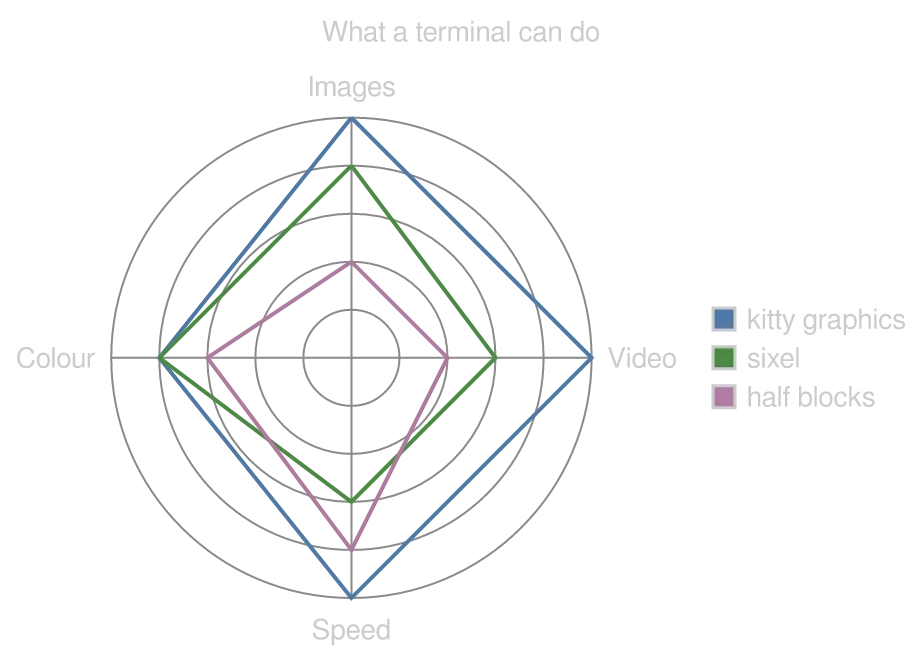
A radar-beta diagram drawn by konoma's own Mermaid renderer (routing = splines)
Mermaid source
radar-beta
  title What a terminal can do
  axis img["Images"], vid["Video"], spd["Speed"], col["Colour"]
  curve k["kitty graphics"]{5, 5, 5, 4}
  curve s["sixel"]{4, 3, 3, 4}
  curve h["half blocks"]{2, 2, 4, 3}
  max 5
  min 0
The same diagram drawn by konoma's own Mermaid renderer with mermaid_theme = "dark"
dark terminal
The same diagram drawn by konoma's own Mermaid renderer with mermaid_theme = "dark"
light terminal
darkdefault
The same diagram drawn by konoma's own Mermaid renderer with mermaid_theme = "light"
dark terminal
The same diagram drawn by konoma's own Mermaid renderer with mermaid_theme = "light"
light terminal
light
The same diagram drawn by konoma's own Mermaid renderer with mermaid_theme = "classic"
dark terminal
The same diagram drawn by konoma's own Mermaid renderer with mermaid_theme = "classic"
light terminal
classic
The same diagram drawn by konoma's own Mermaid renderer with mermaid_theme = "forest"
dark terminal
The same diagram drawn by konoma's own Mermaid renderer with mermaid_theme = "forest"
light terminal
forest
The same diagram drawn by konoma's own Mermaid renderer with mermaid_theme = "neutral"
dark terminal
The same diagram drawn by konoma's own Mermaid renderer with mermaid_theme = "neutral"
light terminal
neutral

treemap-beta — nested boxes sized by value

Section titled “treemap-beta — nested boxes sized by value”

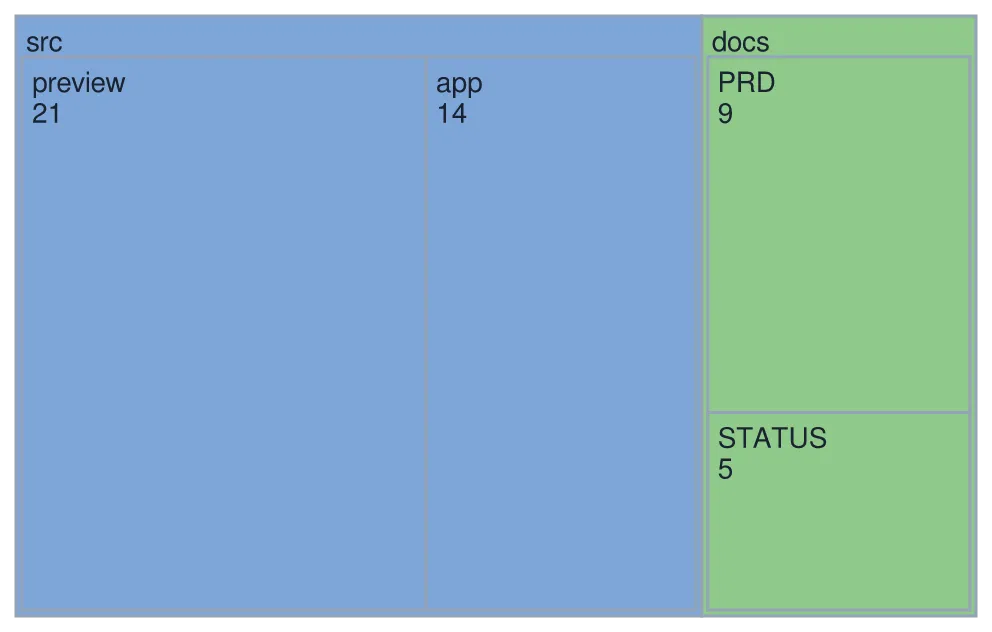
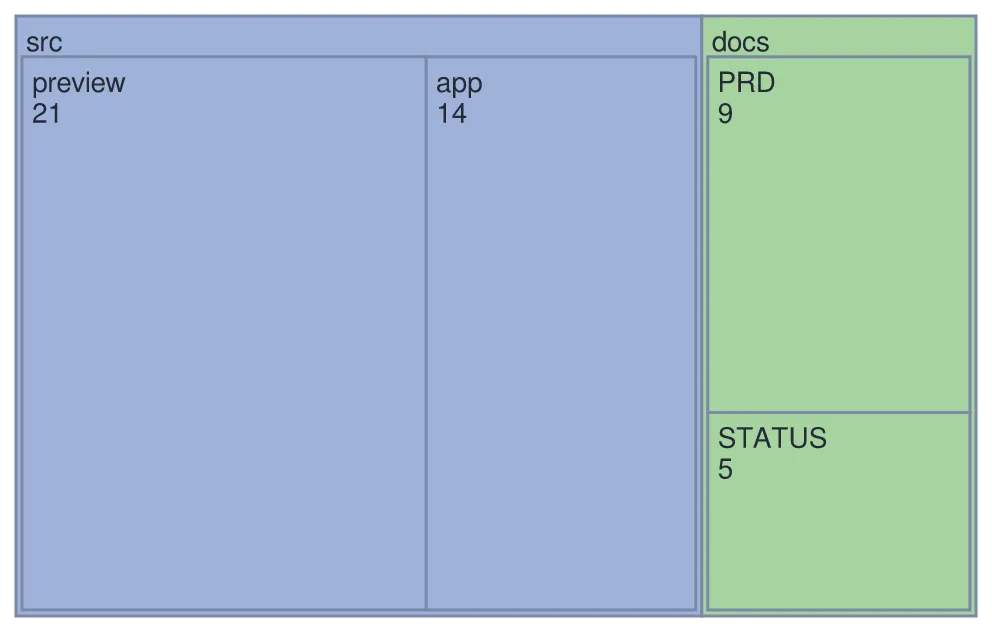
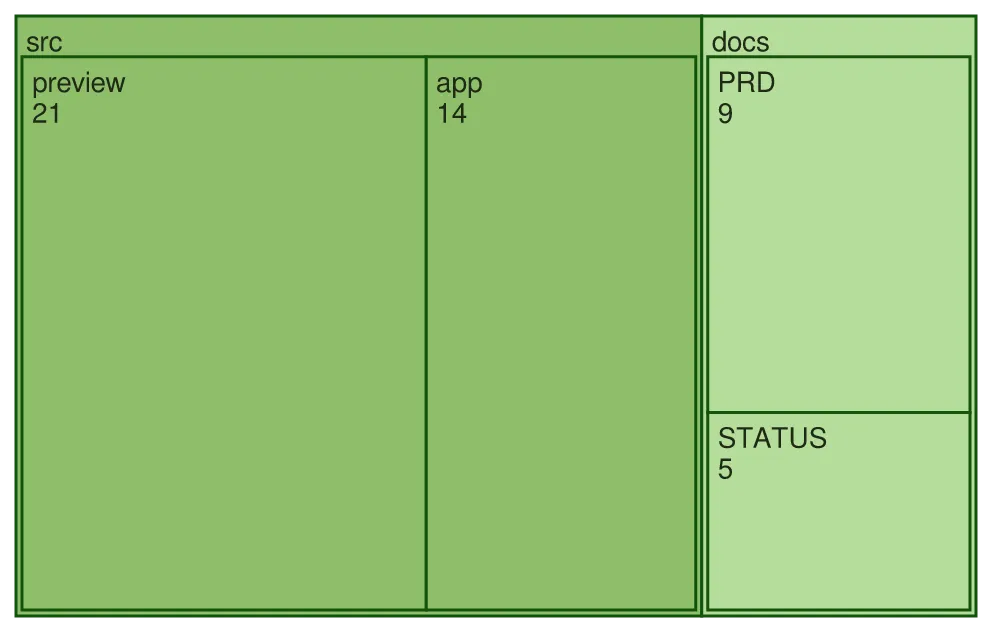
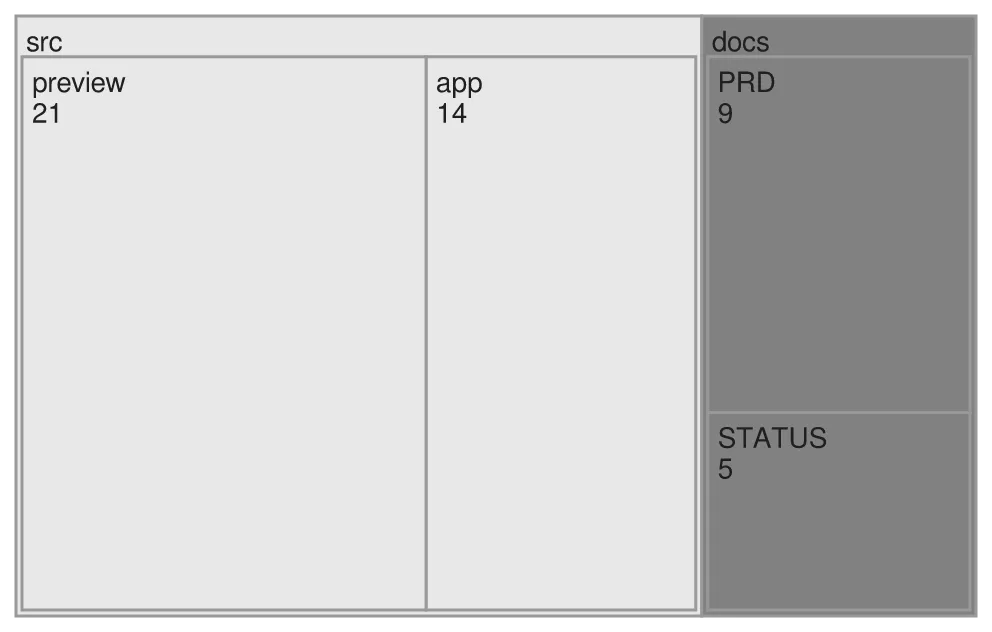
Area is the number. Indentation nests, so a section’s box is as big as its leaves put together.
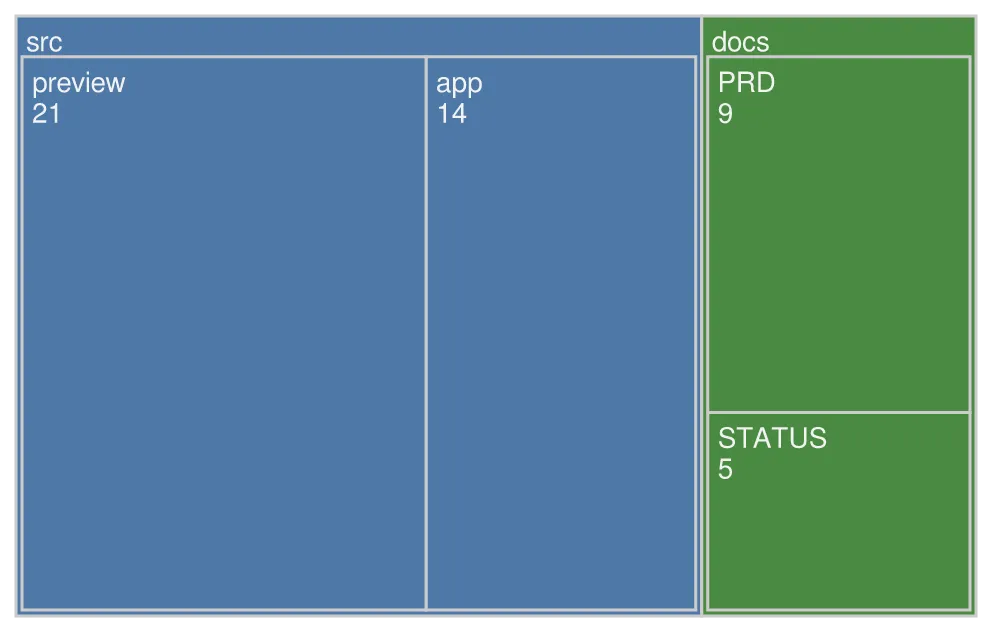
A treemap-beta diagram drawn by konoma's own Mermaid renderer (routing = splines)
Mermaid source
treemap-beta
"src"
  "preview": 21
  "app": 14
"docs"
  "PRD": 9
  "STATUS": 5
The same diagram drawn by konoma's own Mermaid renderer with mermaid_theme = "dark"
dark terminal
The same diagram drawn by konoma's own Mermaid renderer with mermaid_theme = "dark"
light terminal
darkdefault
The same diagram drawn by konoma's own Mermaid renderer with mermaid_theme = "light"
dark terminal
The same diagram drawn by konoma's own Mermaid renderer with mermaid_theme = "light"
light terminal
light
The same diagram drawn by konoma's own Mermaid renderer with mermaid_theme = "classic"
dark terminal
The same diagram drawn by konoma's own Mermaid renderer with mermaid_theme = "classic"
light terminal
classic
The same diagram drawn by konoma's own Mermaid renderer with mermaid_theme = "forest"
dark terminal
The same diagram drawn by konoma's own Mermaid renderer with mermaid_theme = "forest"
light terminal
forest
The same diagram drawn by konoma's own Mermaid renderer with mermaid_theme = "neutral"
dark terminal
The same diagram drawn by konoma's own Mermaid renderer with mermaid_theme = "neutral"
light terminal
neutral

packet-beta — bit fields laid out in rows

Section titled “packet-beta — bit fields laid out in rows”

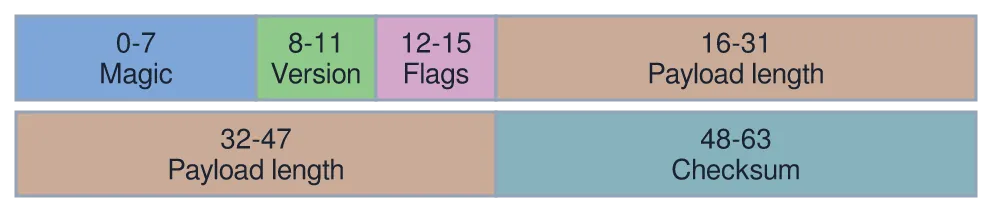
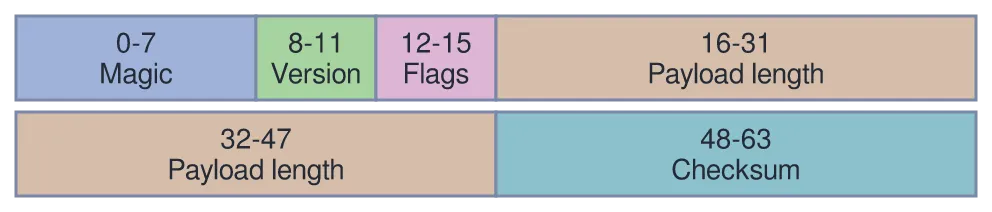
Ranges are bit offsets, so a wide field really is drawn wide.
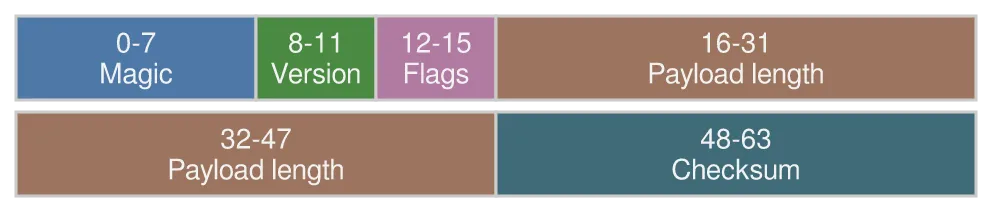
A packet-beta diagram drawn by konoma's own Mermaid renderer (routing = splines)
Mermaid source
packet-beta
0-7: "Magic"
8-11: "Version"
12-15: "Flags"
16-47: "Payload length"
48-63: "Checksum"
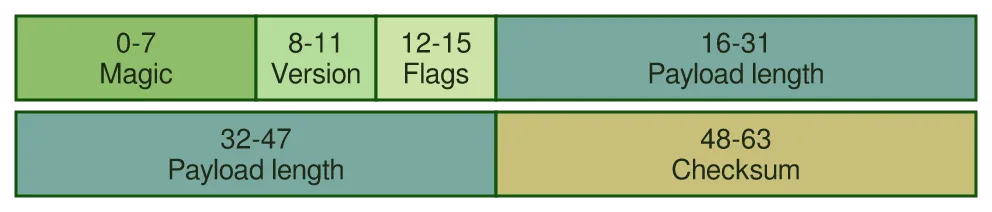
The same diagram drawn by konoma's own Mermaid renderer with mermaid_theme = "dark"
dark terminal
The same diagram drawn by konoma's own Mermaid renderer with mermaid_theme = "dark"
light terminal
darkdefault
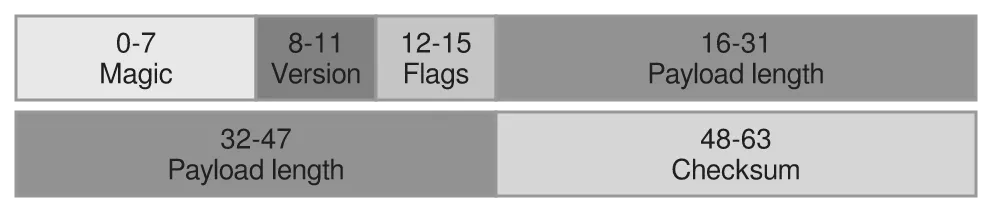
The same diagram drawn by konoma's own Mermaid renderer with mermaid_theme = "light"
dark terminal
The same diagram drawn by konoma's own Mermaid renderer with mermaid_theme = "light"
light terminal
light
The same diagram drawn by konoma's own Mermaid renderer with mermaid_theme = "classic"
dark terminal
The same diagram drawn by konoma's own Mermaid renderer with mermaid_theme = "classic"
light terminal
classic
The same diagram drawn by konoma's own Mermaid renderer with mermaid_theme = "forest"
dark terminal
The same diagram drawn by konoma's own Mermaid renderer with mermaid_theme = "forest"
light terminal
forest
The same diagram drawn by konoma's own Mermaid renderer with mermaid_theme = "neutral"
dark terminal
The same diagram drawn by konoma's own Mermaid renderer with mermaid_theme = "neutral"
light terminal
neutral

sankey-beta — flow that splits and keeps its width

Section titled “sankey-beta — flow that splits and keeps its width”

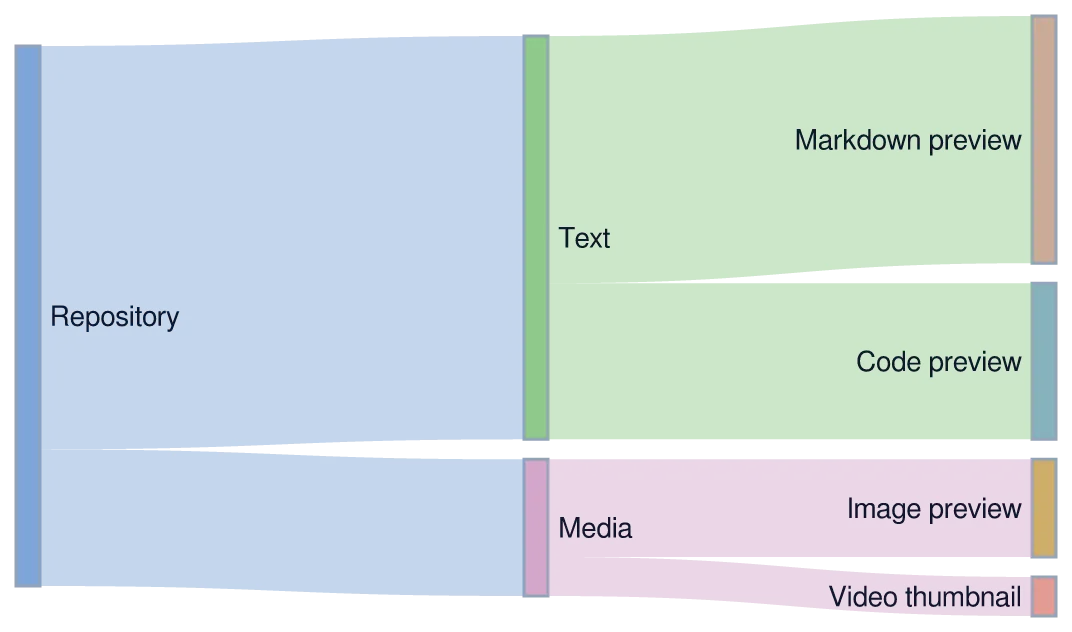
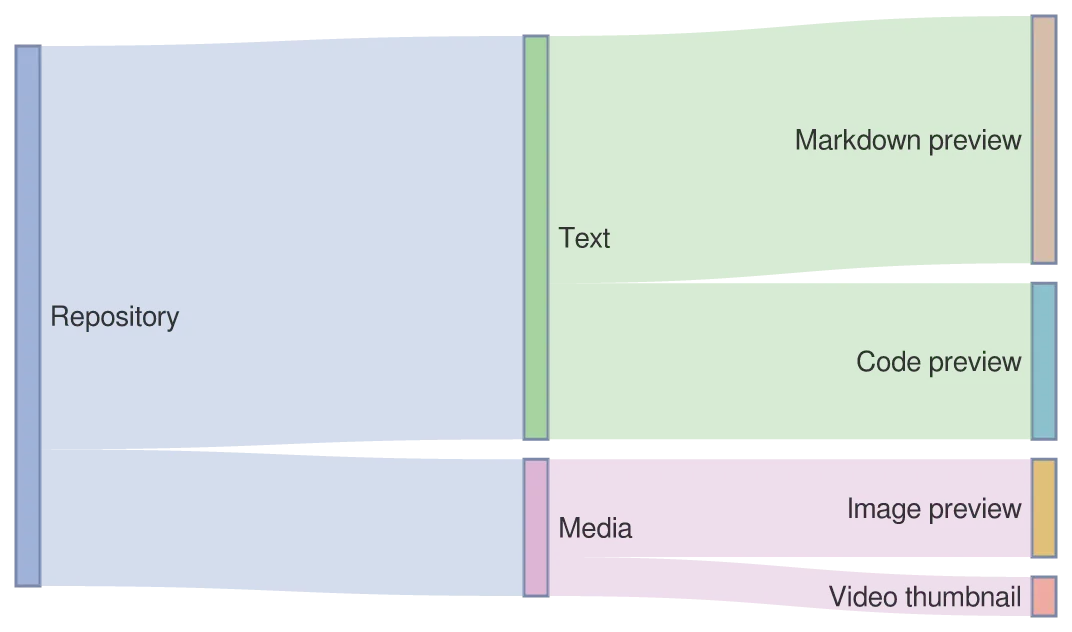
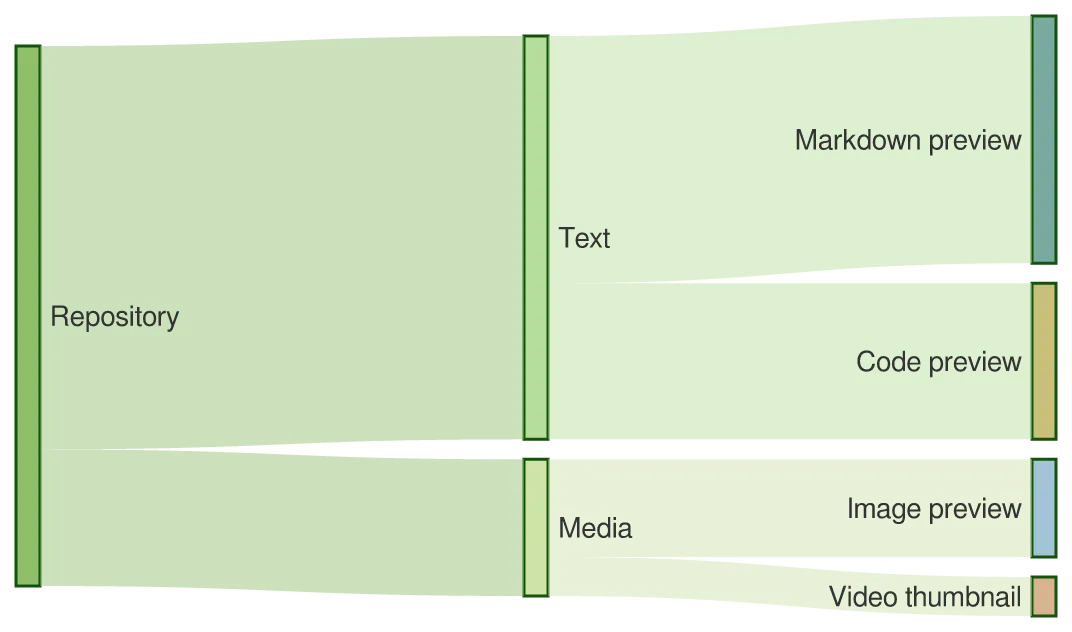
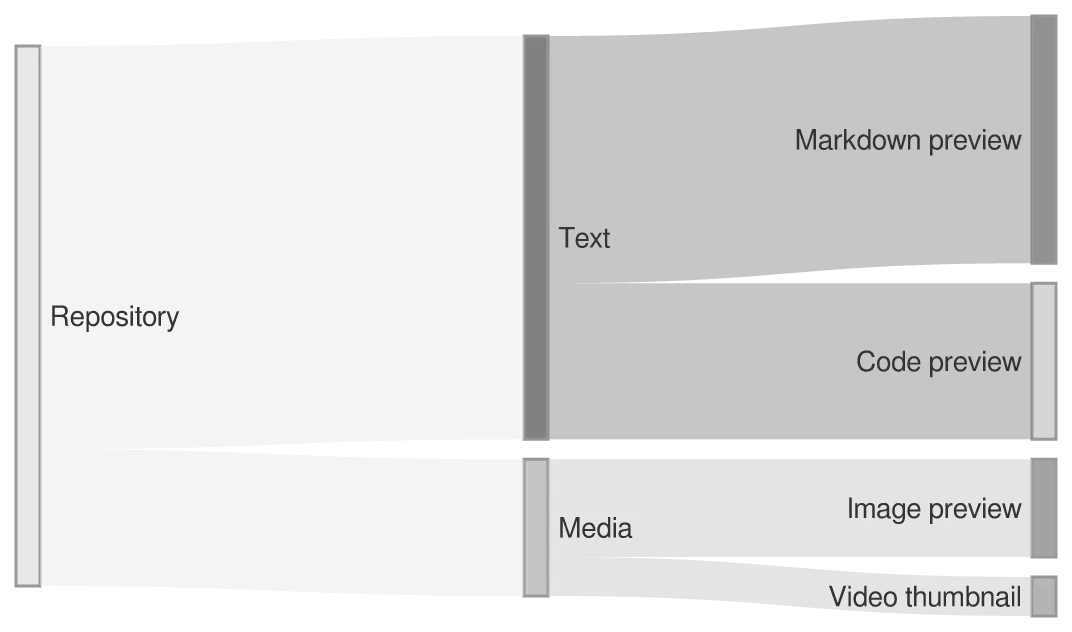
Comma-separated source,target,value. The band widths stay proportional as the flow divides.
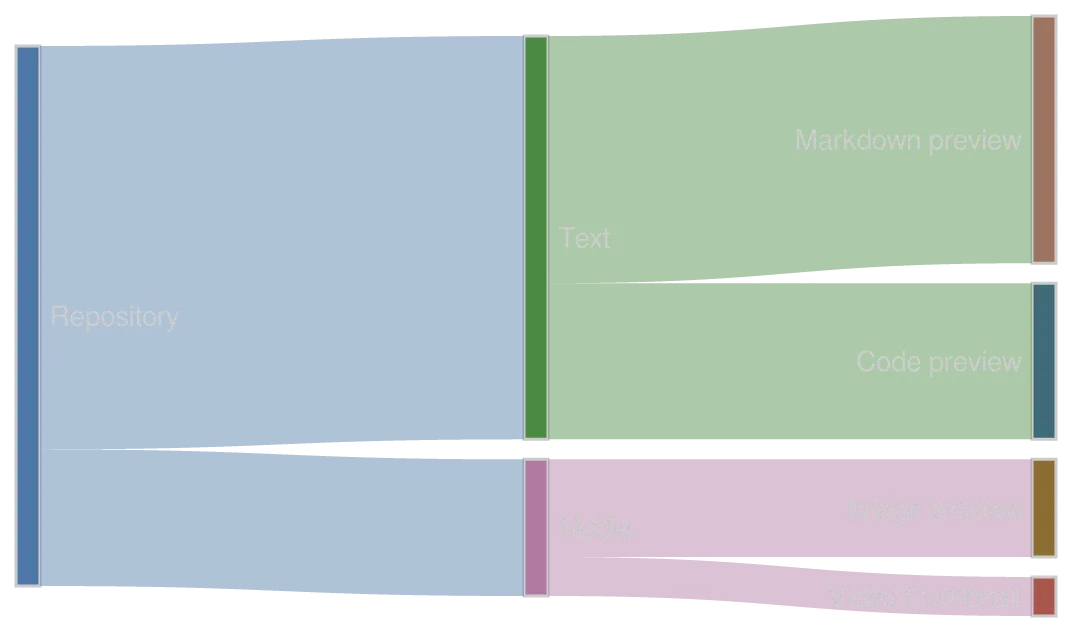
A sankey-beta diagram drawn by konoma's own Mermaid renderer (routing = splines)
Mermaid source
sankey-beta
Repository,Text,62
Repository,Media,21
Text,Markdown preview,38
Text,Code preview,24
Media,Image preview,15
Media,Video thumbnail,6
The same diagram drawn by konoma's own Mermaid renderer with mermaid_theme = "dark"
dark terminal
The same diagram drawn by konoma's own Mermaid renderer with mermaid_theme = "dark"
light terminal
darkdefault
The same diagram drawn by konoma's own Mermaid renderer with mermaid_theme = "light"
dark terminal
The same diagram drawn by konoma's own Mermaid renderer with mermaid_theme = "light"
light terminal
light
The same diagram drawn by konoma's own Mermaid renderer with mermaid_theme = "classic"
dark terminal
The same diagram drawn by konoma's own Mermaid renderer with mermaid_theme = "classic"
light terminal
classic
The same diagram drawn by konoma's own Mermaid renderer with mermaid_theme = "forest"
dark terminal
The same diagram drawn by konoma's own Mermaid renderer with mermaid_theme = "forest"
light terminal
forest
The same diagram drawn by konoma's own Mermaid renderer with mermaid_theme = "neutral"
dark terminal
The same diagram drawn by konoma's own Mermaid renderer with mermaid_theme = "neutral"
light terminal
neutral

Nothing is invented. A kind konoma does not know, or a syntax error, falls back to the source shown as text.

ui.mermaid = "text" asks for the Unicode box-drawing rendering everywhere, which is also what a terminal with no graphics protocol gets. It is text, not a picture, so this is the drawing itself rather than a screenshot of it:

flowchart
                                               ┌──────────────┐
                                              ▸│ Move or open │──────────┐
                                           Tree└──────────────┘          │
╭─────────────╮       ╱────────────────╲──────┘                          ▸┌────────┐
(  Key press  )──────▸│ Which surface? │   Preview                        │ Redraw │
╰─────────────╯       ╲────────────────╱──────┐                          ▸└────────┘
                                              │┌──────────────────┐      │
                                              ▸│ Scroll or search │──────┘
                                               └──────────────────┘
sequenceDiagram
 ┌───────┐                    ┌──────────┐                          ┌──────────┐
 │  You  │                    │  konoma  │                          │  Worker  │
 └───────┘                    └──────────┘                          └──────────┘
     ┆ Enter on a .png              ┆                                     ┆
     ───────────────────────────────▸                                     ┆
     ┆                              ┆ decode off the UI thread            ██
     ┆                              ──────────────────────────────────────▸█
     ┆                              ┆                                     ██
     ┆                       ╔═[alt]══[kitty graphics]═══════════════════════════╗
     ┆                       ║░░░░░░┆░compressed░RGBA░░░░░░░░░░░░░░░░░░░░░██░░░░░║
     ┆                       ║░░░░░░◂┄┄┄┄┄┄┄┄┄┄┄┄┄┄┄┄┄┄┄┄┄┄┄┄┄┄┄┄┄┄┄┄┄┄┄┄┄┄█░░░░░║
     ┆                       ║░░░░░░┆░░░░░░░░░░░░░░░░░░░░░░░░░░░░░░░░░░░░░██░░░░░║
     ┆                       ╠┄[no protocol]┄┄┄┄┄┄┄┄┄┄┄┄┄┄┄┄┄┄┄┄┄┄┄┄┄┄┄┄┄┄┄┄┄┄┄┄┄╣
     ┆                       ║░░░░░░┆░half░blocks░░░░░░░░░░░░░░░░░░░░░░░░░██░░░░░║
     ┆                       ║░░░░░░◂┄┄┄┄┄┄┄┄┄┄┄┄┄┄┄┄┄┄┄┄┄┄┄┄┄┄┄┄┄┄┄┄┄┄┄┄┄┄█░░░░░║
     ┆                       ║░░░░░░┆░░░░░░░░░░░░░░░░░░░░░░░░░░░░░░░░░░░░░┆░░░░░░║
     ┆                       ╚═══════════════════════════════════════════════════╝
     ┆ full-screen preview          ┆                                     ┆
     ◂┄┄┄┄┄┄┄┄┄┄┄┄┄┄┄┄┄┄┄┄┄┄┄┄┄┄┄┄┄┄┄                                     ┆
     ┆                              ┆                                     ┆
 ┌───────┐                    ┌──────────┐                          ┌──────────┐
 │  You  │                    │  konoma  │                          │  Worker  │
 └───────┘                    └──────────┘                          └──────────┘